Getting Started
27
Presetting channels
3
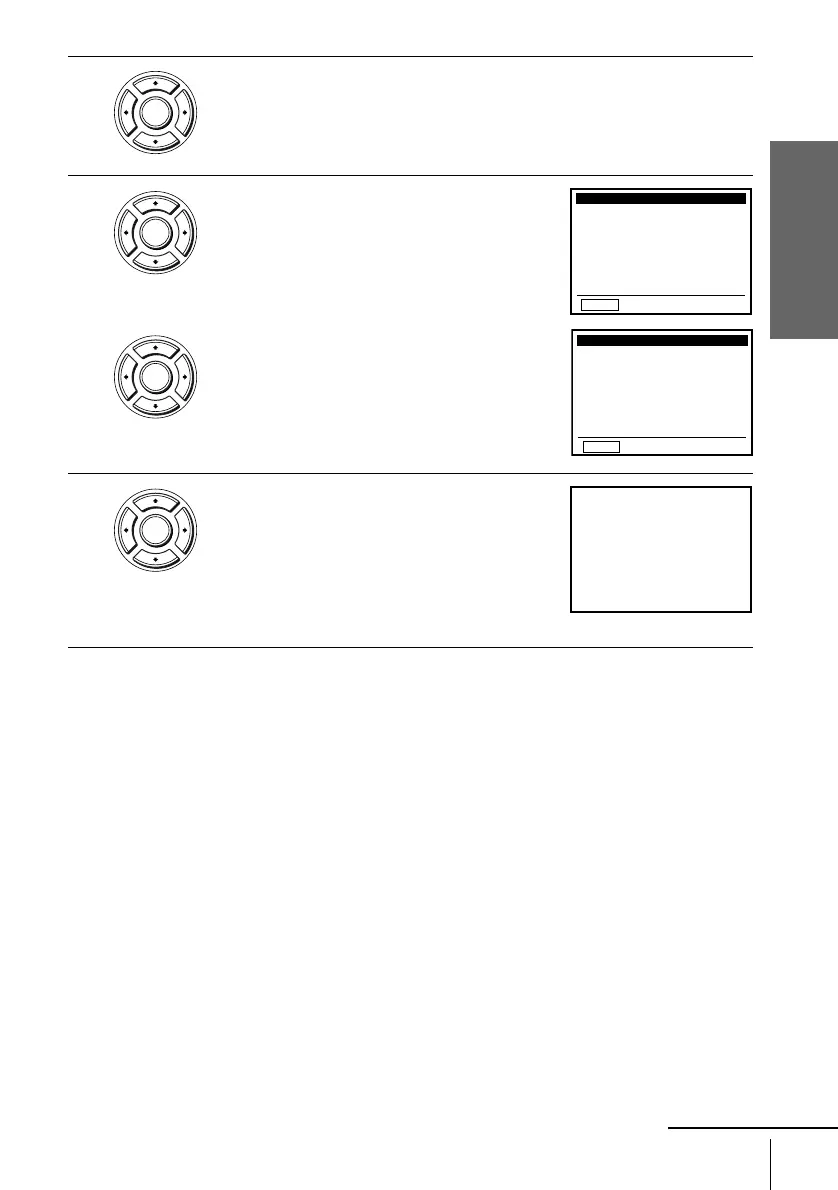
Press V/v to select “Ant/Cable.”
4
• To preset cable TV channels:
Press
B/b to select “Cable TV.”
• To preset VHF and UHF channels:
Press
B/b to select “Antenna.”
5
Press V/v to select “Auto channel memory,”
then press ENTER.
All receivable channels are preset in numerical
sequence. When no more receivable channels
can be found, presetting stops and the picture
from the lowest numbered channel is displayed
on the TV screen.
ENTER
ENTER
ENTER
RETURN
CHANNEL SETUP
v
V
b
B
B
Auto channel memory
Ant / Cable:
Channel add / delete
[Cable TV]
RETURN
CHANNEL SETUP
v
V
b
B
B
Ant / Cable: [ Antenna ]
Auto channel memory
Channel add / delete
ENTER
• • • • •
please wait
• • • • •
125CHMemorizing
continued



 To Next Page