48
US
Screen Setup
If your TV accepts progressive (480p) format signals, you will enjoy accurate color
reproduction and high quality image.
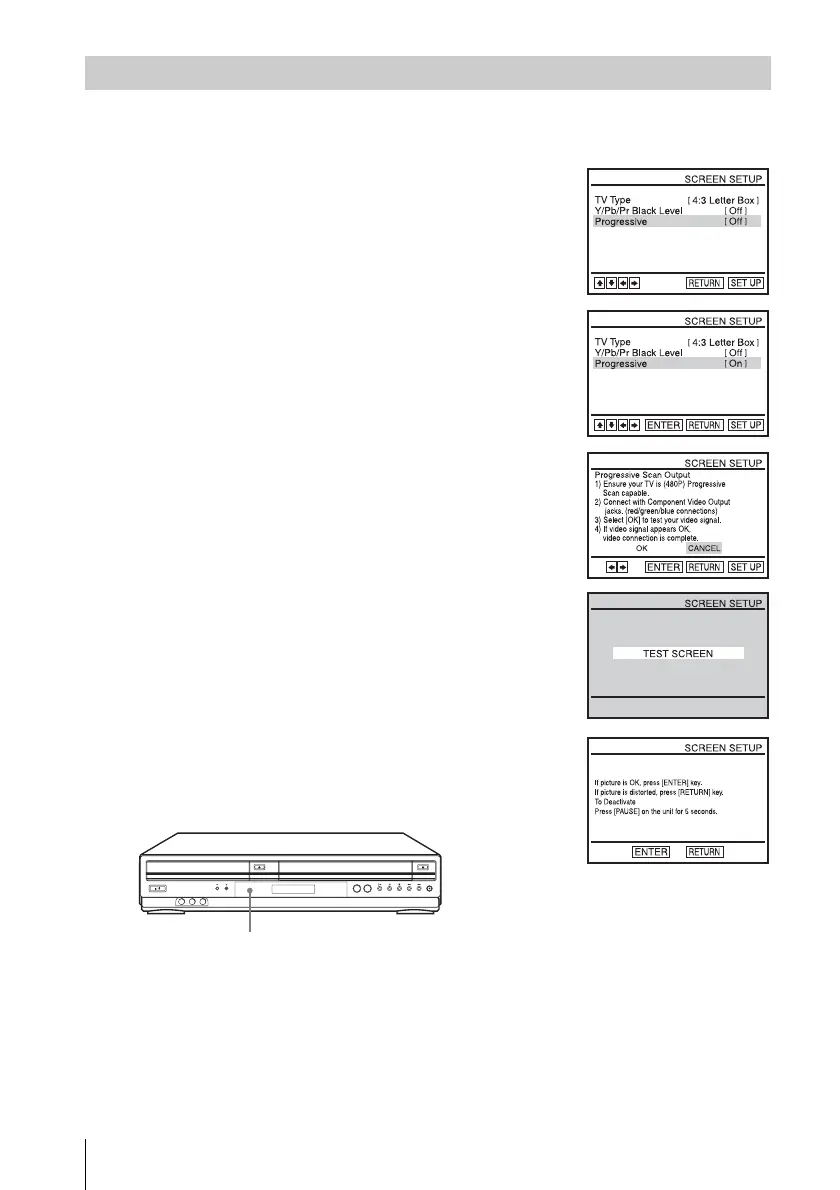
To set the “Progressive” setting
1
Follow step 1 and 2 on page 46, then press V/v to select
“Progressive.”
2
Press B/b to select “On,” then press ENTER.
3
Follow the instructions appearing on the screen.
1 Ensure your TV is (480p) Progressive Scan capable.
2 Connect with Component Video Output jacks (red/green/
blue connections).
For details, see the connection B on page 21.
3 Press B/b to select [OK] to test your video signal.
4
If video signal appears OK, video connection is complete.
Press ENTER.
The PROGRESSIVE indicator on the unit lights up in orange.
If picture is distorted, press O RETURN. Check the connection (page 21).
PROGRESSIVE indicator














 To Next Page