70
US
Playing an MP3 audio track
To stop play
Press x STOP.
To repeat play
Press REPEAT repeatedly during playback to change the repeat mode.
• FILE: repeats the current track (file).
• DIR: repeats the current album (directory).
• DISC: repeats the current disc.
For details, see “Playing repeatedly (Repeat play)” (page 64).
To go to the next or previous page
Press b or B.
To return to the previous display
Press O RETURN.
To return to the “Select a Media Type” menu
Press x STOP twice, then press TOP MENU.
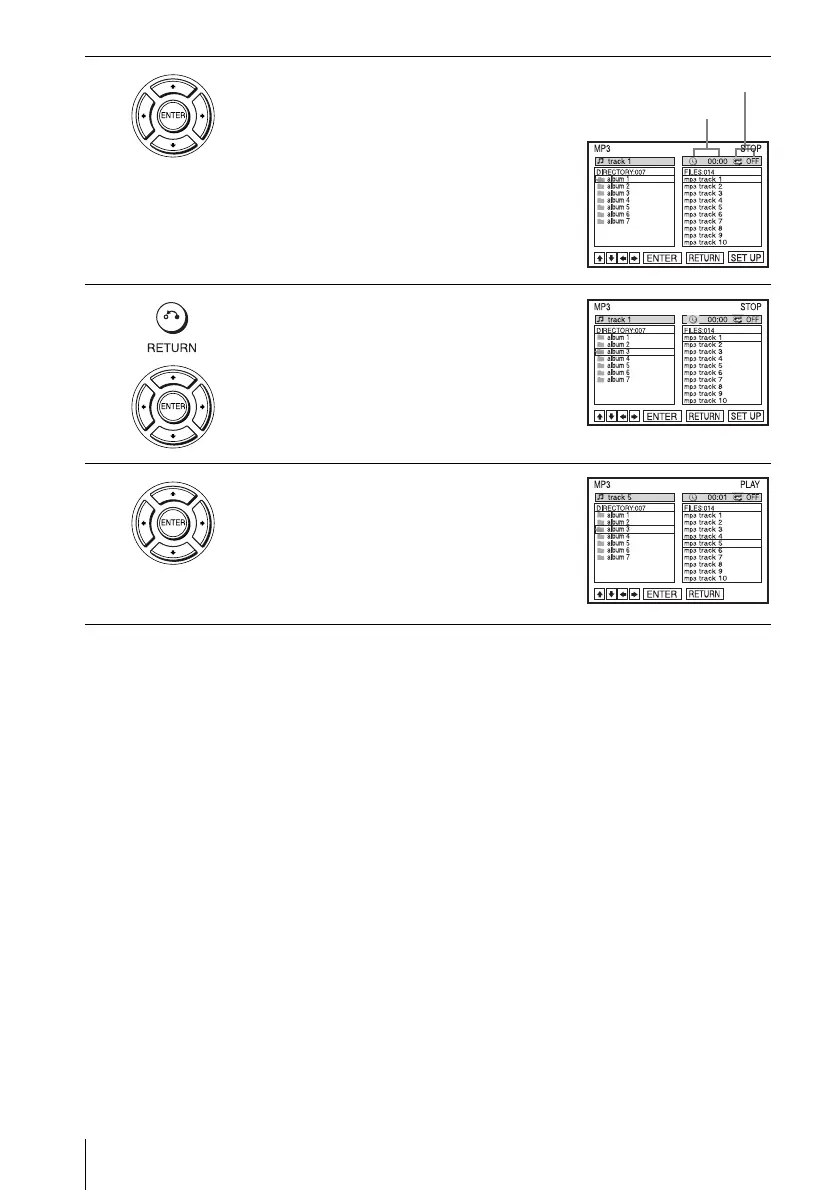
3
Press V/v to select “MP3”, then press
ENTER.
The first track starts playing. Press x STOP if
necessary.
4
Press O RETURN, then press V/v to select
the desired directory in the left column, then
press ENTER.
5
Press V/v to select the desired track in the
right column, then press ENTER.
The selected track starts playing.
When a track or album is being played, the title
is shown in a box. The playing track number
appears on the display window.
Elapsed playing time
Repeat mode














 To Next Page