SNC EP520/EP521/EP550/EP580/ER520/ER521/ER550/ER580/ER585/ER585H/ZP550/ZR550
Operating the Camera
Configuration of Main Viewer
16
Note
Set the Exclusive control mode in the System Tab of
the System Menu to On to perform exclusive control
(page 28).
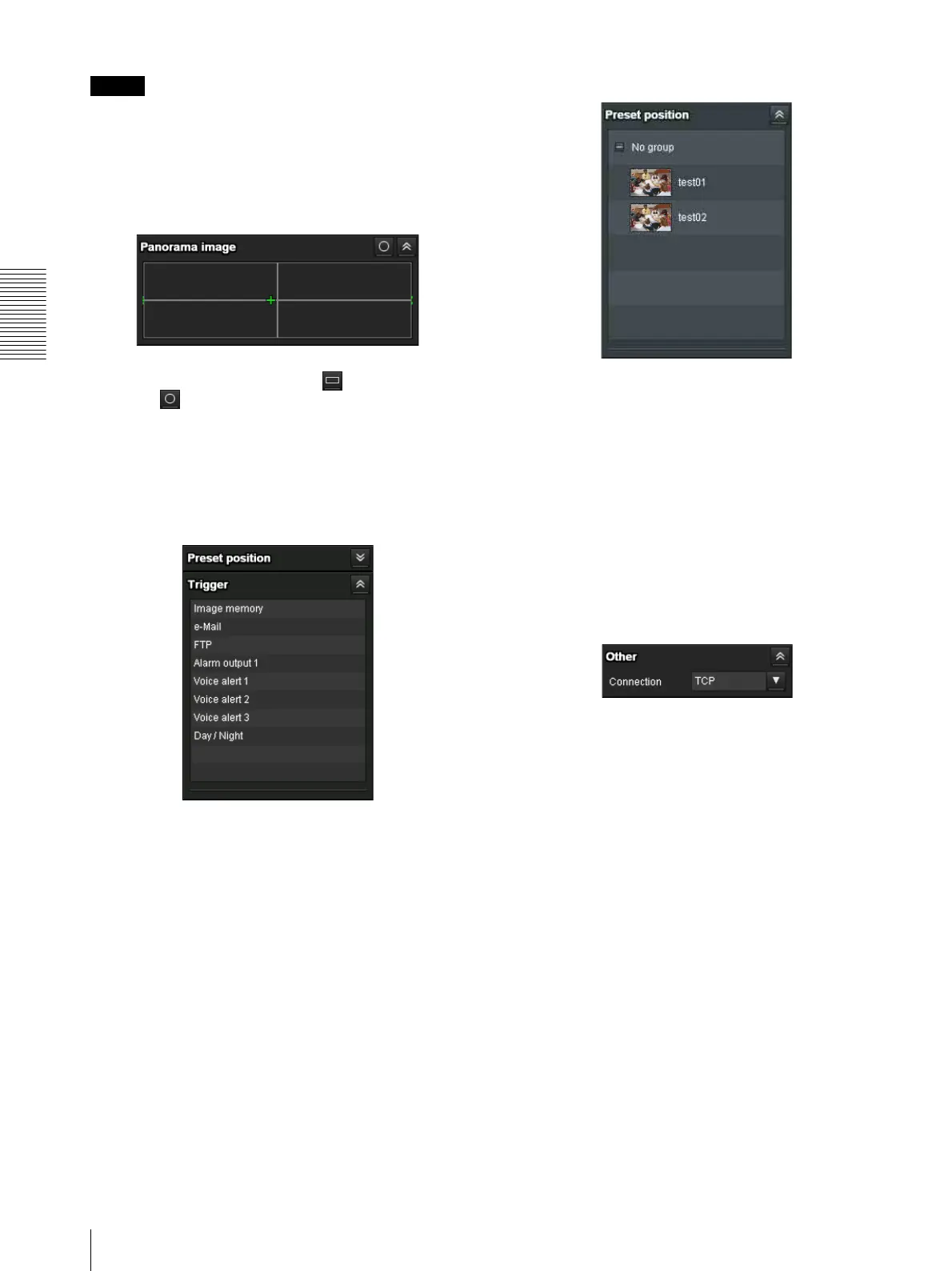
Panorama panel
Map View and Arctic View are displayed.
You can switch the display. Click to display Map
View and to display Arctic View.
Arctic View is not available on SNC-EP520/EP521/
EP550/EP580/ZP550.
Display switching is only available on SNC-ER520/
ER521/ER550/ER580/ER585/ER585H/ZR550.
Trigger panel
The above is displayed only when Viewer mode
(page 59) is set to Full, and one or more triggers are
enabled in the Trigger menu (page 79).
The configured functions are displayed as buttons on
this panel.
Click the function button you want to use on the Trigger
panel. The selected function is activated. The selectable
functions are as follows:
• send still image files attached to an e-mail (page 21)
• send still image files to an FTP server (page 21)
• record still image files in the built-in memory or SD
memory card (not supplied) (page 21)
• control the alarm output (page 22)
• switch the Day/Night function on/off (page 22)
• play the audio file stored in the camera (page 22)
Preset position panel
The above is displayed only when one or more preset
positions are stored in memory.
The registered preset position is displayed.
If you select a thumbnail when registering a preset
position, it will be displayed with a thumbnail.
Select the Preset position name from the list. The camera
will move to the preset position that you have stored in
memory using the Preset position menu.
Others panel
(The Other panel is displayed in the case of an MPEG4
or H.264 image.)
You can switch between TCP and UDP (Unicast/
Multicast).
Each click switches the transmission mode of the video/
audio data between TCP mode, Unicast mode, and
Multicast mode (page 22).



 To Next Page