SNC-EP520/EP521/EP550/EP580/ER520/ER521/ER550/ER580/ER585/ER585H/ZP550/ZR550
Administrating the Camera
Setting the Operations from the Viewer — Trigger Menu
79
Setting the Operations
from the Viewer
— Trigger
Menu
Click in the Administrator menu to display the
Trigger menu.
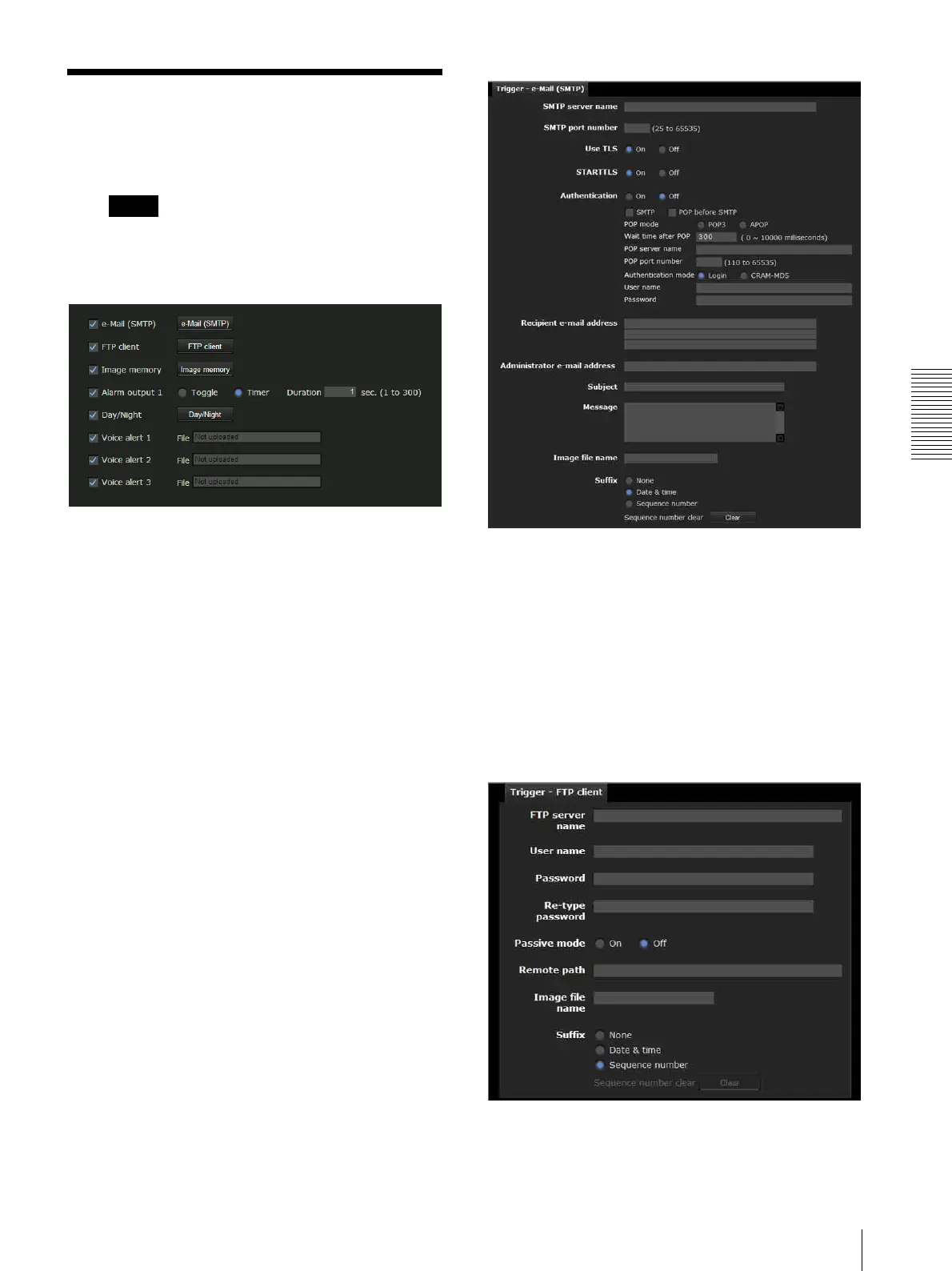
This allows you to select the activities that can be
performed when the button on the Trigger panel is
clicked on the main viewer.
e-Mail (SMTP)
Checking this box allows you to select e-Mail (SMTP)
on the Trigger panel in the main viewer.
By clicking e-Mail (SMTP) a still image of the moment
you click is captured, and your e-mail with the image
file attached is sent to the specified mail address.
When you click e-Mail (SMTP), the Trigger-e-Mail
(SMTP) menu is displayed. You can set the necessary
options here. The setting options and setting procedures
are the same as those of the e-Mail (SMTP) menu
(page 64).
FTP client
Checking this box allows you to select FTP client on the
Trigger panel in the main viewer.
By clicking FTP client a still image of the moment you
click is captured, and the image file is sent to the FTP
server.
When you click FTP client, the Trigger-FTP client
menu is displayed. You can set the necessary options
here. The setting options and setting procedures are the
same as those of the FTP client menu (page 67).
Trigger



 To Next Page