SNC EP520/EP521/EP550/EP580/ER520/ER521/ER550/ER580/ER585/ER585H/ZP550/ZR550
Administrating the Camera
Setting the Operations from the Viewer — Trigger Menu
80
Image memory
Checking this box allows you to select Image memory
on the Trigger panel in the main viewer.
By clicking Image memory a still image of the moment
you click is captured, and the image file is recorded in
the built-in memory or SD memory card (not supplied).
For details on usable cards, contact your authorized
Sony dealer.
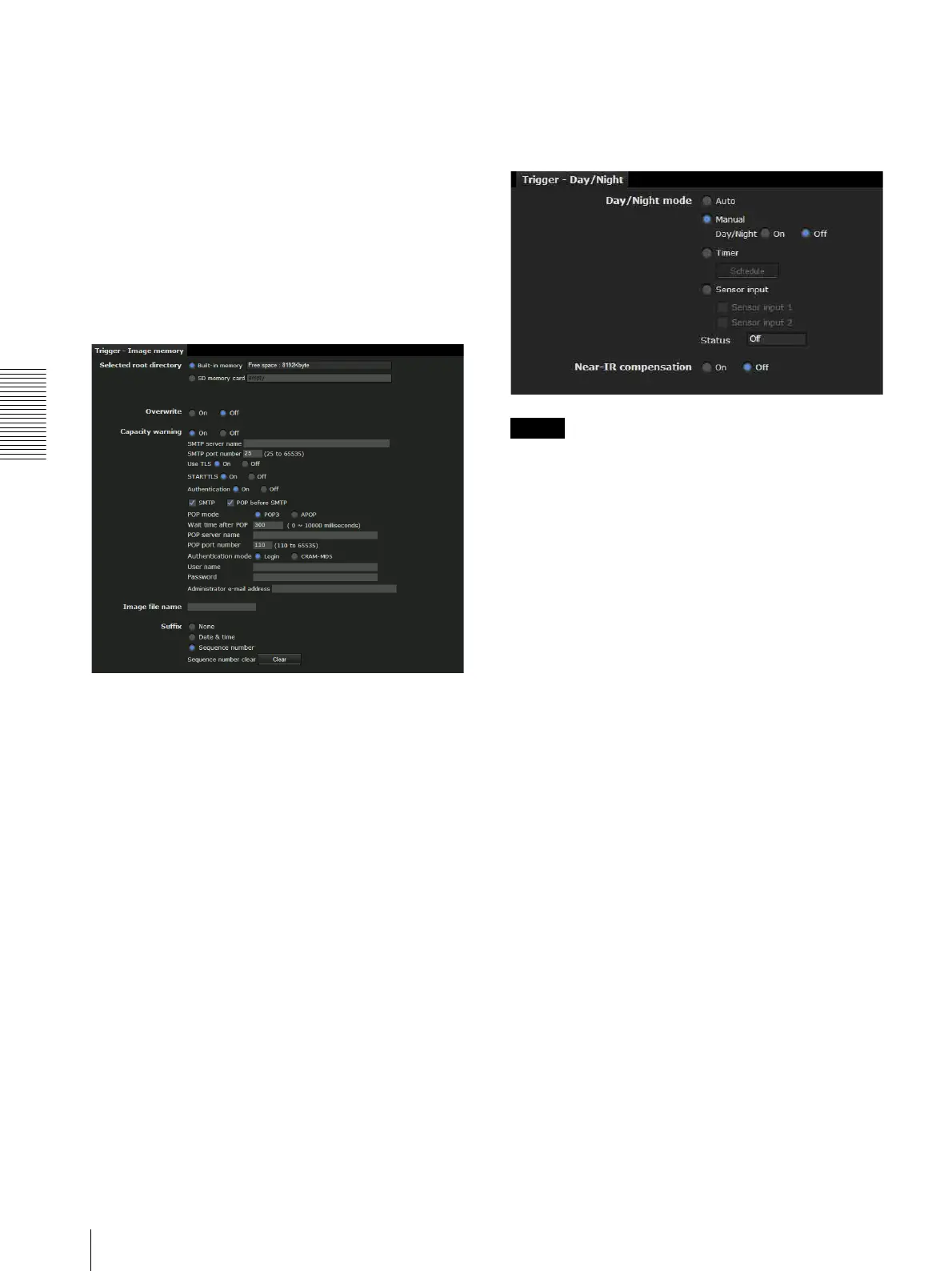
Click Image memory to display the Trigger-Image
memory menu. You can set the necessary options here.
The setting options and setting procedures are the same
as those of the Image memory menu (page 70).
Alarm output 1
Checking this box allows you to select Alarm output 1
on the Trigger panel in the main viewer. You can control
the alarm output by clicking Alarm output 1.
Select the alarm ouput control mode from Toggle or
Timer.
Toggle: Each time you run a trigger, On (short circuit)
or Off (open) is switched.
Timer: When you run a trigger, the alarm output is
switched to On, and will automatically set to Off
after the time specified in Duration has elapsed.
Duration
When Timer is selected, specify the time for which the
alarm output remains off, from 1 to 300 seconds.
Day/Night
Checking this box allows you to select Day/Night on the
Trigger panel in the main viewer. You can set the day/
night function to On (night mode) or Off (day mode) by
clicking Day/Night.
When you click Day/Night, the Trigger-Day/Night
menu is displayed. You can set the necessary options
here. The setting options and setting procedures are the
same as those in the Day/Night tab of the Camera menu
(page 40).
Note
The day/night function is invalid when Day/Night
mode is set to Auto in the Trigger-Day/Night menu,
even if you click Trigger.
Voice alert 1, 2, 3
Checking this box allows you to select Voice alert 1,
Voice alert 2 or Voice alert 3 on the Trigger panel in the
main viewer. You can output audio from the audio file
saved in the camera by clicking Voice alert 1 , 2 or 3.
File
Displays the name of the audio file saved in the camera.
“Not uploaded” is displayed dimly if no audio file is
saved.
OK/Cancel
See “Buttons common to every menu” on page 26.



 To Next Page