SNC EP520/EP521/EP550/EP580/ER520/ER521/ER550/ER580/ER585/ER585H/ZP550/ZR550
Administrating the Camera
Setting the SSL function — SSL Menu
48
http:// [IPv6 address]
http:// [IPv6 address]: port
[:port]: Specify the port number to which you want to
connect. If you want to use the established port
number 80, you do not need to input a value.
path: Type the command.
parameter: Type the command parameter if necessary.
You can use the special tags mentioned below for the
parameters.
Proxy server name
When you send an HTTP request via a proxy server,
type the name or IP address of the proxy server, using up
to 64 characters.
Proxy port number
Specify the port number when you send an HTTP
request via the proxy server. Set a port number between
1024 and 65535.
Method
Select the HTTP method GET or POST.
OK/Cancel
See “Buttons common to every menu” on page 26.
About the special tags
You can use the following five special tags to allow
notification of the settings acquired by DHCP, such as
an IP address. Type the tags in the parameter section of
the URL that you described in the Message field of the
HTTP.
<IP>
Use this tag to embed the IP address acquired by DHCP
in the text or parameter.
<HTTPPORT>
Use this tag to embed the specified HTTP server port
number in the text or parameters.
<MACADDRESS>
Use this tag to embed the MAC address of the interface,
whose IP address was acquired by DHCP, in the text or
parameter.
<MODELNAME>
Use this tag to embed the camera’s model name in the
text or parameter.
<SERIAL>
Use this tag to embed the camera’s serial number in the
text or parameter.
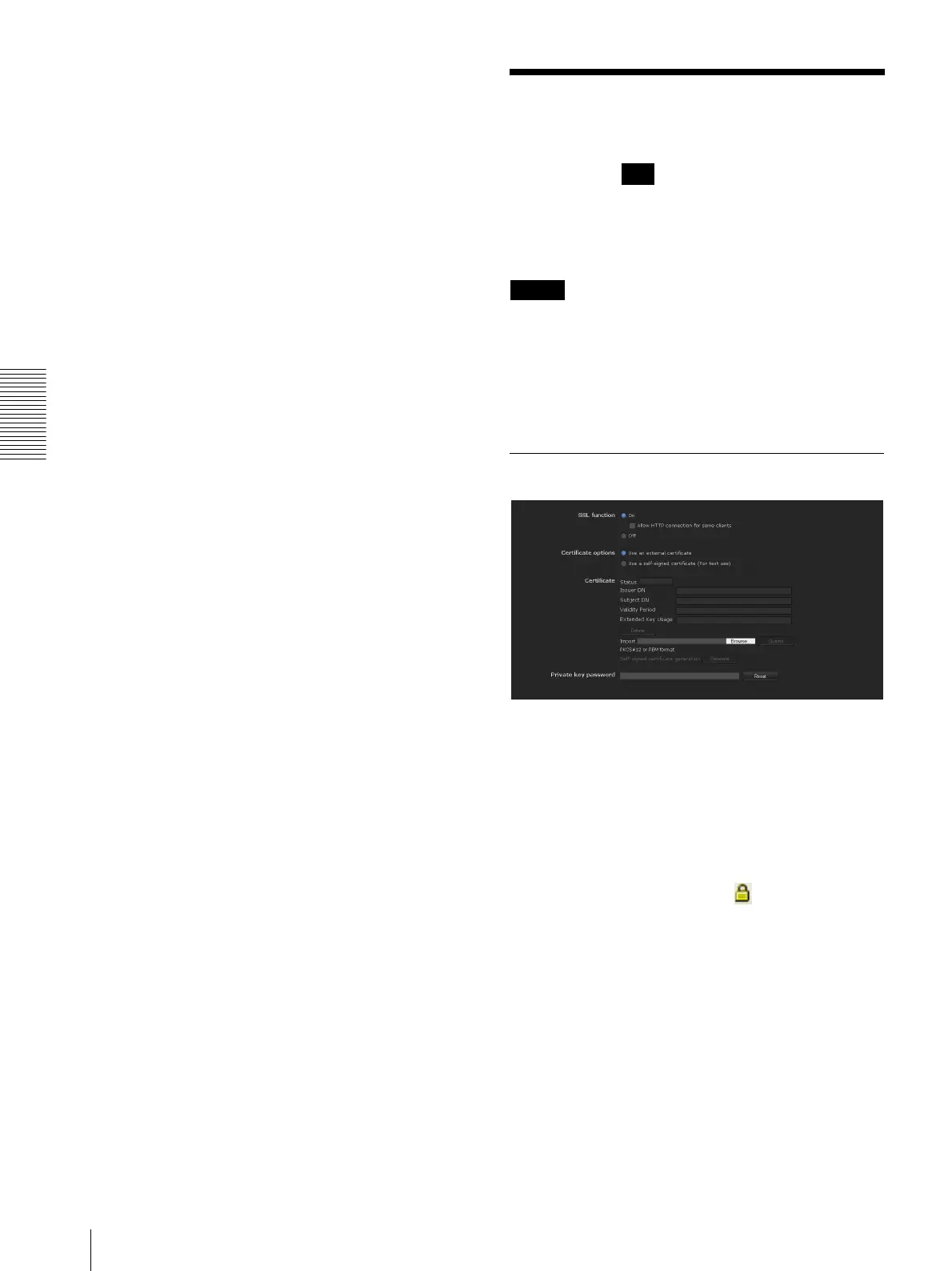
Setting the SSL function
— SSL Menu
When you click in the Administrator menu, the
SSL menu appears.
Use this menu to configure the SSL or TLS function.
(called “SSL” hereafter) The settings allows the camera
to communicate with the client PC by using SSL.
Notes
• The model on sale in China does not support the SSL
function.
• When using the SSL function, always configure the
settings after setting the date and time of the camera.
If the date and time are not correctly set, it may cause
browser connection problems.
SSL tab
SSL function
On: Select this to use the SSL function. When Allow
HTTP connection for some clients is selected, both
HTTP and SSL connections are allowed. When
Allow HTTP connection for some clients is not
selected, only SSL connection is allowed.
When Internet Explorer is used
When SSL session is established, appears in the right
of the address bar on your web browser.
Off: Select this to not use the SSL function. Only HTTP
connection is allowed with the camera.
SSL



 To Next Page