SNC-EP520/EP521/EP550/EP580/ER520/ER521/ER550/ER580/ER585/ER585H/ZP550/ZR550
Administrating the Camera
Communicating with external devices - PTZ control I/F menu (SNC-ZP550/ZR550)
85
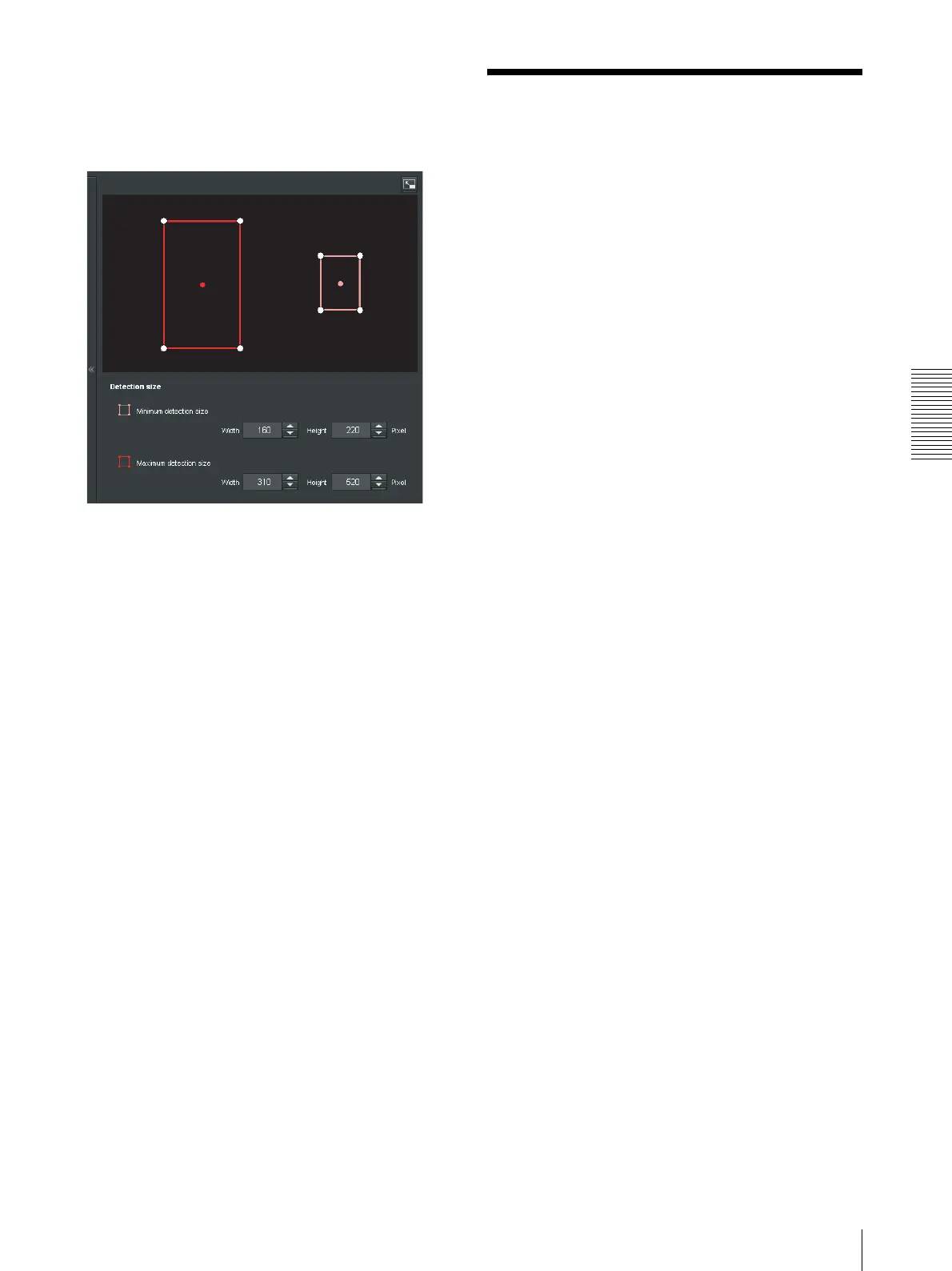
Detection size
Specify the minimum detection size and maximum
detection size of motion detection. To specify the
detection size, you can either enter values or drag the
vertexes of the area.
The area size is measured in pixels.
• When you place the cursor on the area, the cursor
changes to a crossed arrow, which you can drag to
move to the minimum detection size area and
maximum detection size area.
• When you place the cursor on the vertex of the area,
the cursor changes to n. Drag and move the vertex
to adjust the detection size.
OK/Cancel
See “Buttons common to every menu” on page 26.
Communicating with
external devices - PTZ
control I/F menu (SNC-
ZP550/ZR550)
Click PTZ control I/F in the Administrator menu to
display the PTZ control I/F menu.
Using this menu, you can configure settings to receive
control signals from IPELA HYBRID-compatible
devices (receiver, DVR, etc.).
This unit's pan, tilt and zoom, etc., functions can be
controlled from a keyboard connected to an IPELA
HYBRID-compatible device.
TCP port No.
Enter the number of the port for control signal reception.
Specify a port number (1024 to 65535) that is not
commonly used.
To receive control signals, you need to configure the
settings of the IPELA HYBRID-compatible device. For
details, refer to the manual of the corresponding device.
For IPELA HYBRID-compatible devices, contact your
authorized Sony dealer.



 To Next Page