SNC-EP520/EP521/EP550/EP580/ER520/ER521/ER550/ER580/ER585/ER585H/ZP550/ZR550
Operating the Camera
Using the System Utility
25
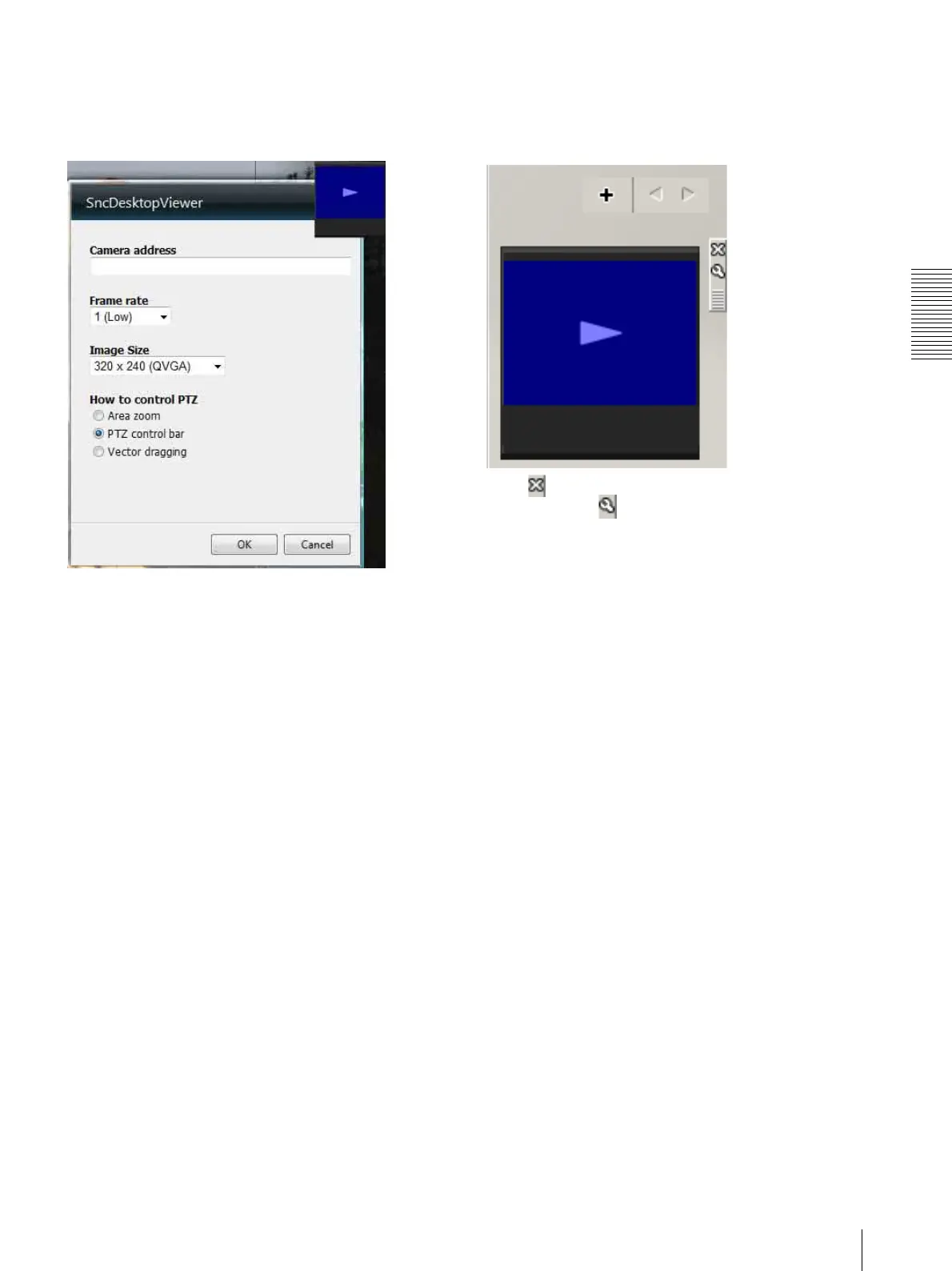
Using the SNC desktop viewer
When installation is finished, SNC desktop viewer is
displayed on the side bar of Windows Vista or Desktop
in the case of Windows 7.
Camera address
Set the IP address for the camera to display on the
Gadget.
Frame rate
Select the frame rate for the image to display on the
Gadget.
Image size
Select the image size for the image to display on the
Gadget.
How to control PTZ
Select the PTZ operation mode for the Gadget screen
from the options Area zoom, PTZ control bar, and
Vector dragging.
Click (Exit) to exit Gadget.
When you click (Set), you will see the following
setting screen.



 To Next Page