EasyManua.ls Logo

Sony STR-AV780 - Page 11

Sony STR-AV780
32 pages
Print Icon
To Next Page IconTo Next Page
To Previous Page IconTo Previous Page
Loading...
Pye
Se
STATION
SCAN
TUNING
Once
all
receivable
stations
in
your
area
are
located
by
station
searching,
you
can
select
the
desired
station
quickly
while
scanning
the
stations
located.
1
Press
the
FM
ANT-A
(CATV),
FM
ANT-B
or
AM
key.
The
“0”
indication
will
blink.
2
Input
any
frequency
within
the
band
using
the
number
keys.
3
Press
the
STATION
SCAN
key.
Press
the
“+”
side
for
higher
frequencies
or
the
“—”
side
for
lower
frequencies.
Each
time
you
press
“+”
or
“—”,
a
higher
or
lower
frequency
station
will
be
tuned
in.
If
you
keep
the
key
depressed,
the
receivable
stations
will
consecutively
be
tuned
in
for
several
seconds.
Release
the
key
when
the
desired
station
is
received.
To
erase
the
memory
of
a
located
station
Tune
in
the
station
and
press
the
MEMORY
ERASE
key.
The
memory
of
the
station
will
be
erased
and
the
station
will
be
skipped
over
when
the
STATION
SCAN
key
is
pressed
later.
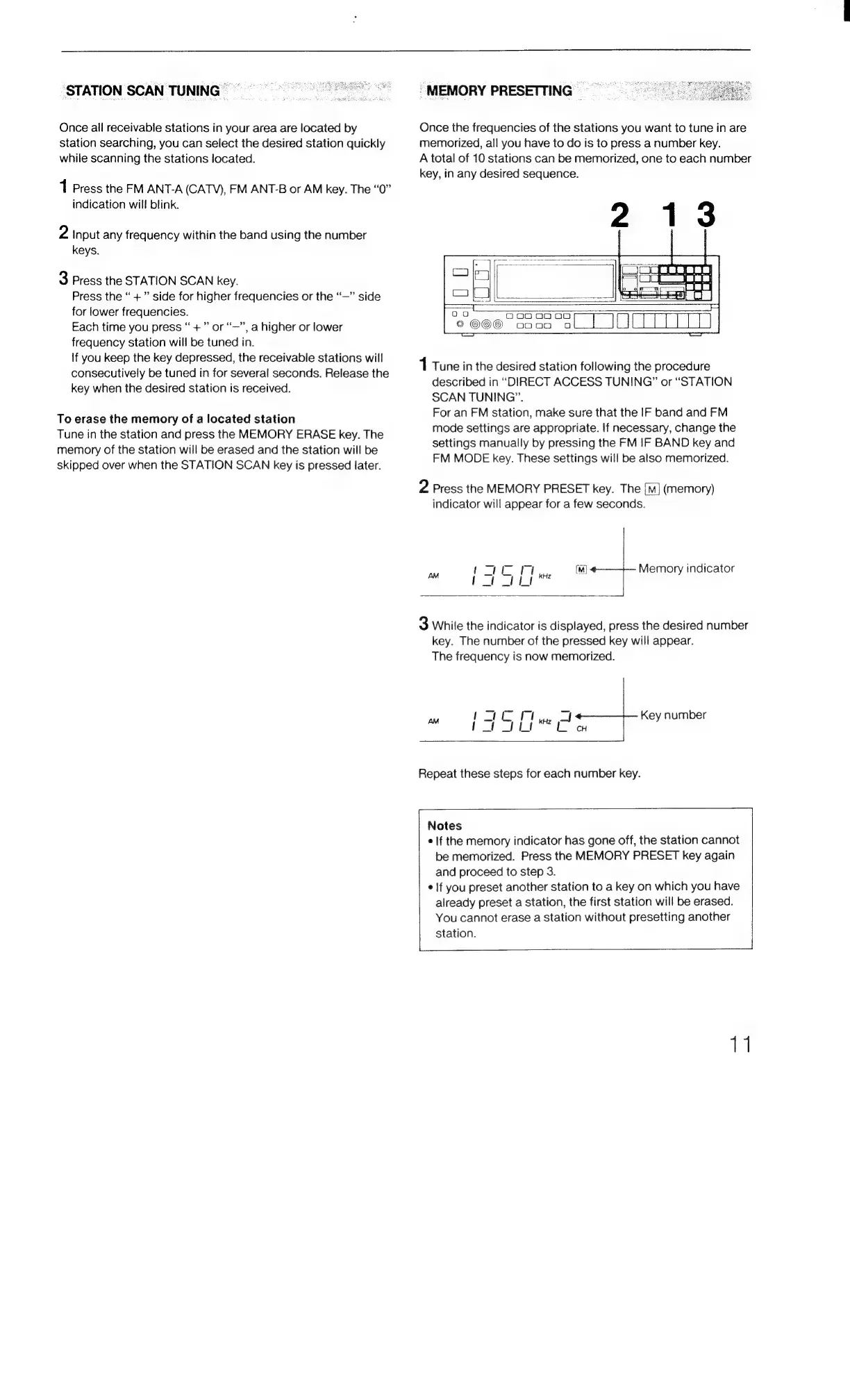
-MEMORY
PRESETTING
Once
the
frequencies
of
the
stations
you
want
to
tune
in
are
memorized,
all
you
have
to
do
is
to
press
a
number
key.
A
total
of
10
stations
can
be
memorized,
one
to
each
number
key,
in
any
desired
sequence.
Oo
ooo
0000
©@©O©
oooo
1
Tune
in
the
desired
station
following
the
procedure
described
in
“DIRECT
ACCESS
TUNING”
or
“STATION
SCAN
TUNING”.
For
an
FM
station,
make
sure
that
the
IF
band
and
FM
mode
settings
are
appropriate.
If
necessary,
change
the
settings
manually
by
pressing
the
FM
IF
BAND
key
and
FM
MODE
key.
These
settings
will
be
also
memorized.
2
Press
the
MEMORY
PRESET
key.
The
[i]
(memory)
indicator
will
appear
for
a
few
seconds.
Memory
indicator
3
While
the
indicator
is
displayed,
press
the
desired
number
key.
The
number
of
the
pressed
key
will
appear.
The
frequency
is
now
memorized.
Key
number
Repeat
these
steps
for
each
number
key.
Notes
¢
If
the
memory
indicator
has
gone
off,
the
station
cannot
be
memorized.
Press
the
MEMORY
PRESET
key
again
and
proceed
to
step
3.
¢
lf
you
preset
another
station
to
a
key
on
which
you
have
already
preset
a
station,
the
first
station
will
be
erased.
You
cannot
erase
a
station
without
presetting
another
station.
11

Related product manuals