EasyManua.ls Logo

Sony STR-AV780 - Tech Acess Restate See Oe Eed Oe Ty

Sony STR-AV780
32 pages
Print Icon
To Next Page IconTo Next Page
To Previous Page IconTo Previous Page
Loading...
FEATURES
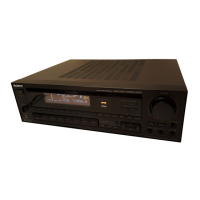
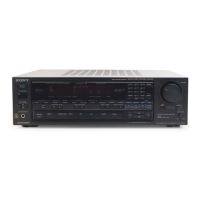
The
STR-AV780/AV880
is
a
combined
receiver
and
audio/video
control
center
that
allows
you
to
enjoy
with
maximum
convenience
a
variety
of
audio/video
program
sources—CD
(Compact
Disc),
record,
tape,
TV,
hi-fi
video,
and
more.
e
A
surround
sound
system
gives
your
living
room
the
acoustics
of
a
movie
theater
or
a
concert
hall.
¢
The
ASP
(Audio
Signal
Processor)
IC
developed
by
Sony
can
digitally
control
the
tone
and
volume
settings,
and
permits
electronic
program
source
selection
with
a
single
touch
of
a
key.
¢
The
ASP
IC
also
offers
an
acoustic
memory
function,
an
ability
to
store
and
recall
three
sets
of
tonal
adjustments,
and
a
volume
fade-in
function,
an
ability
to
set
the
volume
to
the
minimum
level
when
the
power
is
turned
on
and
automatically
increase
it
to
a
previously
set
level.
¢
A
quartz-locked
digital
synthesizer
system
with
a
sophisticated
Phase-Locked
Loop
(PLL)
circuit
allows
extremely
precise
tuning
of
FM
and
AM
stations
with
an
electronic
digital
readout
in
the
display
window.
A
total
of
10
stations
can
be
preset.
¢
The
computerized
logic
tuning
system
automatically
selects
the
appropriate
FM
mode
and
FM
IF
band
according
to
the
signal
strength
of
the
station
received.
¢
The
station
spectrum
display
allows
you
to
identify
at
a
glance
the
frequencies
of
all
preset
stations
or
stations
which
are
receivable
with
station
scan
tuning.
e
Video
tapes
can
be
edited
between
two
hi-fi
video
cassette
recorders
connected.
During
video
tape
editing,
other
audio
program
sources
can
be
enjoyed
and
added
onto
the
video
tape.
e
Independent
TV
tuner
inputs
are
provided
besides
the
two
video
inputs.
e
Front
video
inputs
allows
temporary
connection
of
a
portable
VCR,
etc.
¢
CATV
cable
can
be
connected
directly
to
the
receiver,
making
FM
simulcast
program
reception
easily.
¢
The
RM-U880
Remote
Commander™*
allows
you
to
control
the
components
connected
to
the
receiver
from
a
distance.
*
The
RM-U880
Remote
Commander
is
supplied
with
the
STR-AV880,
and
optional
for
the
STR-AV780.
For
connections
and
operations
using
the
RM-U880,
refer
to
the
instruction
manual
of
the
RM-U880.
PRECAUTIONS
On
safety
¢
Operate
the
unit
only
on
120
V
AC,
60
Hz.
e
Should
any
liquid
or
solid
object
fall
into
the
cabinet,
unplug
the
unit
and
have
it
checked
by
qualified
personnel
before
operating
it
any
further.
e
Unplug
the
unit
from
the
wall
outlet
if
it
is
not
to
be
used
for
an
extended
period
of
time.
To
disconnect
the
cord,
pull
it
out
by
prasping
the
plug.
Never
pull
the
cord
itself.
¢
One
blade
of
the
plug
is
wider
than
the
other
for
the
purpose
of
safety
and
will
fit
into
the
power
outlet
only
one
way.
If
you
are
unable
to
insert
the
plug
fully
into
the
outlet,
contact
your
dealer.
On
installation
¢
Do
not
install
the
unit
in
a
location
near
heat
sources
such
as
radiators
or
air
ducts,
or
in
a
place
subject
to
direct
sunlight,
excessive
dust,
mechanical
vibration
or
shock.
¢
Good
air
circulation
is
essential
to
prevent
internal
heat
build-up
in
the
unit.
Place
the
unit
in
a
location
with
adequate
air
circulation.
Do
not
piace
the
unit
on
a
soft
surface,
such
as
a
rug
that
would
block
the
ventilation
holes
on
the
bottom.
¢
Do
not
place
anything
on
top
of
the
cabinet.
The
top
ventilation
holes
must
be
unobstructed
for
the
proper
operation
of
the
unit
and
to
prolong
the
life
of
its
components.
On
operation
e
Before
making
program
source
connections,
be
sure
to
turn
the
power
switch
off
and
unplug
the
unit.
When
the
unit
is
not
used,
turn
the
power
off,
to
conserve
energy
and
to
extend
the
useful
life
of
your
unit.
On
cleaning
the
cabinet
Clean
the
cabinet,
pane!
and
controls
with
a
soft
cloth
lightly
moistened
with
mild
detergent
solution.
Do
not
use
any
type
of
abrasive
pad,
scouring
powder,
or
solvent
such
as
alcohol
or
benzine.
On
repacking
Do
not
throw
away
the
carton
and
the
packing
material.
It
makes
an
ideal
container
to
transport
the
unit
in.
When
shipping
the
unit
for
repair
work
or
to
another
location,
repack
it
as
illustrated
on
the
carton
box.
For
detailed
safety
precautions,
see
the
“IMPORTANT
SAFEGUARDS”
leaflet.
To
change
the
AM
tuning
interval
The
AM
tuning
interval
is
preset
at
the
factory
to
10
kHz
to
match
the
frequency
allocation
system
of
your
country.
If
you
use
the
receiver
where
the
frequency
allocation
system
is
based
on
a
9
kHz
interval,
change
the
interval
as
follows.
1
Depress
the
MAIN
POWER
switch
to
turn
on
the
unit.
2
Press
the
SYSTEM
POWER
switch
to
turn
off
the
unit.
3
While
pressing
the
“+”
STATION
SCAN
key,
press
the
SYSTEM
POWER
switch
to
turn
the
unit
on.
The
AM
tuning
interval
has
been
set
to
9
KHz.
To
reset
the
interval
to
10
KHz,
follow
the
same
procedure.
Note
When
the
interval
is
changed,
all
preset
and
located
stations
and
acoustic
settings
will
be
erased.
After
changing
the
interval,
memorize
the
stations
and
acoustic
settings
again.

Related product manuals