EasyManua.ls Logo

Sony STR-AV780 - Page 4

Sony STR-AV780
32 pages
Print Icon
To Next Page IconTo Next Page
To Previous Page IconTo Previous Page
Loading...
LOCATION
AND
FUNCTION
OF
CONTROLS
For
further
details,
refer
to
the
page
numbers
next
to
each
item.
Amplifier
section
|
<
s
és
&
ew
ae
sae
nS)
WR
BP
og
me
ees
ES
LP
Wise
&
Ss
RS
SS
ss
EK
Oa
or
s
PO
x
xe
<
}
x
Na
We
<2
SS
SK
ES
SF
&
<r
ae
VF
SOP
WP
9
S
§
“>
BIRTING
SHECTRUM
DSALAY
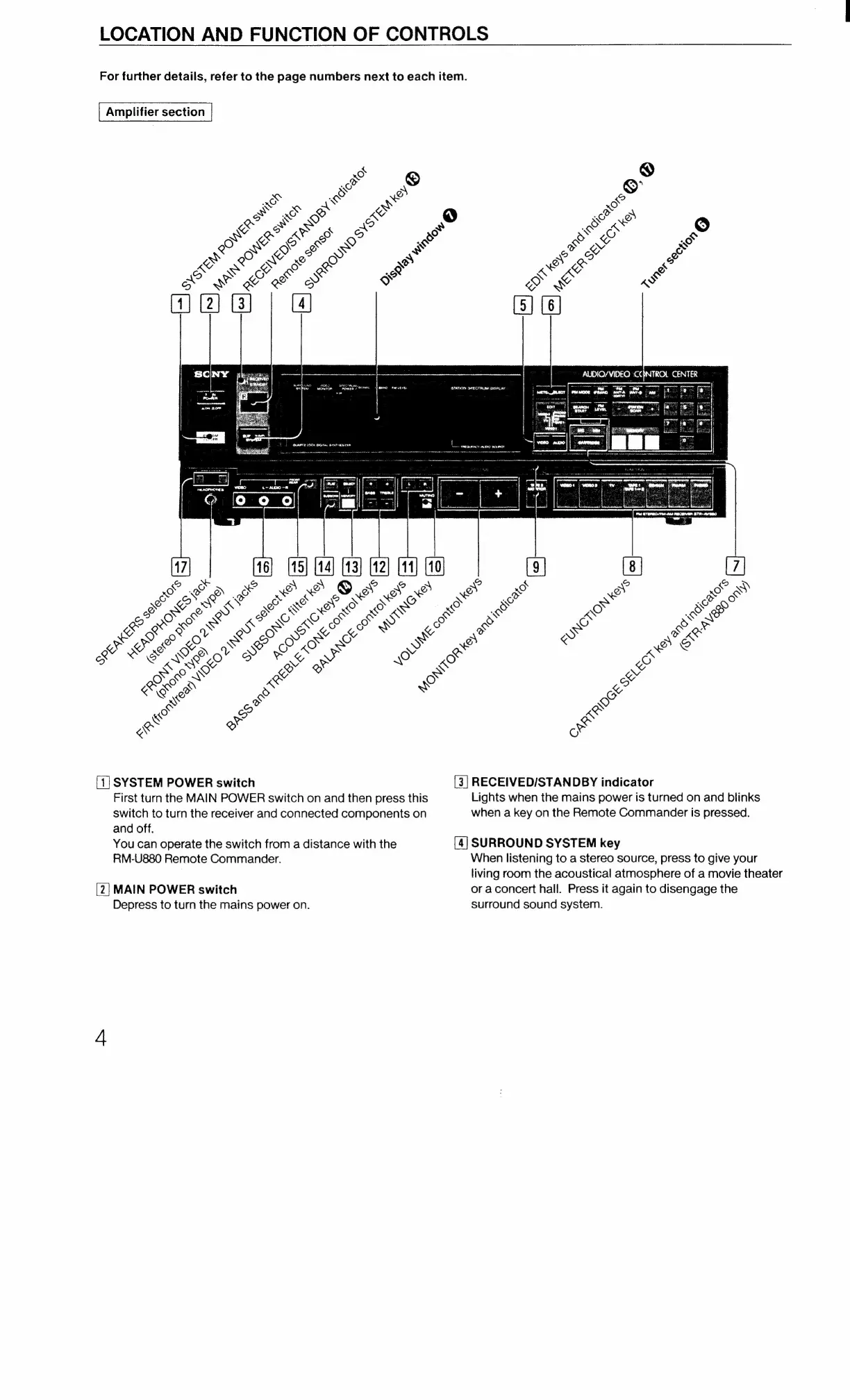
[1]
SYSTEM
POWER
switch
[3]
RECEIVED/STANDBY
indicator
First
turn
the
MAIN
POWER
switch
on
and
then
press
this
Lights
when
the
mains
power
is
turned
on
and
blinks
switch
to
turn
the
receiver
and
connected
components
on
when
a
key
on
the
Remote
Commander
is
pressed.
and
off.
You
can
operate
the
switch
from
a
distance
with
the
[4]
SURROUND
SYSTEM
key
RM-U880
Remote
Commander.
When
listening
to
a
stereo
source,
press
to
give
your
living
room
the
acoustical
atmosphere
of
a
movie
theater
[2]
MAIN
POWER
switch
or
aconcert
hall.
Press
it
again
to
disengage
the
Depress
to
turn
the
mains
power
on.
surround
sound
system.

Related product manuals