EasyManua.ls Logo

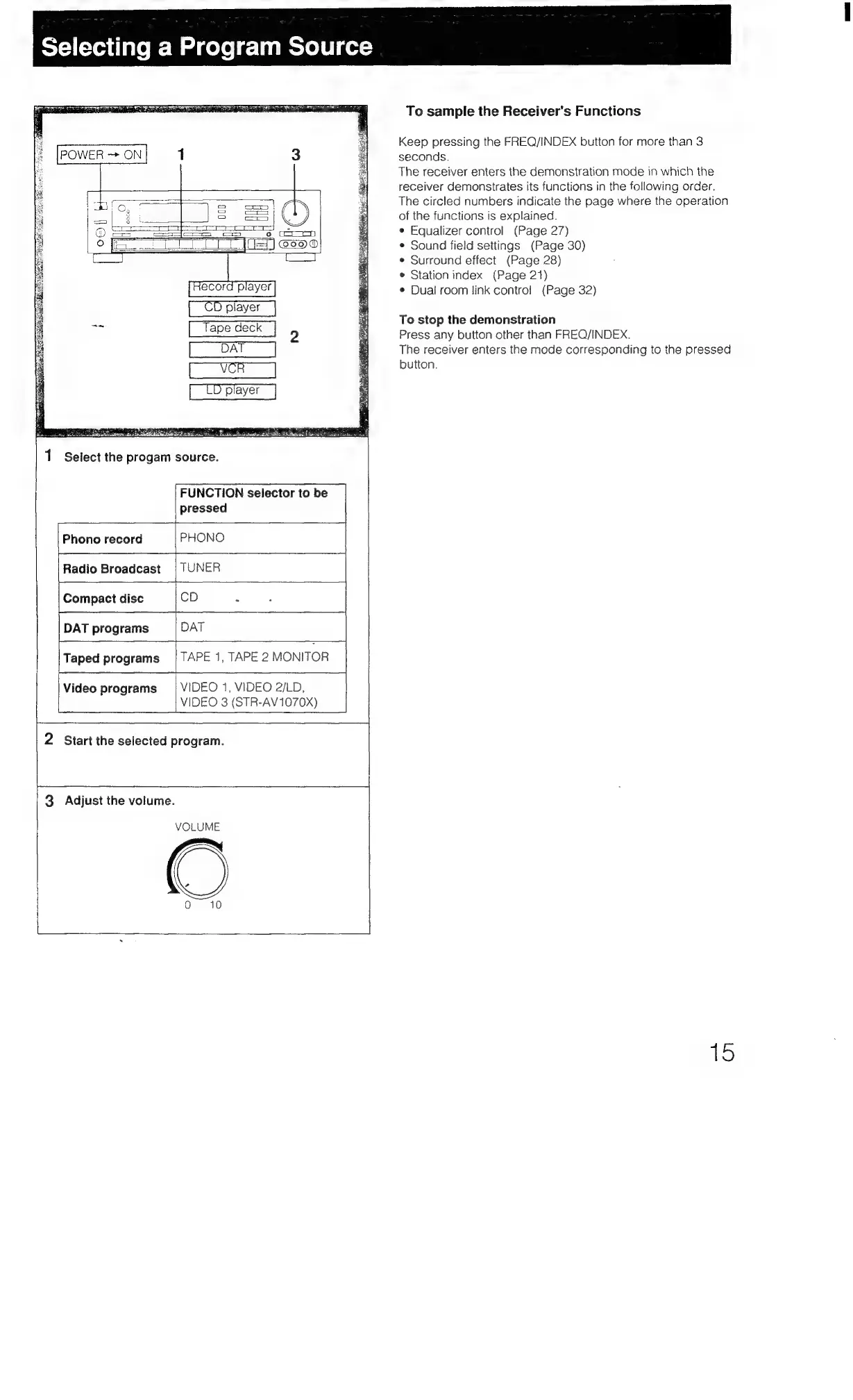
Sony STR-AV970X - Selecting a Program Source; Selecting the Source; Starting the Program

Sony STR-AV970X
43 pages
Print Icon
To Next Page IconTo Next Page
To Previous Page IconTo Previous Page
Loading...
Selecting
a
Program
Source
Str
ie)
p
2
[oar]
D
player
Select
the
progam
source.
FUNCTION
selector
to
be
ressed
ole
a
PHONO
Phono
record
TUNER
Compact
disc
CD
Z
;
|
DAT
programs
DAT
Taped
programs
{TAPE
1,
TAPE
2
MONITOR
Video
programs
|
VIDEO
1,
VIDEO
2/LD,
Radio
Broadcast
VIDEO
3
(STR-AV1070X)
2
Start
the
selected
program.
ba
a
3.
Adjust
the
volume.
VOLUME
To
sample
the
Receiver’s
Functions
Keep
pressing
the
FREQ/INDEX
button
for
more
than
3
seconds.
The
receiver
enters
the
demonstration
mode
in
which
the
receiver
demonstrates
its
functions
in
the
following
order.
The
circled
numbers
indicate
the
page
where
the
operation
of
the
functions
is
explained.
e
Equalizer
control
(Page
27)
Sound
field
settings
(Page
30)
©
Surround
effect
(Page
28)
*
Station
index
(Page
21)
*
Dual
room
link
contro!
(Page
32)
To
stop
the
demonstration
Press
any
button
other
than
FREQ/INDEX.
The
receiver
enters
the
mode
corresponding
to
the
pressed
button.
15

Table of Contents

Related product manuals