EasyManua.ls Logo

Sony STR-AV970X - Using the Graphic Equalizer; Creating an Equalization Curve

Sony STR-AV970X
43 pages
Print Icon
To Next Page IconTo Next Page
To Previous Page IconTo Previous Page
Loading...
Creating
a
Equalization
Curve
You
can
enjoy
a
music
with
a
desired
equalization
curve.
Adjustable
frequency
bands
and
the
effect
of
level
adjustment
63
Hz:
Lowering
the
level
will
cut
the
ventilation
noise
of
a
music
hall,
hum
of
electronic
instruments,
boomy
bass,
etc.
Raising
the
level
will
reinforce
the
heavy
bass
part
of
a
pipe
organ
or
add
depth
to
the
bass
sound.
160
Hz:
Boosting
or
cutting
the
normal
bass.
400
Hz:
Increasing
or
decreasing
the
power,
spaciousness
and
warmth
of
the
sound.
1
kHz:
Providing
more
presence
for
vocals,
and
moving
the
sound
forward
or
into
the
background.
2.5
kHz:
Lowering
the
level
will
reduce
stridency,
and
raising
will
make
the
base
sound
brighter.
6.3
kHz:
Increasing
or
decreasing
the
brightness
of
the
sound;
for
example,
raising
the
level
will
make
the
violin
sound
silky
smooth.
16
kHz:
Changing
the
general
atmosphere
rather
than
the
sound
itself.
Raising
the
level
will
highlight
the
delicate
quality
of
instrumental
sound,
and
lowering
will
reduce
high-
frequency
noise
such
as
the
resonant
peak
of
a
cartridge,
tape
hiss,
etc.
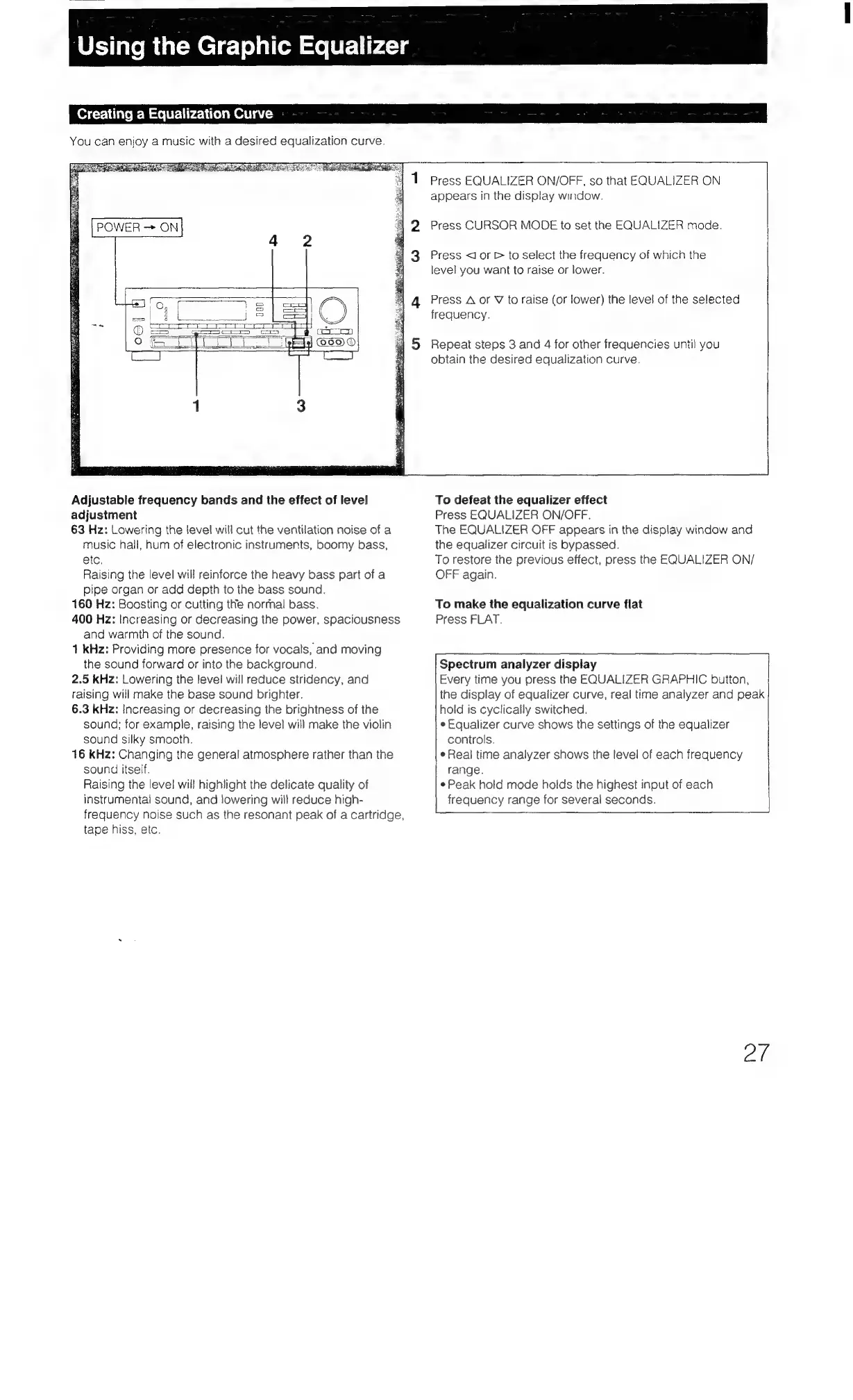
Press
EQUALIZER
ON/OFF,
so
that
EQUALIZER
ON
appears
in
the
display
window.
Press
CURSOR
MODE
to
set
the
EQUALIZER
mode.
Press
<J
or
>
to
select
the
frequency
of
which
the
level
you
want
to
raise
or
lower.
Press
A
or
V
to
raise
(or
lower)
the
level
of
the
selected
frequency.
Repeat
steps
3
and
4
for
other
frequencies
until
you
obtain
the
desired
equalization
curve.
To
defeat
the
equalizer
effect
Press
EQUALIZER
ON/OFF.
The
EQUALIZER
OFF
appears
in
the
display
window
and
the
equalizer
circuit
is
bypassed.
To
restore
the
previous
effect,
press
the
EQUALIZER
ON/
OFF
again.
To
make
the
equalization
curve
flat
Press
FLAT.
Spectrum
analyzer
display
hold
is
cyclically
switched.
¢
Equalizer
curve
shows
the
settings
of
the
equalizer
controls.
¢
Real
time
analyzer
shows
the
level
of
each
frequency
range.
¢
Peak
hold
mode
holds
the
highest
input
of
each
frequency
range
for
several
seconds.
Every
time
you
press
the
EQUALIZER
GRAPHIC
button,
the
display
of
equalizer
curve,
real
time
analyzer
and
peak
et

Table of Contents

Related product manuals