EasyManua.ls Logo

Sony STR-AV970X - Sound Field Memory; Storing Sound Field Settings; Calling Up Sound Field Settings

Sony STR-AV970X
43 pages
Print Icon
To Next Page IconTo Next Page
To Previous Page IconTo Previous Page
Loading...
Storing
the
Sound
Effect
Sound
Field
Memory
Sound
field
memory
can
memorize
10
types
of
the
sound
effect
settings,
that
allows
you
to
easily
call
up
the
desired
sound
effect.
Effects
that
can
be
stored
into
the
memory
e@
Equalizer
curves
e
Surround
effects
e
DBFB
(Dynamic
Bass Feed
Back)
setting
11
types
of
sound
field
setting
is
already
stored
at
the
factory.
You
can
replace
them
with
your
desired
settings.
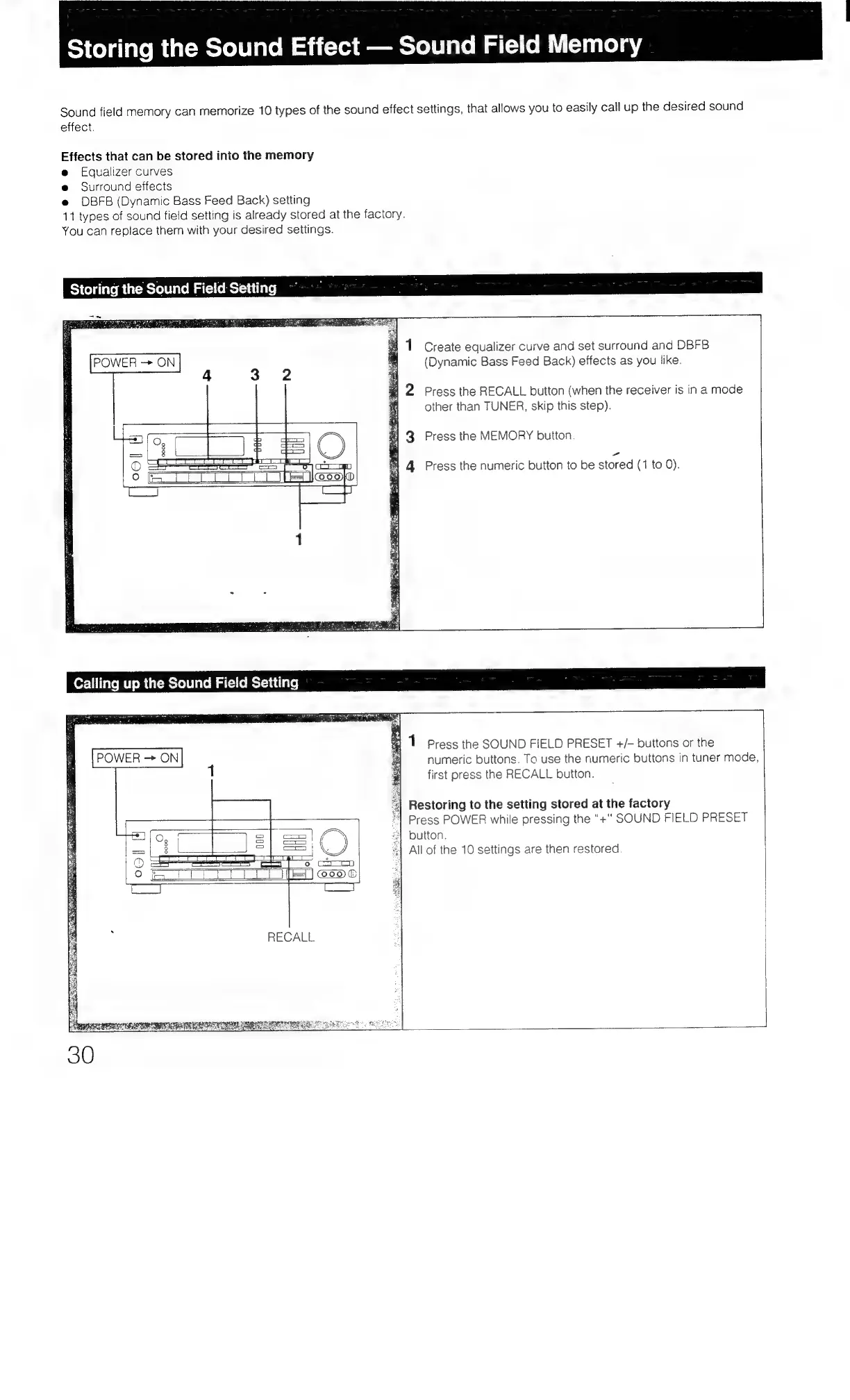
Storing
the
Sound
Field
Setting
4
Create
equalizer
curve
and
set
surround
and
DBFB
(Dynamic
Bass
Feed
Back)
effects
as
you
like.
Press
the
RECALL
button
(when
the
receiver
is
in
a
mode
other
than
TUNER,
skip
this
step).
Press
the
MEMORY
button.
Press
the
numeric
button
to
be
stored
(1
to
0).
Calling
up
the
Sound
Field
Setting
POWER
ON
|]
Coo
®
RECALL
numeric
buttons.
To
use
the
numeric
buttons
in
tuner
mode,
first
press
the
RECALL
button.
"|
Restoring
to
the
setting
stored
at
the
factory
‘|
Press
POWER
while
pressing
the “+"
SOUND
FIELD
PRESET
“|
button.
«|
All
of
the
10
settings
are
then
restored

Table of Contents

Related product manuals