EasyManua.ls Logo

Sony STR-AV970X - Adjusting Dolby Surround Speaker Levels; Listening with Surround Effect

Sony STR-AV970X
43 pages
Print Icon
To Next Page IconTo Next Page
To Previous Page IconTo Previous Page
Loading...
SEIS
SE:
td
es)
a
a
es
S.
fig
La
Adjusting
the
Speaker
Level
for
Dolby
Surround
System
POWER
ON
1
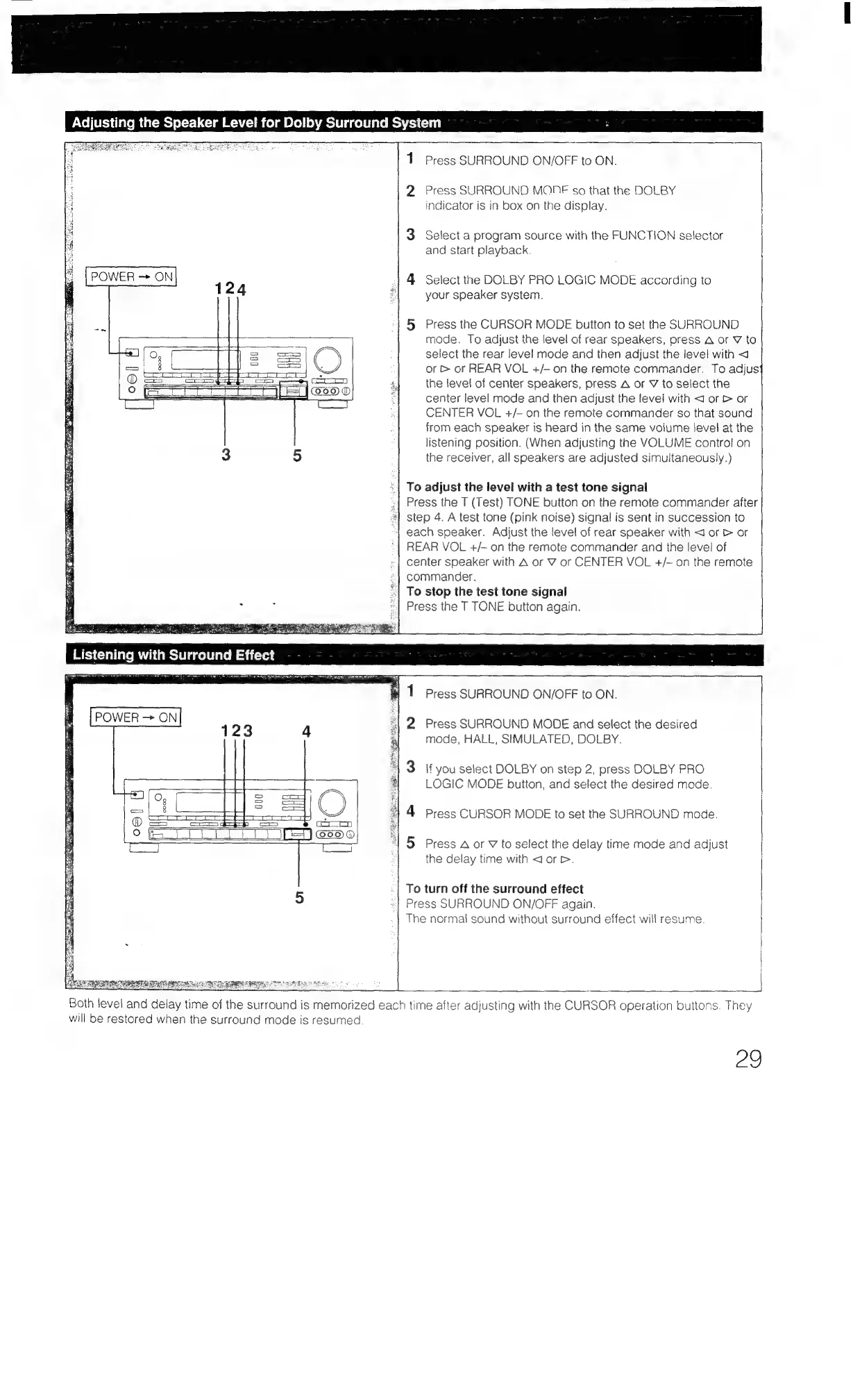
Press
SURROUND
ON/OFF
to
ON.
2
Press
SURROUND
MONE
so
that
the
DOLBY
indicator
is
in
box
on
the
display.
3
Select
a
program
source
with
the
FUNCTION
selector
and
start
playback.
|
4
Select
the
DOLBY
PRO
LOGIC
MODE
according
to
your
speaker
system.
5
Press
the
CURSOR
MODE
button
to
set
the
SURROUND
mode.
To
adjust
the
level
of
rear
speakers,
press
A
or
Y
to
select
the
rear
level
mode
and
then
adjust
the
level
with
<4
or
>
or
REAR
VOL
+/-
on
the
remote
commander.
To
adjus{
the
level
of
center
speakers,
press
A
or
¥
to
select
the
center
level
mode
and
then
adjust
the
level
with
<J
or
>
or
CENTER
VOL
+/-
on
the
remote
commander
so
that
sound
from
each
speaker
is
heard
in
the
same
volume
Jevel
at
the
listening
position.
(When
adjusting
the
VOLUME
control
on
the
receiver,
all
speakers
are
adjusted
simultaneously.)
To
adjust
the
level
with
a
test
tone
signal
Press
the
T
(Test)
TONE
button
on
the
remote
commander
after
2!
step
4.
A
test
tone
(pink
noise)
signal
is
sent
in
succession
to
+}
each
speaker.
Adjust
the
level
of
rear
speaker
with
<1
or
&
or
REAR
VOL
+/-~
on
the
remote
commander
and
the
level!
of
center
speaker
with
A
or
VY
or
CENTER
VOL
+/-
on
the
remote
commander.
‘|
To
stop
the
test
tone
signal
Press
the
T
TONE
button
again.
#1
1
Press
SURROUND
ON/OFF
to
ON.
*|
2
Press
SURROUND
MODE
and
select
the
desired
mode,
HALL,
SHMULATED,
DOLBY.
'
3
|f
you
select
DOLBY
on
step
2,
press
DOLBY
PRO
LOGIC
MODE
button,
and
select
the
desired
mode.
1
4
Press
CURSOR
MODE
to
set
the
SURROUND
mode.
“|
5
Press
A
or
V
to
select
the
delay
time
mode
and
adjust
the
delay
time
with
dorr.
To
turn
off
the
surround
effect
Press
SURROUND
ON/OFF
again.
The
normal
sound
without
surround
effect
will
resume.
Both
level
and
delay
time
of
the
surround
is
memorized
each
time
after
adjusting
with
the
CURSOR
operation
buttons.
They
will
be
restored
when
the
surround
mode
is
resumed
a0

Table of Contents

Related product manuals