EasyManua.ls Logo

Sony STR-D2090 - System Power and Button Modes; Connecting to Switched AC Outlets; Selecting FUNCTION;SOUND FIELD;PRESET TUNING Button Modes

Sony STR-D2090
51 pages
Print Icon
To Next Page IconTo Next Page
To Previous Page IconTo Previous Page
Loading...
Connecting
to
the
Power
Outlet
Selecting
the
Mode
of
the
FUNCTION/SOUND
FIELD/PRESET
TUNING
Buttons
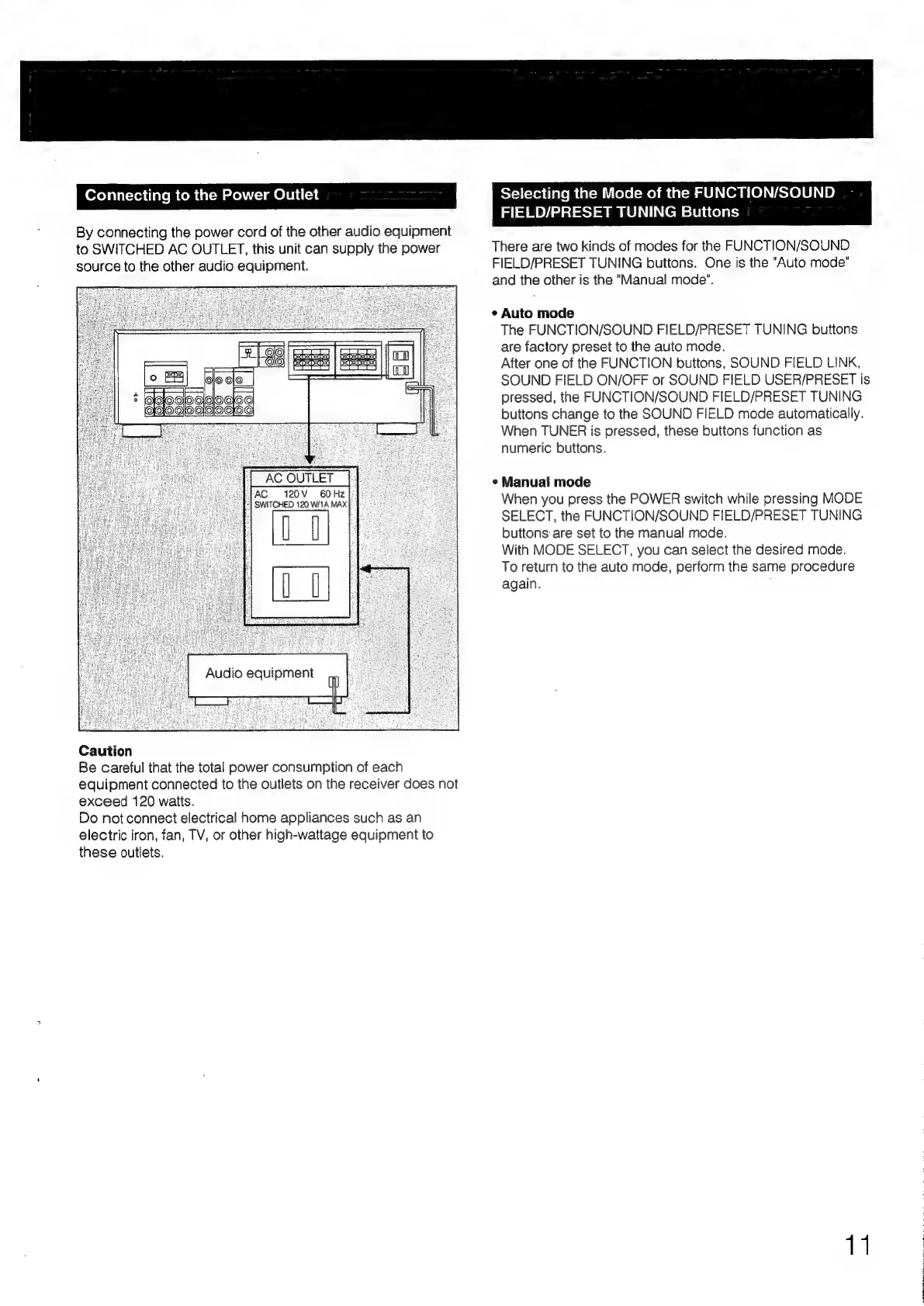
By
connecting
the
power
cord
of
the
other
audio
equipment
to
SWITCHED
AC
OUTLET,
this
unit
can
supply
the
power
source
to
the
other
audio
equipment.
AC
120V
60Hz
“|
SWITCHED
120
W/1A
MAX
0
0
Caution
Be
careful
that
the
total
power
consumption
of
each
equipment
connected
to
the
outlets
on
the
receiver
does
not
exceed
120
watts.
Do
not
connect
electrical
home
appliances
such
as
an
electric
iron,
fan,
TV,
or
other
high-wattage
equipment
to
these
outlets.
There
are
two
kinds
of
modes
for
the
FUNCTION/SOUND
FIELD/PRESET
TUNING
buttons.
One
is
the
"Auto
mode”
and
the
other
is
the
"Manual
mode”.
e
Auto
mode
The
FUNCTION/SOUND
FIELD/PRESET
TUNING
buttons
are
factory
preset
to
the
auto
mode.
After
one
of
the
FUNCTION
buttons,
SOUND
FIELD
LINK,
SOUND
FIELD
ON/OFF
or
SOUND
FIELD
USER/PRESET
is
pressed,
the
FUNCTION/SOUND
FIELD/PRESET
TUNING
buttons
change
to
the
SOUND
FIELD
mode
automatically.
When
TUNER
is
pressed,
these
buttons
function
as
numeric
buttons.
¢
Manual
mode
When
you
press
the
POWER
switch
while
pressing
MODE
SELECT,
the
FUNCTION/SOUND
FIELD/PRESET
TUNING
buttons
are
set
to
the
manual
mode.
With
MODE
SELECT,
you
can
select
the
desired
mode.
To
return
to
the
auto
mode,
perform
the
same
procedure
again.
11

Table of Contents

Related product manuals