EasyManua.ls Logo

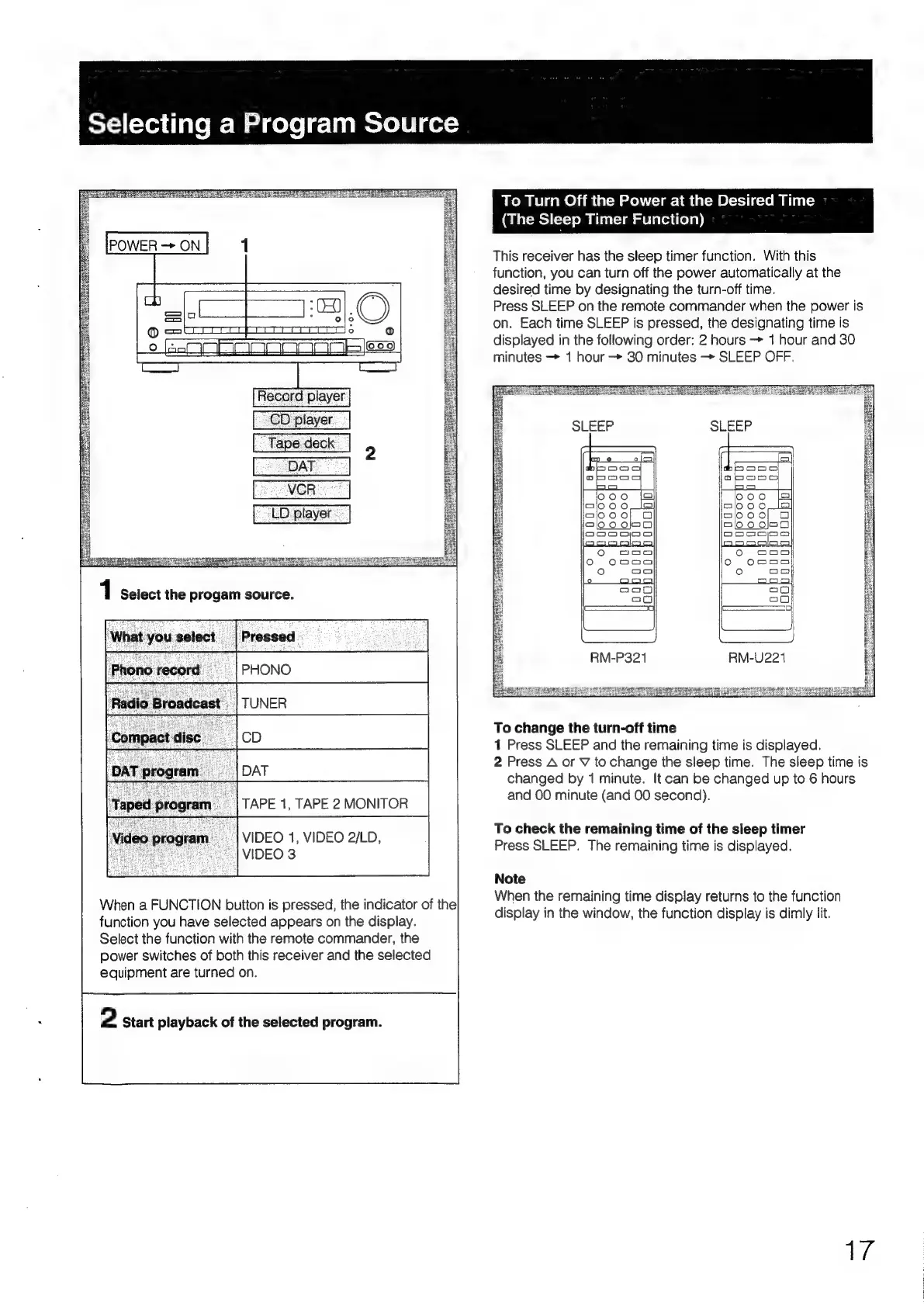
Sony STR-D2090 - Selecting Program Sources and Sleep Timer; Selecting a Program Source; Sleep Timer Function

Sony STR-D2090
51 pages
Print Icon
To Next Page IconTo Next Page
To Previous Page IconTo Previous Page
Loading...
T=}
(sYoudfave
Me
Mag
aele|ecliimeeyee
ge:
Dosen
ne
Peaeeg
ee
Rui
en
meee
eon
eee
soit
ee
ae
To
Turn
Off
the
Power
at
the
Desired
Time
(cTasedeck]
Paro
-|TUNER
TAPE
1,
TAPE
2
MONITOR
|
VIDEO
1,
VIDEO
2/LD,
_|
VIDEO
3
When
a
FUNCTION
button
is
pressed,
the
indicator
of
the
function
you
have
selected
appears
on
the
display.
Select
the
function
with
the
remote
commander,
the
power
switches
of
both
this
receiver
and
the
selected
equipment
are
turned
on.
2
Start
playback
of
the
selected
program.
(The
Sleep
Timer
Function)
This
receiver
has
the
sleep
timer
function.
With
this
function,
you
can
turn
off
the
power
automatically
at
the
desired
time
by
designating
the
turn-off
time.
Press
SLEEP
on
the
remote
commander
when
the
power
is
on.
Each
time
SLEEP
is
pressed,
the
designating
time
is
displayed
in
the
following
order:
2
hours
+
1
hour
and
30
minutes
1
hour
30
minutes
-
SLEEP
OFF.
ee
Re]
eat
a
Bs
i
fs
Fee
Se
Es
al
[ss
fas
See)
RM-P321
ae
DERE
ones
Siaen
cee
To
change
the
turn-off
time
1
Press
SLEEP
and
the
remaining
time
is
displayed.
2
Press
A
or
V
to
change
the
sleep
time.
The
sleep
time
is
changed
by
1
minute.
It
can
be
changed
up
to
6
hours
and
00
minute
(and
00
second).
To
check
the
remaining
time
of
the
sleep
timer
Press
SLEEP.
The
remaining
time
is
displayed.
Note
When
the
remaining
time
display
returns
to
the
function
display
in
the
window,
the
function
display
is
dimly
lit.
Ae

Table of Contents

Related product manuals