EasyManua.ls Logo

Sony STR-D2090 - Introduction; Overview of Features; Precautions; Safety Precautions

Sony STR-D2090
51 pages
Print Icon
To Next Page IconTo Next Page
To Previous Page IconTo Previous Page
Loading...
Introduction
Overview
The
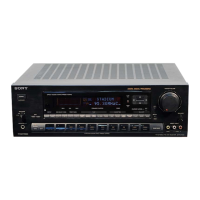
STR-D2090/D1090
is
an
FM
Stereo/FM-AM
receiver
and
audio/video
control
center.
You
can
enjoy
various
audio/video
program
sources
with
this
unit.
TV/video
programs
¢
You
can
enjoy
TV
or
CATV
programs
with
FM
simulcast.
¢
Sounds
from
various
audio
program
sources
can
be
added
on
video
tapes
during
editing.
Tuner
*
Precise
tuning
is
ensured
by
a
quartz
lock
digital
synthesizer,
*
Station
Index
system
allows
you
to
tune
into
a
station
quickly.
Powerful
surround
sound
By
connecting
the
power
amplifier
to
the
SURROUND
OUT
jacks
of
this
unit,
you
can
obtain
powerful
surround
sound.
Digital
surround
processor
¢
The
STR-D2090/D
1090
electronically
reproduces
the
reflected
sound
(early
reflection)
and
reverberation
sound
(reverberation)
by
using
its
digital
signal
processor,
and
allows
you
to
obtain
the
acoustics
of
various
situations.
DOLBY
PRO
LOGIC:
The
STR-D2090
and
STR-D1090
incorporate
the
Dolby
Pro
Logic
Surround
Decoder
which
has
the
same
functions
for
playback
as
movie
theaters
and
gives
a
theater-like
experience
in
your
listening
room,
naturally
reproducing
the
audio
sound
field.
*
Manufactured
under
license
from
Dolby
Laboratories
Licensing
Corporation.
Additionally
licensed
under
one
or
more
of
the
following
patents:
U.S.
numbers
3,632,886, 3,746,792,
and
3,959,590.
Canadian
numbers
1,004,603
and
1,037,877.
“DOLBY”
and
the
double-D
symbol
00
are
trademarks
of
Dolby
Laboratories
Licensing
Corporation.
aa
k=lers
Leite)
ats
Digital
parametric
equalizer
You
can
enjoy
audio
program
sources
with
appropriate
equalization
curve
by
controlling
the
level
of
the
desired
3
frequency
bands.
Sound
field
*
10
recommended
sound
field
programs
(combination
of
surround
and
parametric
equalizer
settings)
are
preset
in
the
factory
for
easy
use.
You
can
also
store
up
to
10
settings
you
created
in
the
memory.
¢
Combined
use
of
the
sound
field
programs
and
the
preset
stations
allow
you
to
enjoy
broadcast
listening
immediately
with
the
memorized
sound
field
settings.
ON
SCREEN
function
(STR-D2090
only)
This
function
allows
you
to
monitor
the
operation
being
performed
on
the
monitor
TV.
TITLE
function
(STR-D2090
only)
With
this
function,
you
can
edit
a
title
and
superimpose
on
your
picture.
Remote
commander
supplied
The
STR-D1090
is
supplied
with
the
RM-U221.
The
STR-
D2090
is
supplied
with
the
RM-P321
which
can
“learn”
the
various
functions
of
other
remote
commanders
of
the
infrared
type.
The
FUNCTION/SOUND
FIELD/PRESET
TUNING
buttons
There
are
two
kinds
of
modes
for
the
FUNCTION/SOUND
FIELD/PRESET
TUNING
buttons.
One
is
the
"Auto
mode"
and
the
other
is
the
"Manual
mode".
With
these
modes,
you
can
conveniently
operate
this
receiver.
This
manual
describes
the
operations
in
the
auto
mode.
On
safety
¢
Operate
the
unit
only
on
120
V
AC,
60
Hz.
*
Should
any
solid
object
or
liquid
fall
into
the
cabinet,
unplug
the
unit
and
have
it
checked
by
qualified
personnel
before
operating
it
any
further.
©
Unplug
the
unit
from
the
wall
outlet
if
it
is
not
to
be
used
for
an
extended
period
of
time.
To
disconnect
the
cord,
pull
it
out
by
grasping
the
plug.
Never
pull
the
cord
itself.
*
One
blade
of
the
plug
is
wider
than
the
other
for
the
purpose
of
safety
and
will
fit
into
the
power
outlet
only
one
way.
If
you
are
unable
to
insert
the
plug
fully
into
the
outlet,
contact
your
dealer.
On
operation
Before
making
program
source
connections,
be
sure
to
turn
the
power
switch
off
and
unplug
the
unit.
On
cleaning
the
cabinet
Clean
the
cabinet,
panel
and
controls
with
a
soft
cloth
lightly
moistened
with
mild
detergent
solution.
Do
not
use
any
type
of
abrasive
pad,
scouring
powder,
or
solvent
such
as
alcohol
or
benzine.
For
the
customers
in
the
U.S.A.
;
For
detailed
safety
precautions,
see
the
“IMPORTANT
SAFEGUARDS’
leaflet.
If
you
have
any
question
or
problem
concerning
your
unit,
please
consult
your
nearest
Sony
dealer.

Table of Contents

Related product manuals