EasyManua.ls Logo

Sony STR-D2090 - Custom Sound Field Settings

Sony STR-D2090
51 pages
Print Icon
To Next Page IconTo Next Page
To Previous Page IconTo Previous Page
Loading...
alos
TTale
MN
itam
Colelm
ad
ahicitcmol-atlale
Calling
up
the
Sound
Field
Setting
Linking
the
Sound
Field
Memory
to
Preset
Stations
or
Program
Source
POWER
—+
ON
POWER
ON
ESCO
Le
LLL
(ee
ee
1
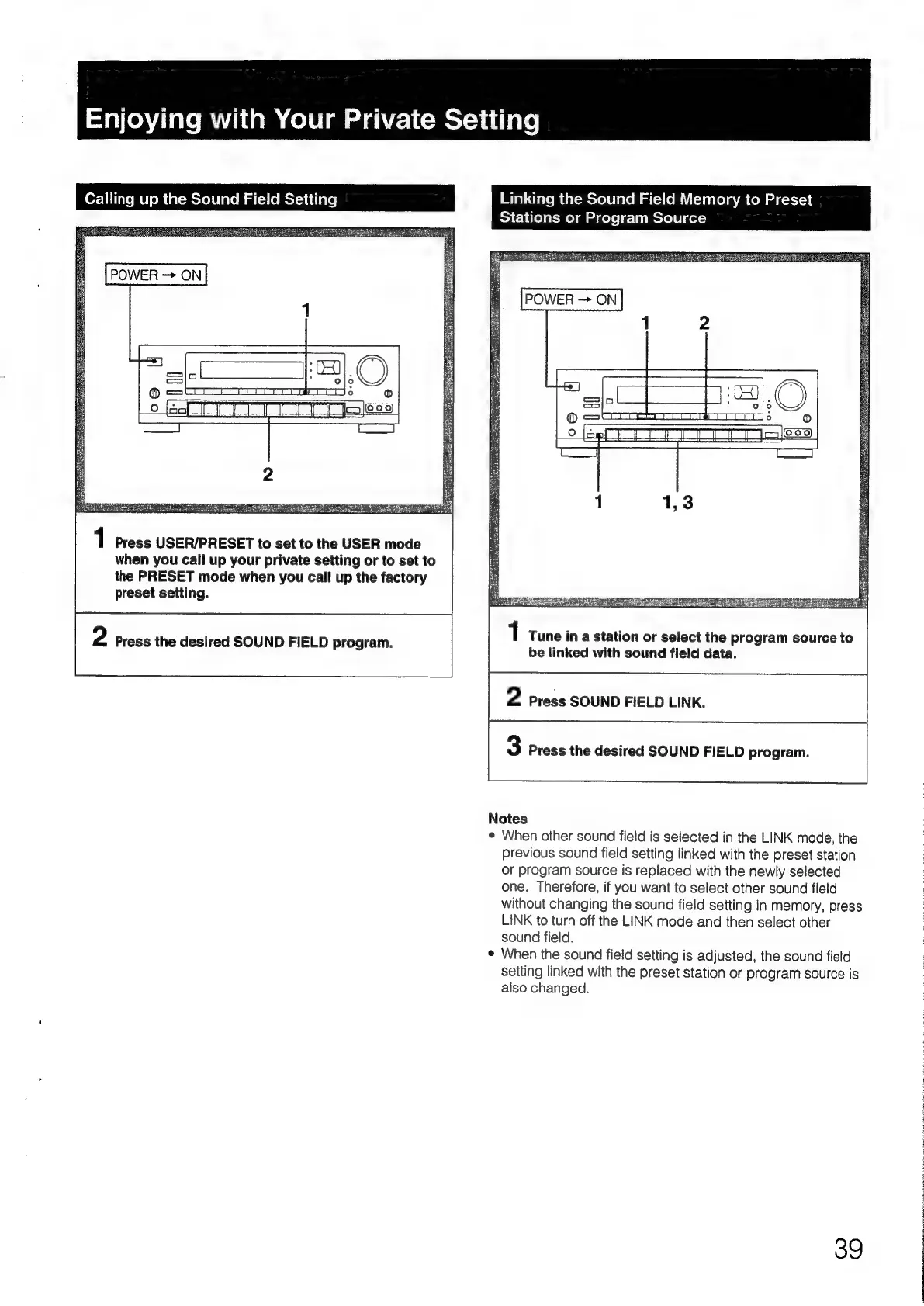
Press
USER/PRESET
to
set
to
the
USER
mode
when
you
call
up
your
private
setting
or
to
set
to
the
PRESET
mode
when
you
call
up
the
factory
preset
setting.
1
Tune
in
a
station
or
select
the
program
source
to
be
linked
with
sound
field
data.
2
Press
SOUND
FIELD
LINK.
2
Press
the
desired
SOUND
FIELD
program.
3
Press
the
desired
SOUND
FIELD
program.
Notes
¢
When
other
sound
field
is
selected
in
the
LINK
mode,
the
previous
sound
field
setting
linked
with
the
preset
station
or
program
source
is
replaced
with
the
newly
selected
one.
Therefore,
if
you
want
to
select
other
sound
field
without
changing
the
sound
field
setting
in
memory,
press
LINK
to
turn
off
the
LINK
mode
and
then
select
other
sound
field.
When
the
sound
field
setting
is
adjusted,
the
sound
field
setting
linked
with
the
preset
station
or
program
source
is
also
changed.
39

Table of Contents

Related product manuals