EasyManua.ls Logo

Sony STR-D2090 - Chapter 5 Other Information; Troubleshooting Guide

Sony STR-D2090
51 pages
Print Icon
To Next Page IconTo Next Page
To Previous Page IconTo Previous Page
Loading...
Chapter
5
Other
Information
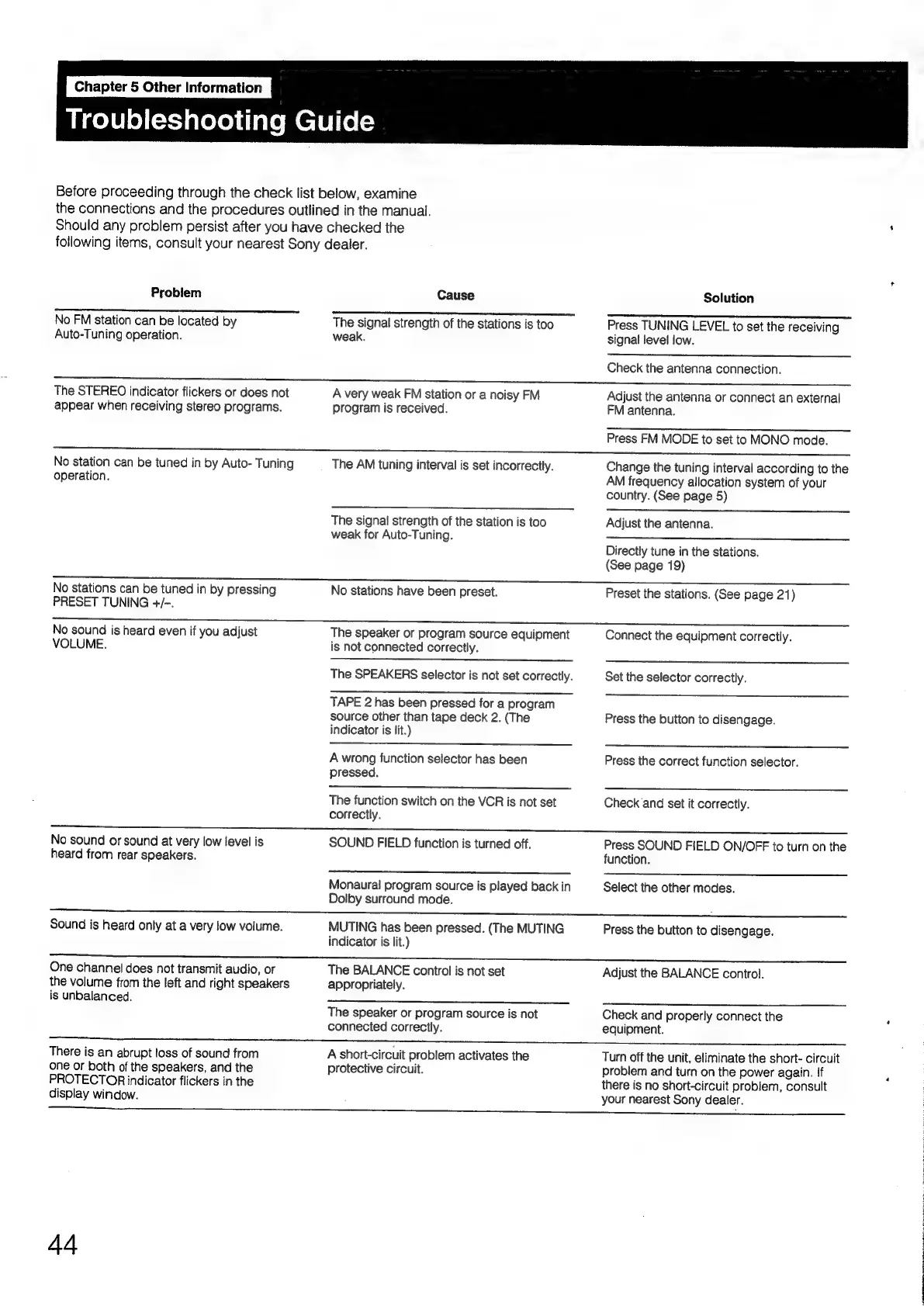
Troubleshooting
Guide
Before
proceeding
through
the
check
list
below,
examine
the
connections
and
the
procedures
outlined
in
the
manual.
Should
any
problem
persist
after
you
have
checked
the
following
items,
consult
your
nearest
Sony
dealer.
Problem
No
FM
station
can
be
located
by
Auto-Tuning
operation.
The
STEREO
indicator
flickers
or
does
not
appear
when
receiving
stereo
programs.
No
station
can
be
tuned
in
by
Auto-
Tuning
operation.
No
stations
can
be
tuned
in
by
pressing
PRESET
TUNING
+/-.
No
sound
is
heard
even
if
you
adjust
VOLUME.
No
sound
or
sound
at
very
low
level
is
heard
from
rear
speakers.
Cause
nee
The
signal
strength
of
the
stations
is
too
weak.
A
very
weak
FM
station
or
a
noisy
FM
program
is
received.
The
AM
tuning
interval
is
set
incorrectly.
The
signal
strength
of
the
station
is
too
weak
for
Auto-Tuning.
No
stations
have
been
preset.
The
speaker
or
program
source
equipment
is
not
connected
correctly.
The
SPEAKERS
selector
is
not
set
correctly.
TAPE
2
has
been
pressed
for
a
program
source
other
than
tape
deck
2.
(The
indicator
is
lit.)
A
wrong
function
selector
has
been
pressed.
The
function
switch
on
the
VCR
is
not
set
correctly.
SOUND
FIELD
function
is
turned
off.
Monaural
program
source
is
played
back
in
Dolby
surround
mode.
Solution
Press
TUNING
LEVEL
to
set
the
receiving
signal
level
low.
Check
the
antenna
connection.
Adjust
the
antenna
or
connect
an
external
FM
antenna.
Press
FM
MODE
to
set
to
MONO
mode.
Change
the
tuning
interval
according
to
the
AM
frequency
allocation
system
of
your
country.
(See
page
5)
Adjust
the
antenna.
Directly
tune
in
the
stations.
(See
page
19)
Preset
the
stations.
(See
page
21)
Connect
the
equipment
correctly.
Set
the
selector
correctly.
Press
the
button
to
disengage.
Press
the
correct
function
selector.
Check'and
set
it
correctly.
Press
SOUND
FIELD
ON/OFF
to
turn
on
the
function.
Select
the
other
modes.
A
Sound
is
heard
only
at
a
very
low
volume.
One
channel
does
not
transmit
audio,
or
the
volume
from
the
left
and
right
speakers
is
unbalanced.
MUTING
has
been
pressed.
(The
MUTING
indicator
is
lit.)
The
BALANCE
control
is
not
set
appropriately.
The
speaker
or
program
source
is
not
connected
correctly.
Press
the
button
to
disengage.
Adjust
the
BALANCE
control.
Check
and
properly
connect
the
equipment.
There
is
an
abrupt
loss
of
sound
from
one
or
both
of
the
speakers,
and
the
PROTECTOR
indicator
flickers
in
the
display
window.
4A
A
short-circuit
problem
activates
the
protective
circuit.
Turn
off
the
unit,
eliminate
the
short-
circuit
problem
and
turn
on
the
power
again.
if
there
is
no
short-circuit
problem,
consult
your
nearest
Sony
dealer.

Table of Contents

Related product manuals