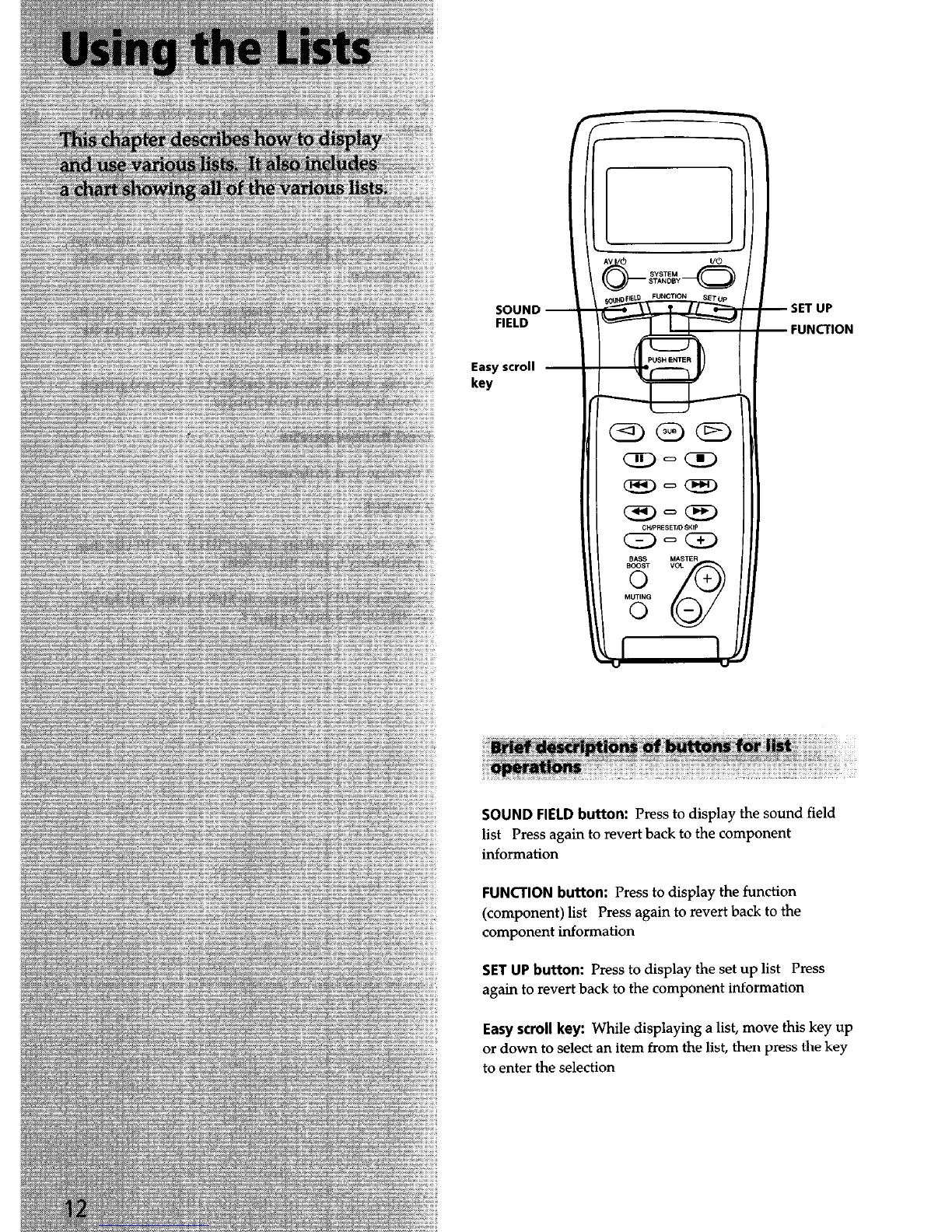
SOUND -
FIELD
Easy scroll
key
- SET UP
- FUNCTION
SOUND FIELD button: Press to display the sound field
list Press again to revert back to the component
information
FUNCTION button: Press to display the function
(component) list Press again to revert back to the
component information
SET UP button: Press to display the set up list Press
again to revert back to the component information
Easy scroll key: While displaying a list, move this key up
or down to select an item from the list, then press the key
to enter the selection


 To Next Page