Before you get started
Turn off the power to all components before making any connections.
Do not connect the AC power cord until all of the connections are completed.
Be sure to make connections firmly to avoid hum and noise.
When connecting an audio/video cord,
be
sure to match the color-coded pins to the appropriate jacks on
the components: yellow (video) to yellow; white (left, audio) to white; and red (right, audio) to red.
When connecting optical digital cords, take the caps off the connectors and insert the cord plugs straight
in until they click into place.
Do not bend or tie the optical digital cord.
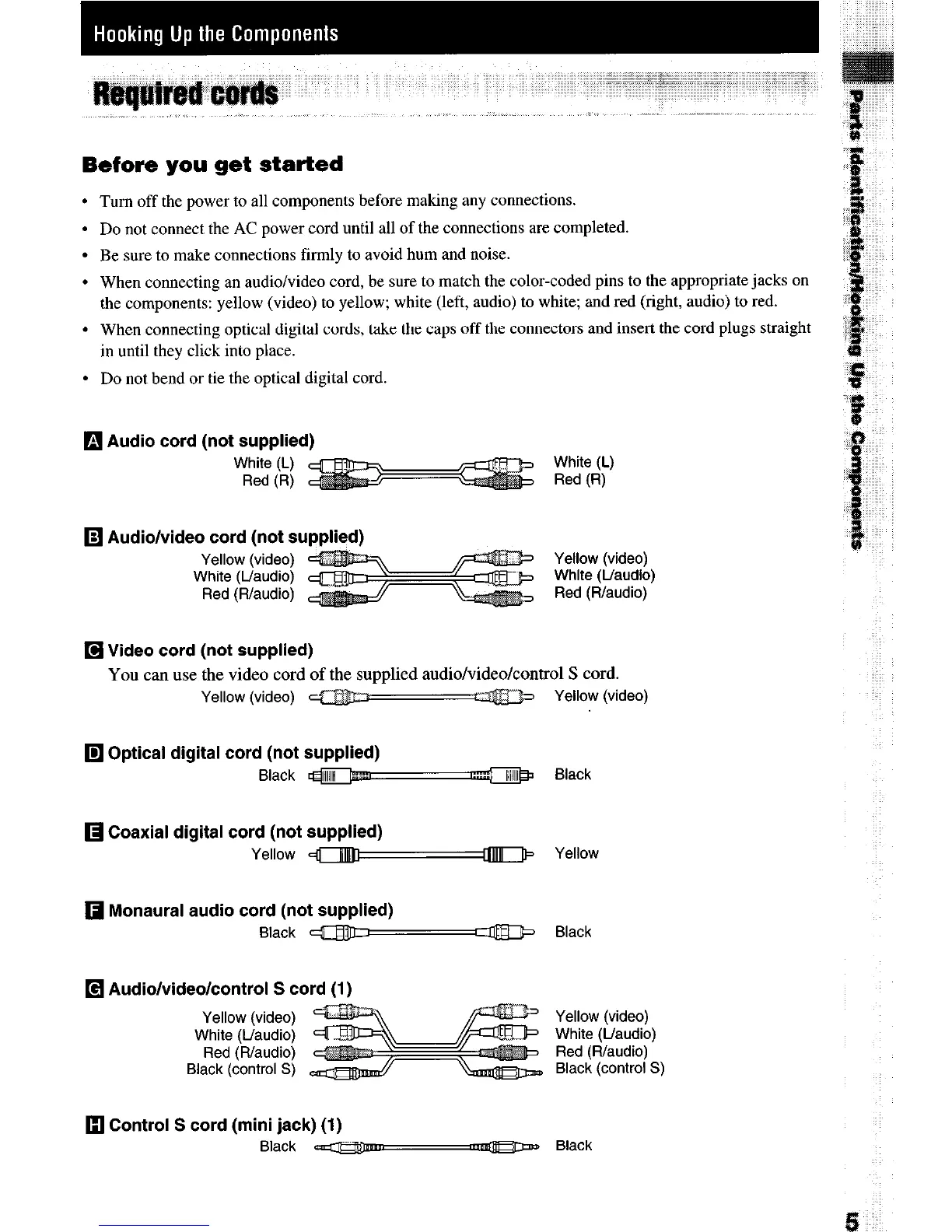
q
Audio cord (not supplied)
White (L)
Red (R)
White (L)
Red (R)
q
Audio/video cord (not supplied)
Yellow (video)
White (L/audio)
Red (R/audio)
Yellow (video)
White (L/audio)
Red (R/audio)
q
Video cord (not supplied)
You can use the video cord of the supplied audio/video/control S cord.
Yellow (video) m
z@jj’+ Yellow (video)
q
Optical digital cord (not supplied)
Black m
Black
q
Coaxial digital cord (not supplied)
Yellow aym Yellow
q
Monaural audio cord (not supplied)
Black m-T Black
q
Audio/video/control S cord (1)
Yellow (video)
White (Uaudio)
Red (R/audio)
Black (control S)
Yellow (video)
White (L/audio)
Red (Rfaudio)
Black (control S)
13 Control S cord (mini jack) (1)
Black ena
w Black


 To Next Page