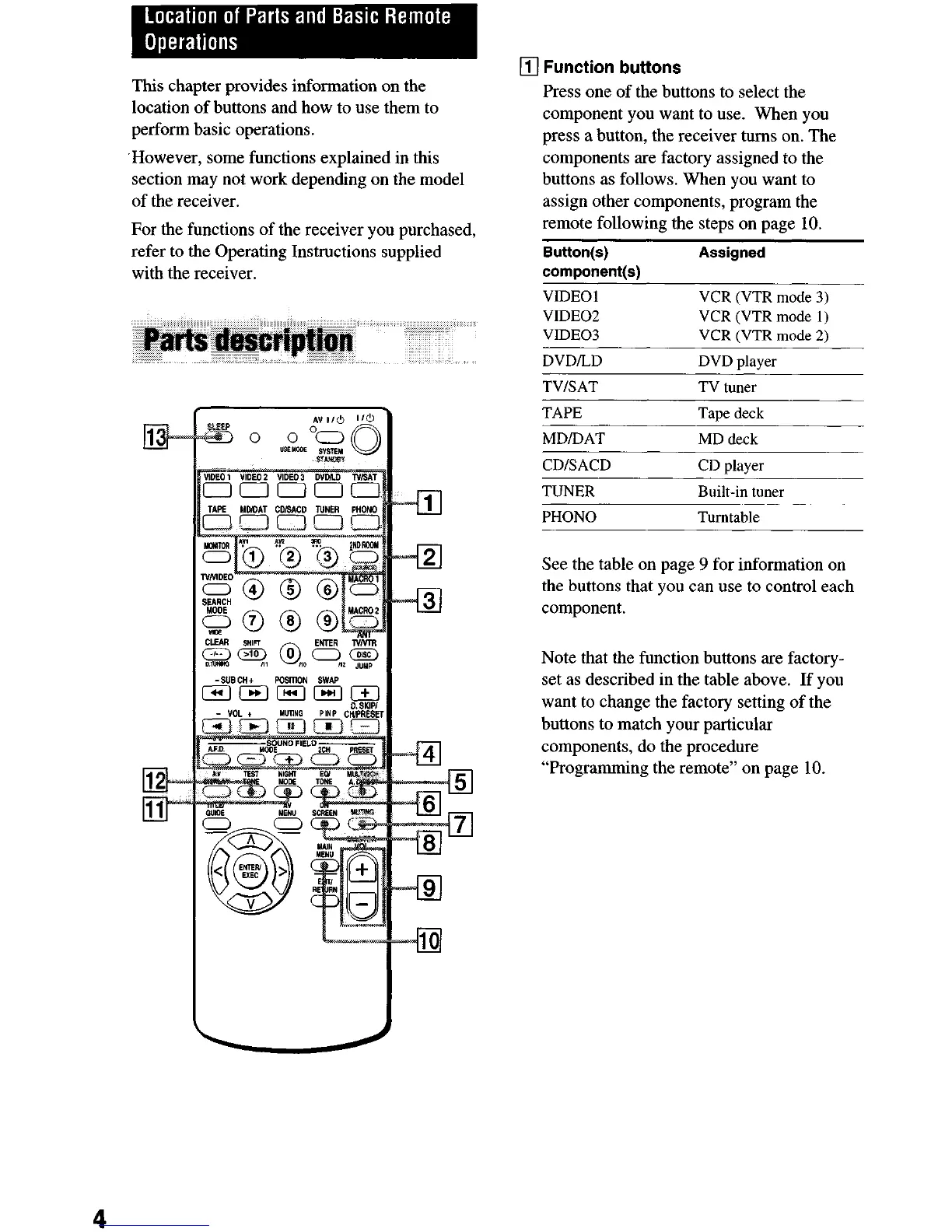
This chapter provides information on the
location of buttons and how to use them to
perform basic operations.
‘However, some functions explained in this
section may not work depending on the model
of the receiver.
For the functions of the receiver you purchased,
refer to the Operating Instructions supplied
with the receiver.
q
Function buttons
Press one of the buttons to select the
component you want to use. When you
press a button, the receiver turns on. The
components are factory assigned to the
buttons as follows. When you want to
assign other components, program the
remote following the steps on page 10.
Button(s) Assigned
component(s)
VIDEO 1 VCR (VTR mode 3)
VIDEO2 VCR (VTR mode 1)
VIDEO3 VCR (VTR mode 2)
DVDILD DVD player
TV/SAT TV tuner
TAPE Tape deck
MDIDAT MD deck
CDISACD CD player
TUNER Built-in tuner
PHONO Turntable
See the table on page 9 for information on
the buttons that you can use to control each
component.
Note that the function buttons are factory-
set as described in the table above. If you
want to change the factory setting of the
buttons to match your particular
components, do the procedure
“Programming the remote” on page 10.
4


 To Next Page