28
GB
Enjoying Surround Sound
PRO LOGIC
D.RANGE
MONODTS
STEREO
OPTSP. OFF
SL
S SR
L C R
MEMORY
L F E
DIGITAL
a
COAX
8
10 2 3
56
4
7
9
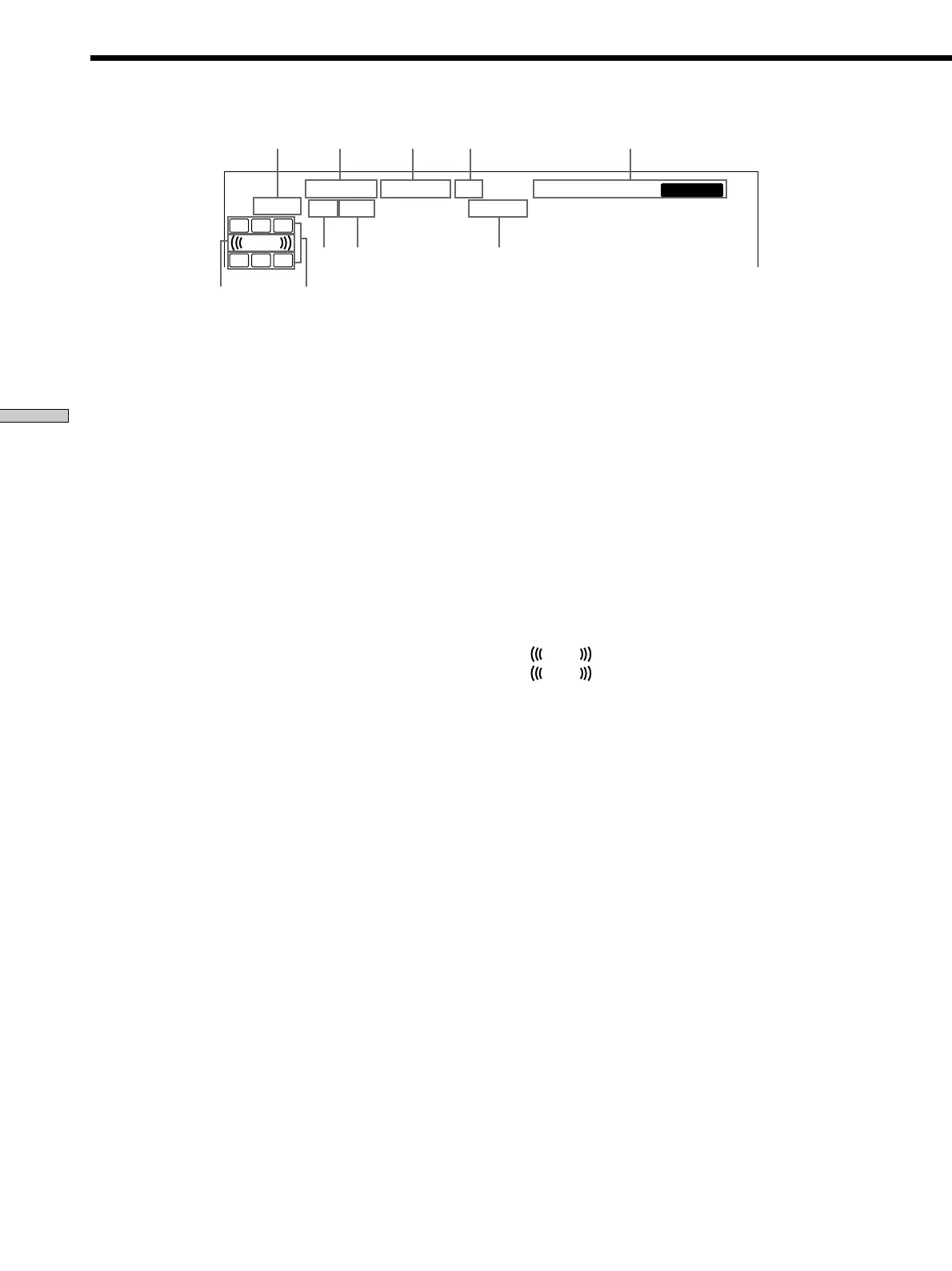
Understanding the Multi-Channel Surround Displays
1 ; DIGITAL
This indicator lights up when the r eceiver is decoding
signals r ecor ded in the Dolby Digital for mat.
2 PRO LOGIC
Lights up when the r eceiver applies Pr o Logic
pr ocessing to two channel signals in or der to output
the center and sur round channel signals.*
* However, this indicator does not light if the center and surround
speakers are set to “NO”, and the A.F.D. or NORMAL
SURROUND sound fields are selected.
3 DTS
Lights up when DTS signals ar e input.
Note
When playing a DTS for mat disc, be sur e that you
have made digital connections and that INPUT MODE
is NOT set to ANALOG (see qa on page 23).
4 Tuner indicators
These indicators light up when using the r eceiver to
tune in radio stations, etc. See pages 34 – 37 for tuner
operations.
5 D. RANGE
Lights up when dynamic range compr ession is active.
See page 32 to adjust the dynamic range compr ession.
6 COAX
Lights up when the sour ce signal is a digital signal
being input thr ough the COAX ter minal.
7 OPT
Lights up when the sour ce signal is a digital signal
being input thr ough the OPT ter minal.
8 Play back channel indicators
The letters light up to indicate the channels being
played back.
L: Front Left R: Fr ont Right
C: Center (monaural) SL: Sur round Left
SR: Sur round Right
S: Sur round (monaural or the sur round components
obtained by Pr o Logic pr ocessing)
The boxes ar ound the letters light up to indicate the
speakers used to playback the channels.
See the next page for details r egar ding the playback
channel indicators.
9
L F E
L F E
will light up when the disc being played
contains the LFE (Low Fr equency Ef fect) channel and
when the sound of the LFE channel signal is actually
being r epr oduced.
q; SP. OFF
Lights up when headphone is inserted.



 To Next Page