39
GB
Other Operations
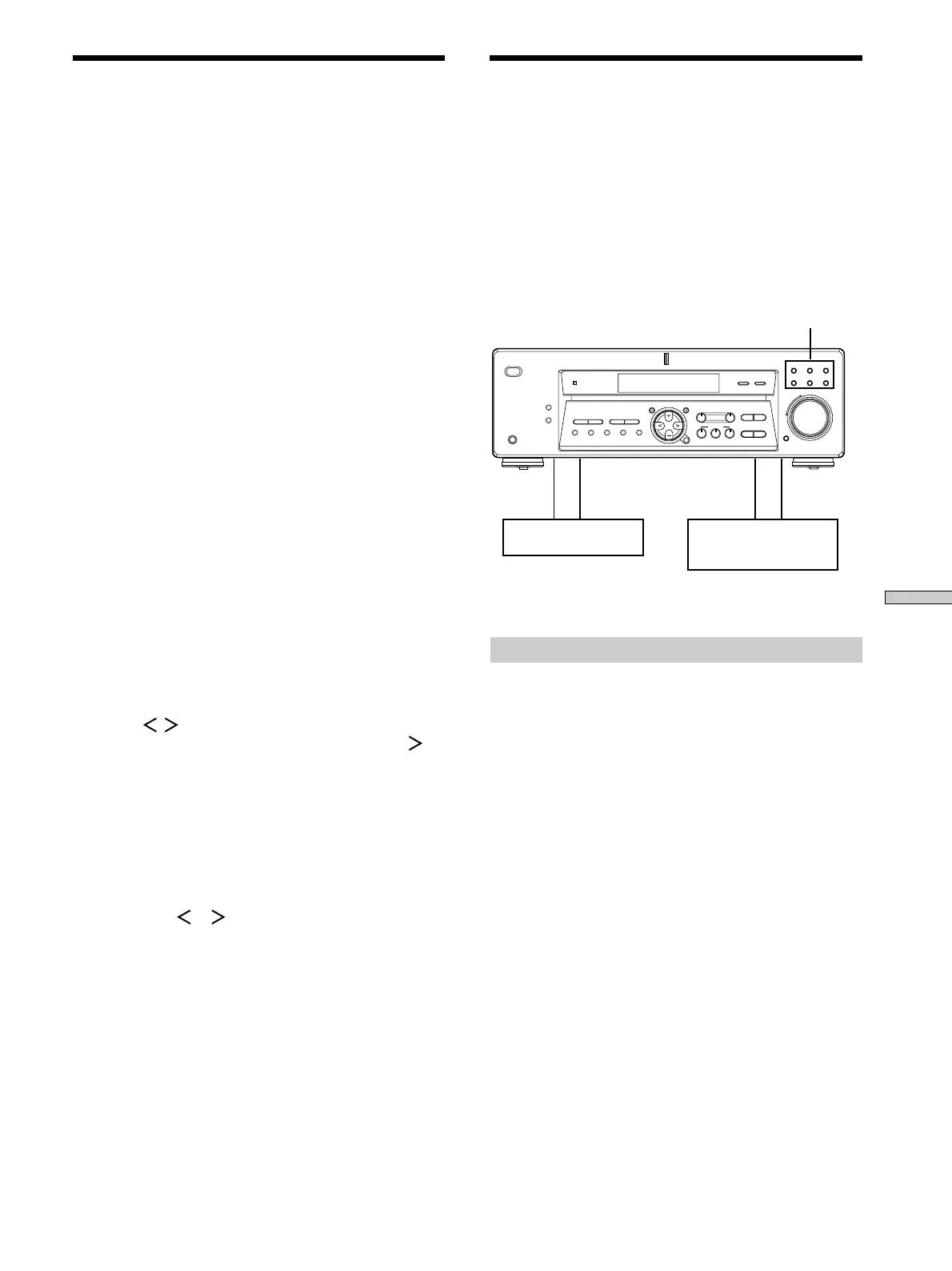
Playback component
(program source)
c
ç
ç
c
Recording component
(tape deck, MD deck,
VCR)
Function buttons
MULTI CHANNEL DECODING
MASTER VOLUME
DISPLAY
–
+
MULTI CH IN INPUT MODE
BASS
MUTING
A.F.D.
ENTER
NAME
VIDEO DVD/LD TV/SAT
MD/TAPE CD TUNER
SET UP
MENU
LEVEL SURR
SOUND CONTROL
SOUND FIELD
MODE 2CH
DIMMER
PHONES
? / 1
TREBLE
–
– +
TUNING
– +
PRESET
TUNING
MEMORY SHIFT FM MODE FM AM
– +
+
Recording
Your r eceiver makes it easy to r ecor d to and fr om the
components connected to it. Y ou don’ t have to connect the
playback and r ecor ding components dir ectly to each
other: once you select a pr ogram sour ce on the r eceiver ,
you can r ecor d and edit as you nor mally would using the
contr ols on each component.
Befor e you begin, make sur e you’ve connected all
components pr operly .
ç: Audio signal flow
c: Video signal flow
Recording on an audio tape or MiniDisc
You can r ecor d on a cassette tape or MiniDisc using the
receiver . Refer to the instr uction manual of your cassette
deck or MD deck if you need help.
1 Select the component to be recorded.
2 Prepare the component for playing.
For example, inser t a CD into the CD player .
3 Insert a blank tape or MD into the recording deck
and adjust the recording level, if necessary.
4 Start recording on the recording deck, then start
playback on the playback component.
Naming Preset Stations and
Program Sources
You can enter a name (index name) of up to 8 characters
for pr eset stations and pr ogram sour ces. These names (for
example, “VHS”) appear in the r eceiver ’s display when a
station or pr ogram sour ce is selected.
Note that no mor e than one name can be enter ed for each
pr eset station or pr ogram sour ce.
This function is useful for distinguishing components of
the same kind. For example, two VCRs can be specified as
“VHS” and “8MM”, r espectively . It is also handy for
identifying components connected to jacks meant for
another type of component, for example, a second CD
player connected to the MD/T APE jacks.
1 To name a preset station
Press TUNER.
The last station you r eceived is tuned in.
To name a program source
Select the program source (component) to be
named, then go to Step 3.
2 Tune in the preset station you want to create an
index name for.
If you ar e not familiar with how to tune in pr eset
stations, see “T uning to pr eset stations” on page 37.
3 Press NAME.
4 Create an index name by using the MENU +/– and
MENU
/ :
Press MENU +/– to select a character , then pr ess
to
move the cursor to the next position.
To insert a space
Press MENU +/- until a blank space appears in the
display (you can find the space character between “
]
”
and “A”).
If you’ve made a mistake
Press MENU
or repeatedly until the character to
be changed flashes, then pr ess MENU + or – to select
the right character .
5 Press ENTER.
To assign index names to other stations
Repeat Steps 2 to 5.



 To Next Page