35
GB
Receiving Broadcasts
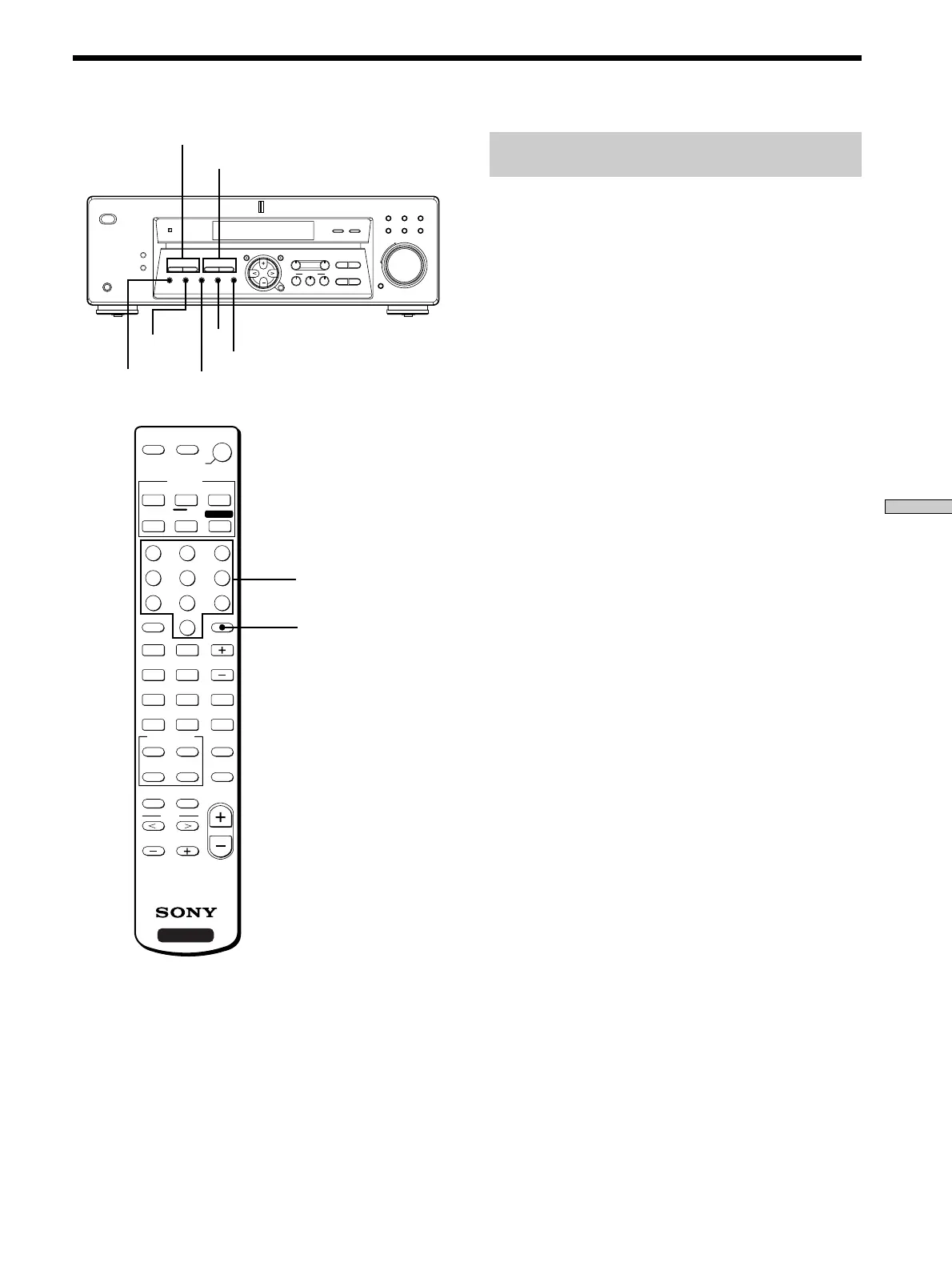
Brief descriptions of buttons used to
receive broadcasts
PRESET TUNING +/–: Pr ess to scan all pr eset radio
stations.
TUNING +/–: Pr ess to scan all available radio stations.
FM MODE: If “STEREO” flashes in the display and the
FM ster eo r eception is poor , pr ess this button to impr ove
the sound. Y ou will not be able to enjoy ster eo ef fect but
the sound will be less distorted.
Note
If “STEREO” does not appear at all even when the FM broadcast
is received normally, press this button to turn on the “STEREO”
indication.
FM: Press to select the FM band.
AM: Press to select the AM band.
MEMORY: Uses for memorizing pr eset stations.
SHIFT: Press to select a memor y page (A, B, or C) for
pr esetting radio stations or tuning to pr eset stations.
TUNER: Press to select the tuner .
On the remote:
D. TUNING: Press this button to enter a fr equency dir ectly
using the numeric buttons.
Numeric buttons: Pr ess to enter a numeric value when
inputting the fr equency dir ectly , pr esetting radio stations,
or tuning to pr eset stations.
MULTI CHANNEL DECODING
MASTER VOLUME
DISPLAY
–
+
MULTI CH IN INPUT MODE
BASS
MUTING
A.F.D.
ENTER
NAME
VIDEO DVD/LD TV/SAT
MD/TAPE CD TUNER
SET UP
MENU
LEVEL SURR
SOUND CONTROL
SOUND FIELD
MODE 2CH
DIMMER
PHONES
? / 1
TREBLE
–
– +
TUNING
– +
PRESET
TUNING
MEMORY SHIFT FM MODE FM AM
– +
+
FM
MEMORY
PRESET TUNING +/–
TUNING +/–
FM MODE
AM
SHIFT
P
p
DISC
9
(
0
)
=
+
>10
0
789
456
123
ENTER
CD/SACD
AUX
TUNER
VIDEO
MD/TAPE
VIDEO 2
PHONO
VIDEO 1
VIDEO 3
SYSTEM
STANDBY
FUNCTION
SHIFT
POSITION
DISPLAY
MODE
JUMP
A.F.D.
–
MUTING
2CH/OFF
WIDE
P IN P
SWAP
D.SKIP/
CH/PRESET
– /– –
– SUB CH +
ANT
TV/VTR
TV/
VIDEO
MULTI CH/
2 CH DIRECT
SOUND FIELD
+
MAIN MENU
RM-U305
g
MENU
MASTER
VOL
TEST TONE
D.TUNING
RETURN
MENU
ENTER
TITLE
f
F
G
g
SLEEP
AV
?/1
?/1
DVD/LD
TV/SAT
FN SHIFT
AV SYSTEM
D.TUNING
Numeric buttons



 To Next Page