50
GB
Additional Information
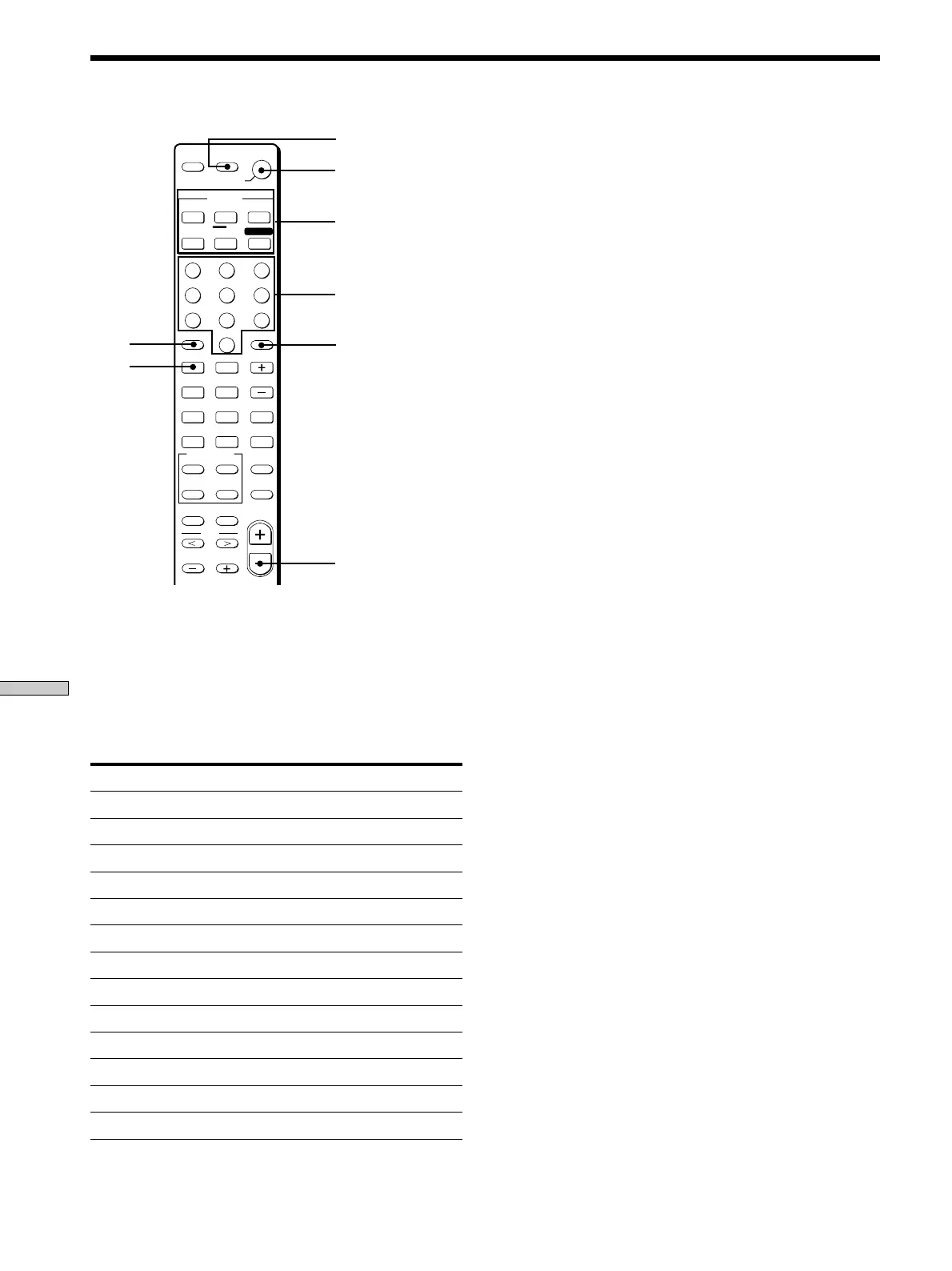
1 Hold down the Function button whose function you
want to change (for example, CD/SACD).
2 Press the corresponding button of the component
you want to assign to the Function button (for
example, 4 - Tape deck).
The following buttons ar e assigned to select the functions:
To operate
CD player
DAT deck
MD deck
Tape deck A
Tape deck B
LD player
VCR (remote control mode VTR 1*)
VCR (remote control mode VTR 2*)
VCR (remote control mode VTR 3*)
TV
DSS (Digital Satellite Receiver)
DVD
VCD player
Press
1
2
3
4
5
6
7
8
9
0
>10
ENTER
.
Remote Button Description
Function buttons
Numeric buttons
P
p
DISC
9
(
0
)
=
+
>10
0
789
456
123
ENTER
CD/SACD
TUNER
VIDEO
AUX
MD/TAPE
VIDEO 2
PHONO
VIDEO 1
VIDEO 3
SYSTEM
STANDBY
FUNCTION
SHIFT
POSITION
DISPLAY
MODE
JUMP
A.F.D.
–
MUTING
2CH/OFF
WIDE
P IN P
SWAP
D.SKIP/
CH/PRESET
– /– –
– SUB CH +
ANT
TV/VTR
TV/
VIDEO
MULTI CH/
2 CH DIRECT
SOUND FIELD
+
MAIN MENU
MENU
MASTER
VOL
TEST TONE
D.TUNING
RETURN
MENU
ENTER
TITLE
f
F
G
g
SLEEP
AV
?/1
?/1
DVD/LD
TV/SAT
FN SHIFT
>10
ENTER
?/1
AV ?/1
MASTER VOL –
=
* Sony VCRs are operated with a VTR 1, 2 or 3 setting.
These correspond to Beta, 8mm and VHS respectively.
Now you can use the CD/SACD button to contr ol the
tape deck.
To reset a button to its factory setting
Repeat the above procedure.
To reset all the function buttons to their factory setting
Press ?/1, AV ?/1 and MASTER VOL – at the same time.



 To Next Page