3b:Connectingthevideocomponents
This section describes how to hook up your
components to this receiver. BetUre you begin,
refer to "Component to be connected" below
for the pages which describe how to connect
each component.
After hooking up all your components,
pR)ceed to "4: Connecting the antennas" (page
26).
Component to be connected
Component Page
With HDMI jack 19
TV monitor 2I
DVD player/DVD recorder 22
Satellite tuneffSet4ep bex 24
VCR 25
Camcerder, vide() game, etc. 25
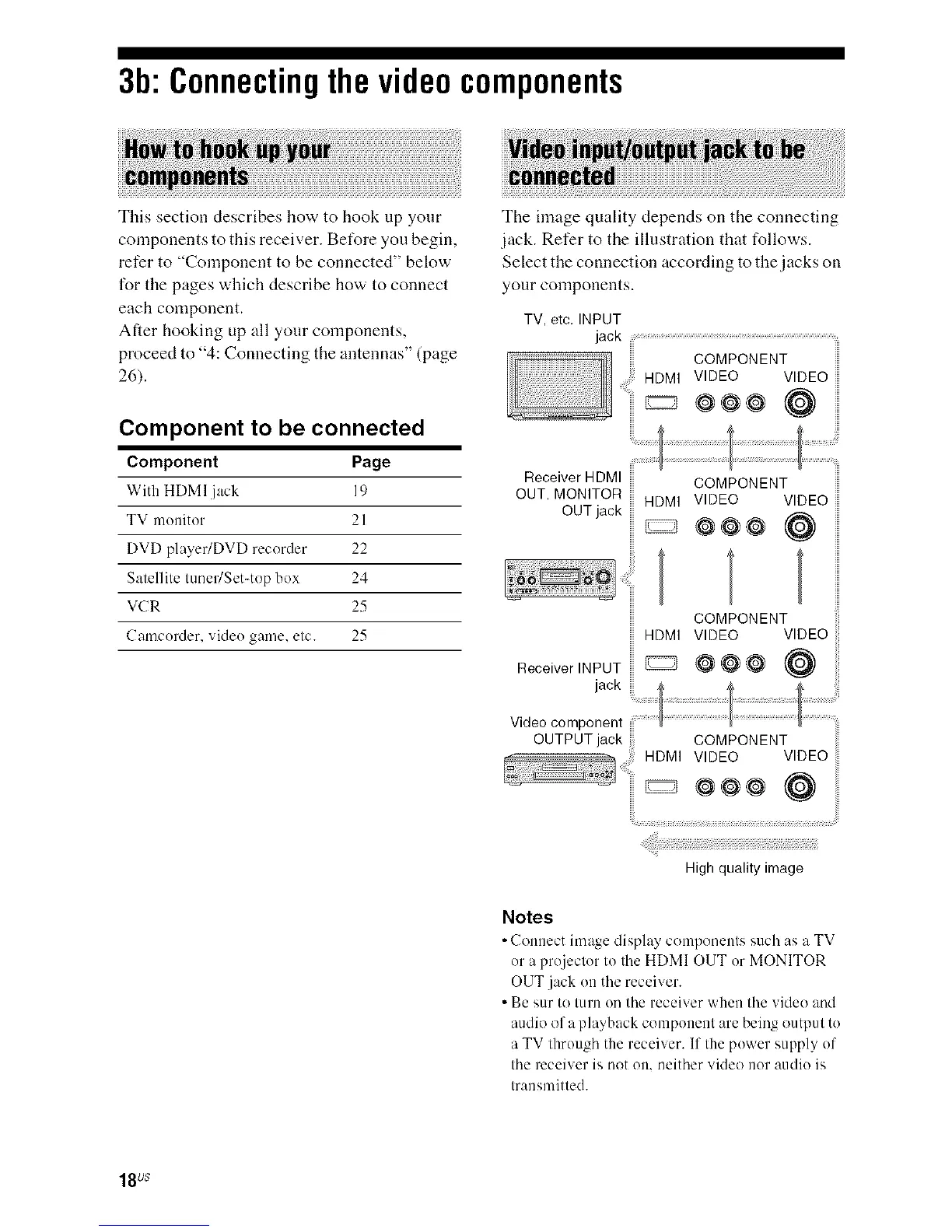
The image quality depends on the connecting
jack. Refer to the illustration that follows.
Select the connection according to the jacks on
your components.
TV, etc. INPUT
jack ................................................................................................................................................
COMPONENT
HDMI VIDEO VIDEO
..........._ @@@ (@
Receiver HDMI
OUT, MONITOR
OUT jack
COMPONENT
HDMI VIDEO VIDEO
@@@ @
COMPONENT
HDMI VIDEO VIDEO
Receiver INPUT _ @ _ @ @
videocomponent
OUTPUT jack COMPONENT
.................. HDMI VIDEO VIDEO
' _ @@@ (@
High quality image
Notes
• Connect image display components such as a TV
or a projecter to the HDMI OUT or MONITOR
OUT jack en the receiver.
• Be sur te tern on the receiver when the video and
audio af a playback component are being output te
a TV through the receiver. If the pewer supply of
the receiver is not on, neither videe nor audie is
transmitted.
18us



 To Next Page