PresettingXM Radio
stations
You can select the channels you want directly
by presetting them using the preset mnnbers.
Yon can preset up to 30 XM Radio channels.
2
3
4
5
6
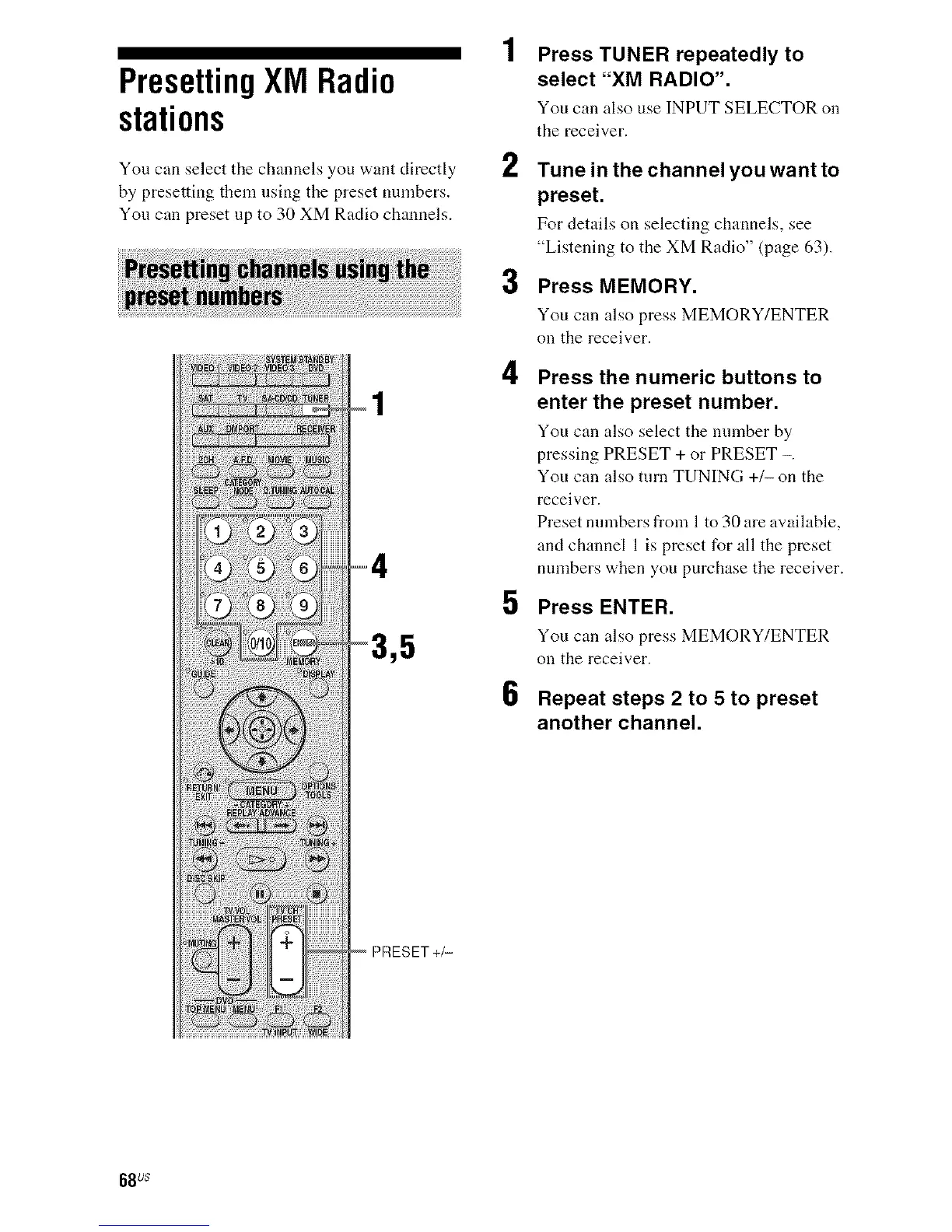
Press TUNER repeatedly to
select "XM RADIO".
You can also use INPUT SELECTOR on
the receiver.
Tune in the channel you want to
preset.
For details on selecting channels, see
"Listening to the XM Radio" (page 63).
Press MEMORY.
You can also press MEMORY/ENTER
on the receiver.
Press the numeric buttons to
enter the preset number.
You can also select tile nnmber by
pressing PRESET + or PRESET -.
You can also turn TUNING +1- on the
receiver.
Preset numbers from I to 30 are available,
and channel 1 is preset for all the preset
nnmbers when you purchase the receiver.
Press ENTER.
You can also press MEMORY/ENTER
on the receiver.
Repeat steps 2 to 5 to preset
another channel.
68 us



 To Next Page