EasyManua.ls Logo

Sony STR-DG810 - A Component

Sony STR-DG810
94 pages
Print Icon
To Next Page IconTo Next Page
To Previous Page IconTo Previous Page
Loading...
Listening/Watchinga component
i,=
Notes
Tile opemlion is described for :1
Sony Super Audio CD player.
Refer to tile operating
instructions supplied with the
Super Audio CD player or (-![)

player.
Tips
You can select tile sound field to
suit the music. Refer to page 54
for details.
Recommended sound fiekls:
Classical: HALL
Jazz: JAZZ
Live concert: CONCERT
You can listen to the sound thai
was recorded in the 2 channel
format from all speakers (nmlli
channel). Refer to page 52 for
details.
5
3
1
2
3
4
5
6
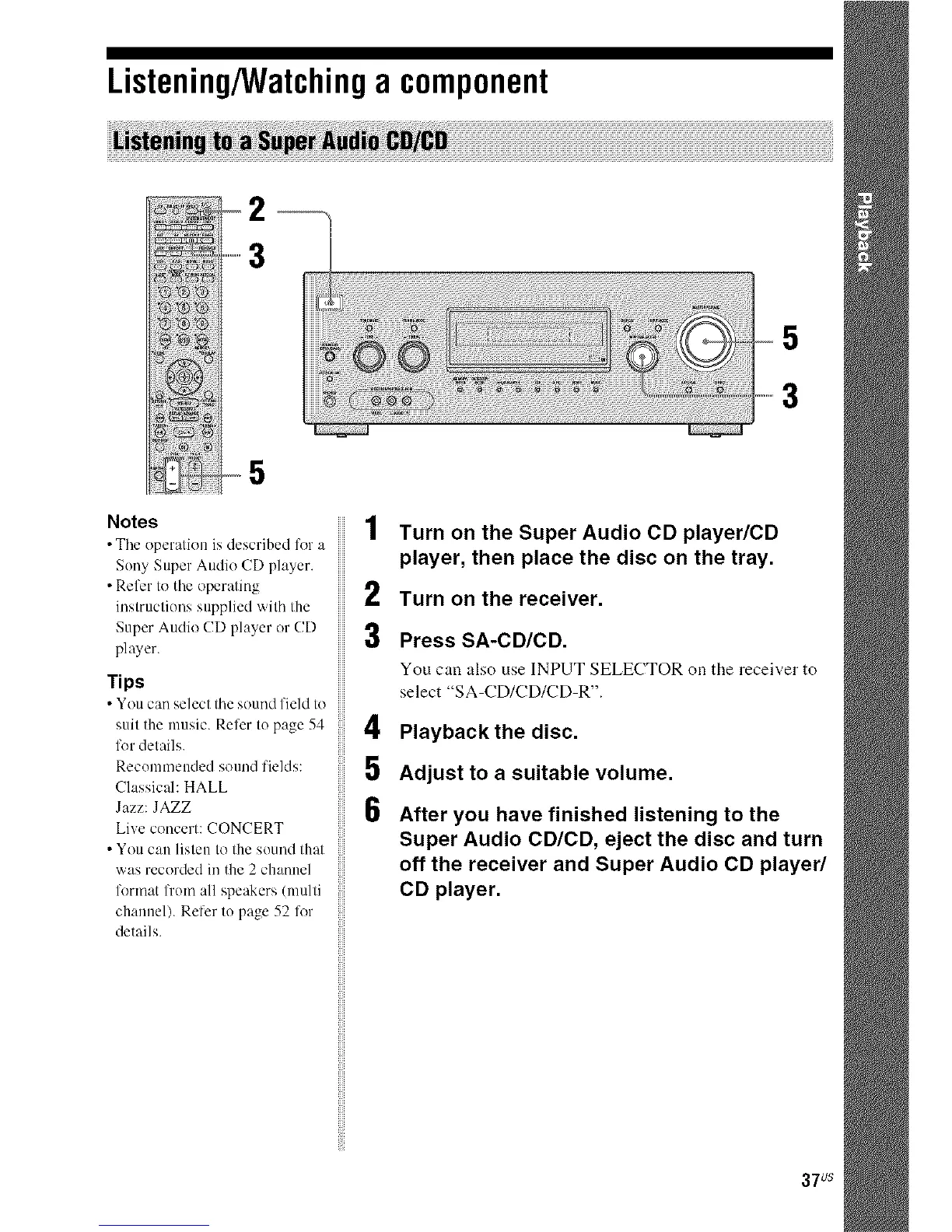
Turn on the Super Audio CD player/CD
player, then place the disc on the tray.
Turn on the receiver.
Press SA-CD/CD.
You can also use INPUT SELECTOR on the receiver to
select "SA-CD/CD/CD-R".
Playback the disc.
Adjust to a suitable volume.
After you have finished listening to the
Super Audio CD/CD, eject the disc and turn
off the receiver and Super Audio CD player/
CD player.
37us

Other manuals for Sony STR-DG810

Related product manuals