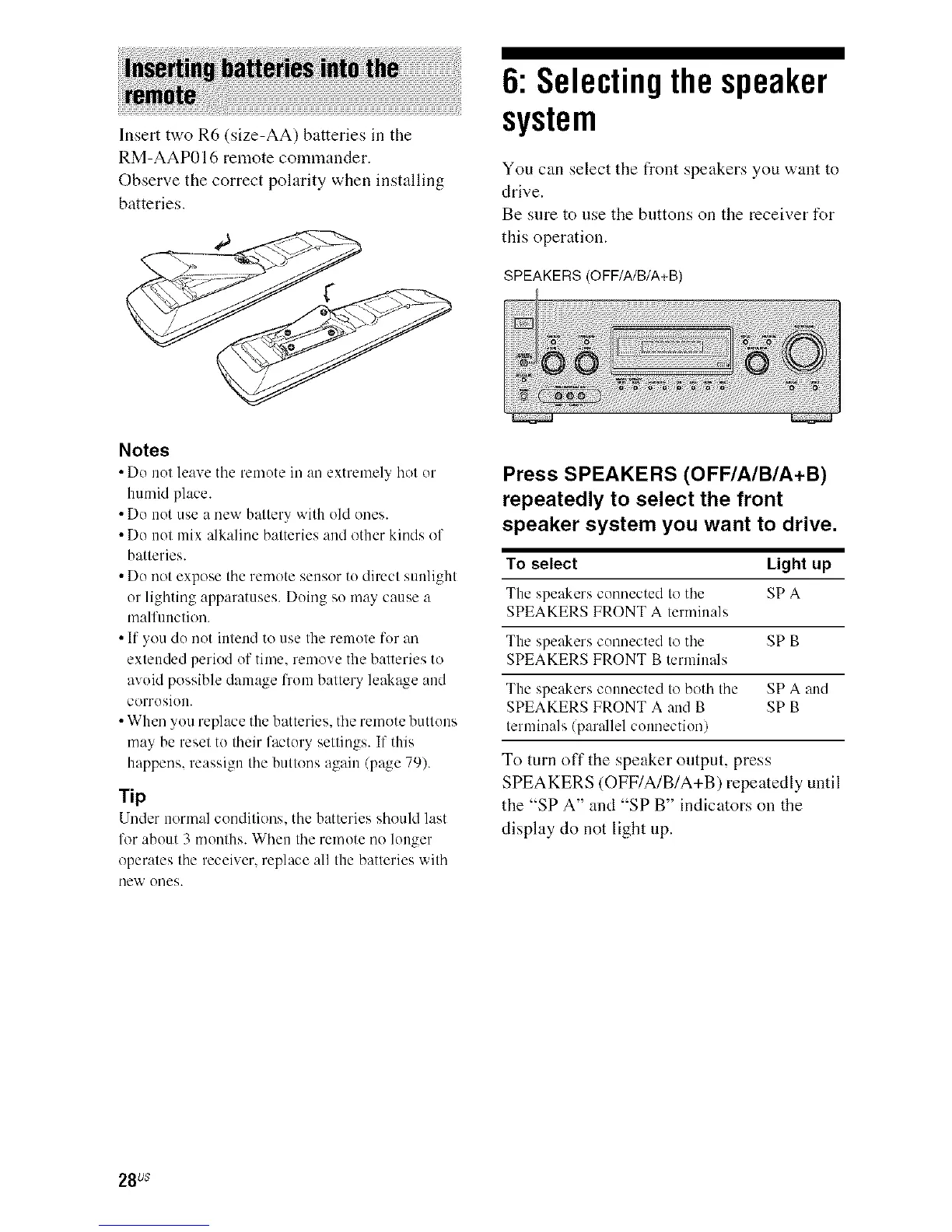
Insert two R6 (size-AA) batteries in the
RM-AAP016 remote commander.
Observe the correct polarity when installing
batteries.
6: Selectingthespeaker
system
You can select the front speakers you want to
drive.
Be sure to use the buttons on the receiver for
this operation.
SPEAKERS (O FF/A/B/A+B)
Notes
• Do not leave tile remote in an extremel? hot or
humid place.
• Do not use a new battery with old ones.
• Do not mix alkaline batteries and other kinds of
batteries.
• Do not expose the remote sensor to direct sunlight
or lighting apparatuses. Doing so may cause a
malfunction.
• If you do not intend to use the remote for an
extended period of time, remove the batteries to
avoid possible damage from battery leakage and
corrosion.
• When you replace the batteries, the remote buttons
may be reset to their factory settings. If this
happens, reassign the buttons again (page 79).
rip
Under normal conditions, the batteries should last
lk_rabout 3 months. When the remote no longer
operates the receiver, replace all the batteries with
new ones.
Press SPEAKERS (OFF/A/B/A+B)
repeatedly to select the front
speaker system you want to drive.
To select Light up
The speakers connected to the SPA
SPEAKERS FRONT A terminals
The speakers connected to the SP B
SPEAKERS FRONT B terminals
The speakers connected to both the SPA and
SPEAKERS FRONT A and B SP B
terminals/parallel connection)
To turn off the speaker output, press
SPEAKERS (OFF/A/B/A+B) repeatedly until
the "SPA" and "SP B" indicators on the
display do not light tip.
28us



 To Next Page