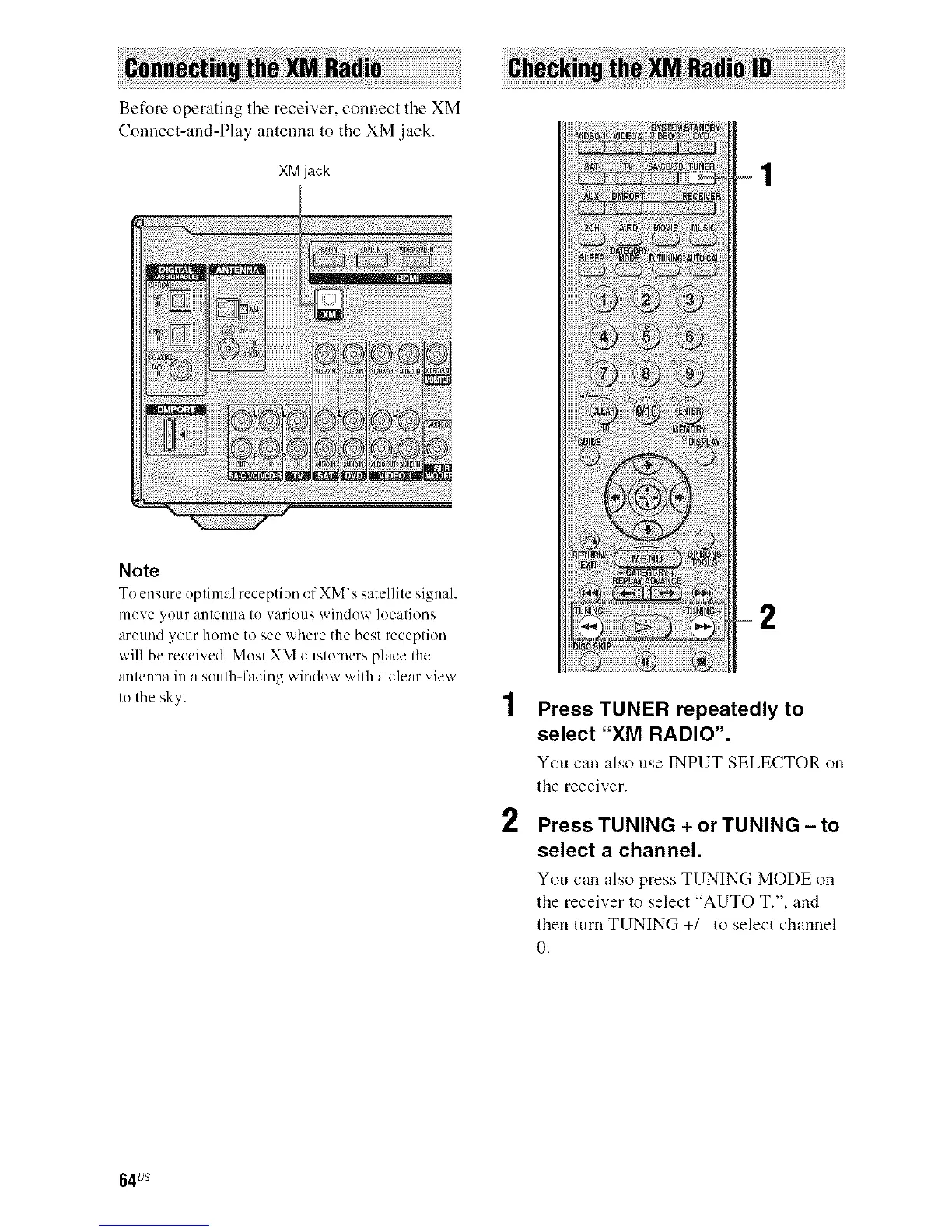
Before operating the receiver, connect the XM
Connect-and-Play antenna to the XM jack.
XM jack
Note
To ensure optimal reception of XM's satellite signal,
move your antenna to various window locations
around your home to see where the best reception
will be received. Most XM customers place the
anteuna in a south-facing window with a clear view
to the sky.
2
Press TUNER repeatedly to
select "XM RADIO".
You can also use INPUT SELECTOR on
the receiver.
Press TUNING + or TUNING - to
select a channel.
You can also press TUNING MODE on
the receiver to select "AUTO T.", and
then turn TUNING +_ to select channel
0.
64us



 To Next Page