All other trademarks and registered trademarks are of their respective holders. In this
manual, ™ and ® marks are not specified.
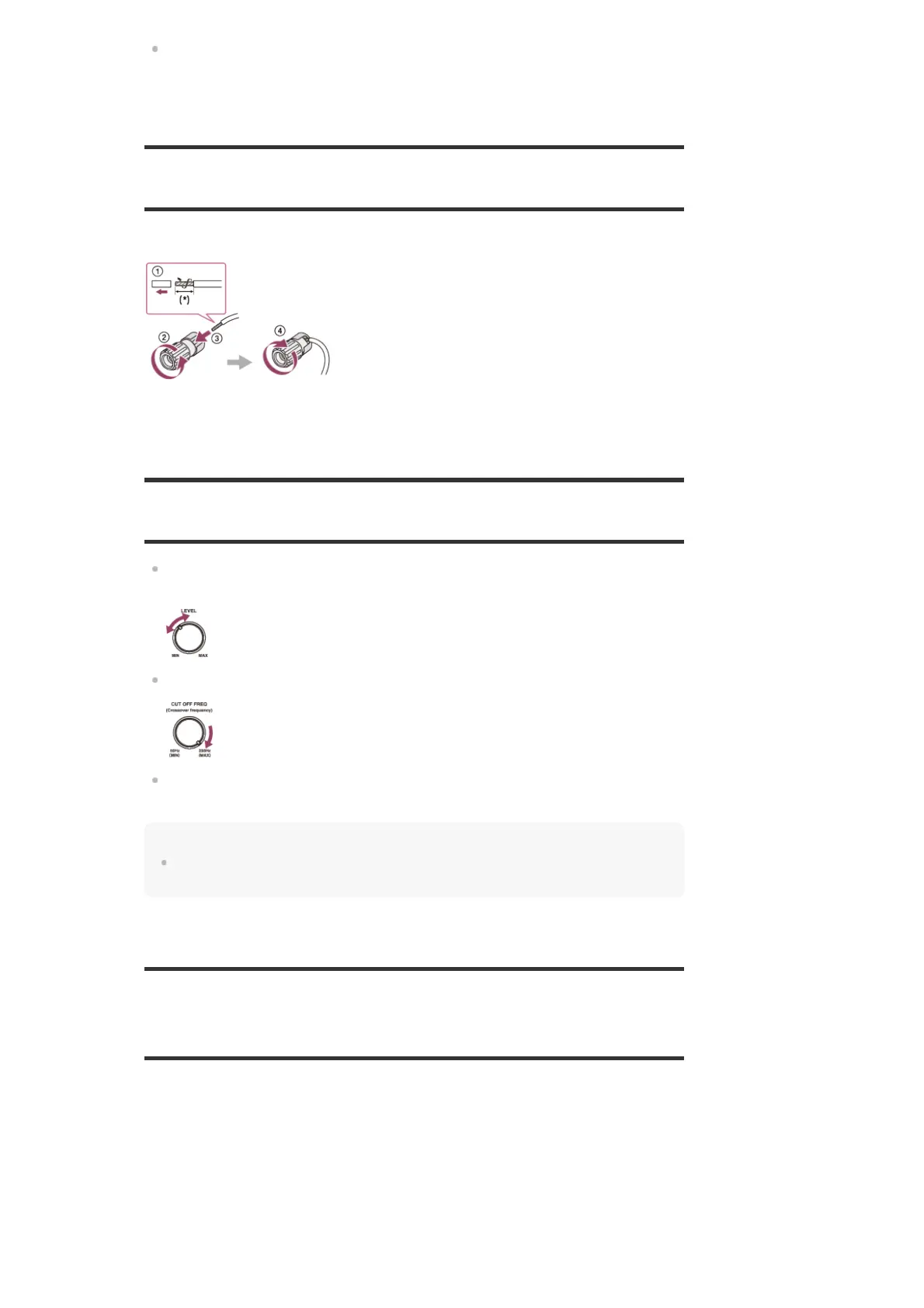
How to connect speaker cables
Connect speaker cables as illustrated below.
Confirming active subwoofer setup
When a subwoofer is connected, turn on the subwoofer and turn up the volume prior to
activating the subwoofer. Turn the LEVEL to just before the mid-point.
If you connect a subwoofer with a crossover frequency function, set the value to maximum.
If you connect a subwoofer with an auto standby function, set it to off (deactivated). For
details, refer to the operating instructions of the subwoofer.
Note
Depending on the characteristics of the subwoofer you are using, the setup distance value may be
different from the actual position.
2-channel sound mode/Multi channel stereo mode
(2CH/MULTI)
Direct (DIRECT):
Presets the sound as it was recorded/encoded without adding any surround effects.
However, for USA and Canada models, this receiver will generate a low-frequency signal for
output to the subwoofer when there is no LFE signals.
Multi Channel Stereo (MULTI ST.):
Outputs 2-channel left/right or monaural signals from all speakers. However, sound may not be
output from certain speakers depending on the speaker settings.
2ch Stereo (2CH STEREO):
Strip the jacket to 10 mm (13/32 in) at each end of the speaker cables.
*



 To Next Page