Note
[ PL] (6) may not light up depending on the speaker pattern setting.
[5] Parts and Controls Receiver
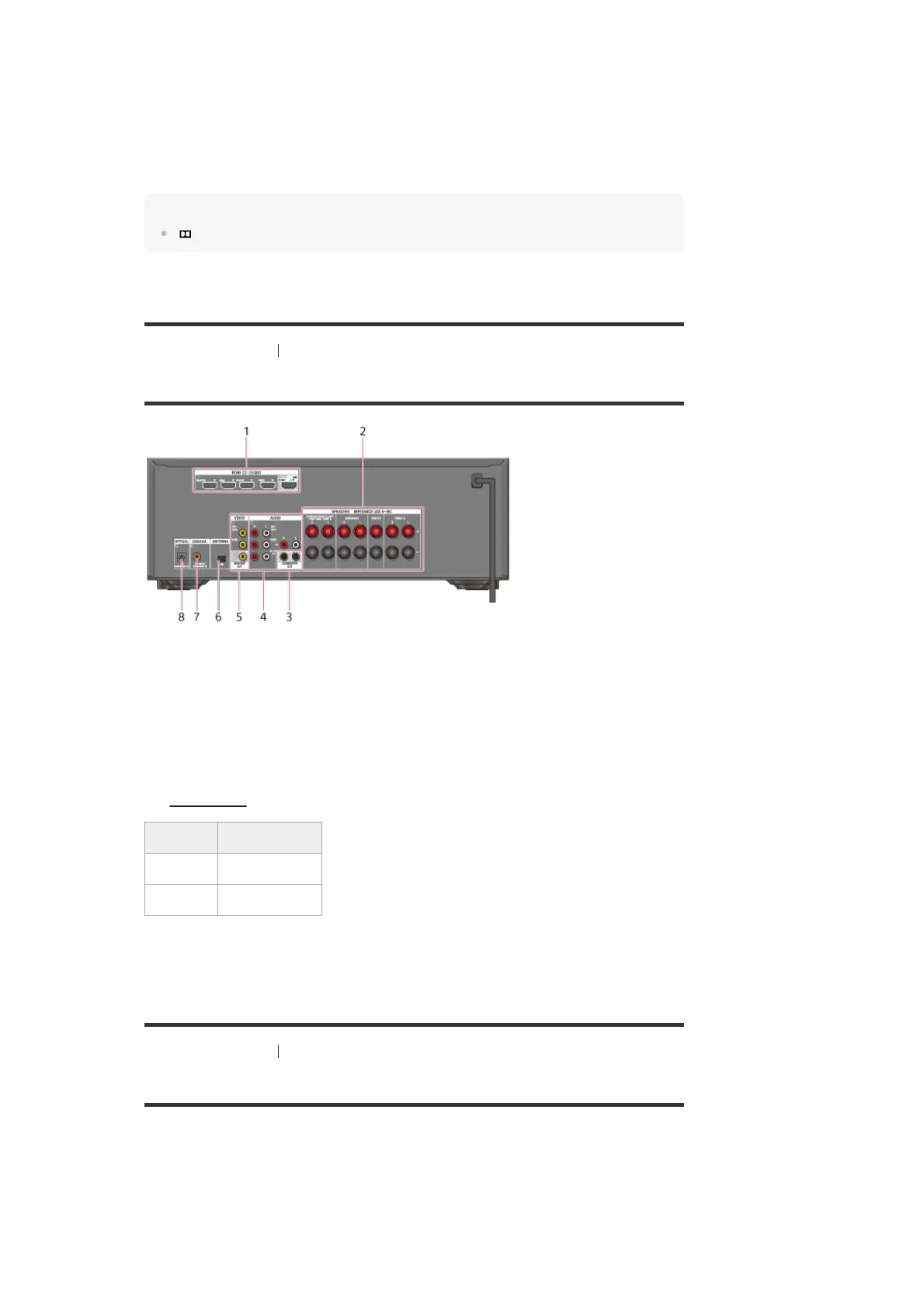
Rear panel
[6] Parts and Controls Remote control
Remote control (upper section)
Use the supplied remote control to operate this receiver.
SLEEP
Lights up when the sleep timer is activated.
11.
BT
Lights up when a BLUETOOTH device is connected. Flashes while pairing and connecting.
12.
Speaker system indicator
13.
When playing a Dolby Digital or DTS format disc, make sure that you have completed the digital connections and
[<INPUT>] - [INPUT MODE] is not set to [ANALOG] on the display panel.
*
HDMI IN/OUT jacks (*1) (*2)
1.
SPEAKERS terminals
2.
SUBWOOFER OUT jacks
3.
AUDIO IN jacks
4.
VIDEO IN/MONITOR OUT jacks (*1)
5.
FM ANTENNA terminal
6.
COAXIAL IN jack
7.
OPTICAL IN jack
8.
Connect a TV to the corresponding output jacks to watch video input from these jacks. For details, see
“Connecting a TV
.”
*1
Input jack Output jack
HDMI IN HDMI TV OUT
VIDEO IN MONITOR OUT
HDCP 2.2 is newly enhanced copyright protection technology that is used to protect content such as 4K movies.
*2



 To Next Page