Note
The above explanations are intended to serve as examples.
Depending on the model of your connected device, some functions explained in this section may not
work with the supplied remote control.
[7] Parts and Controls Remote control
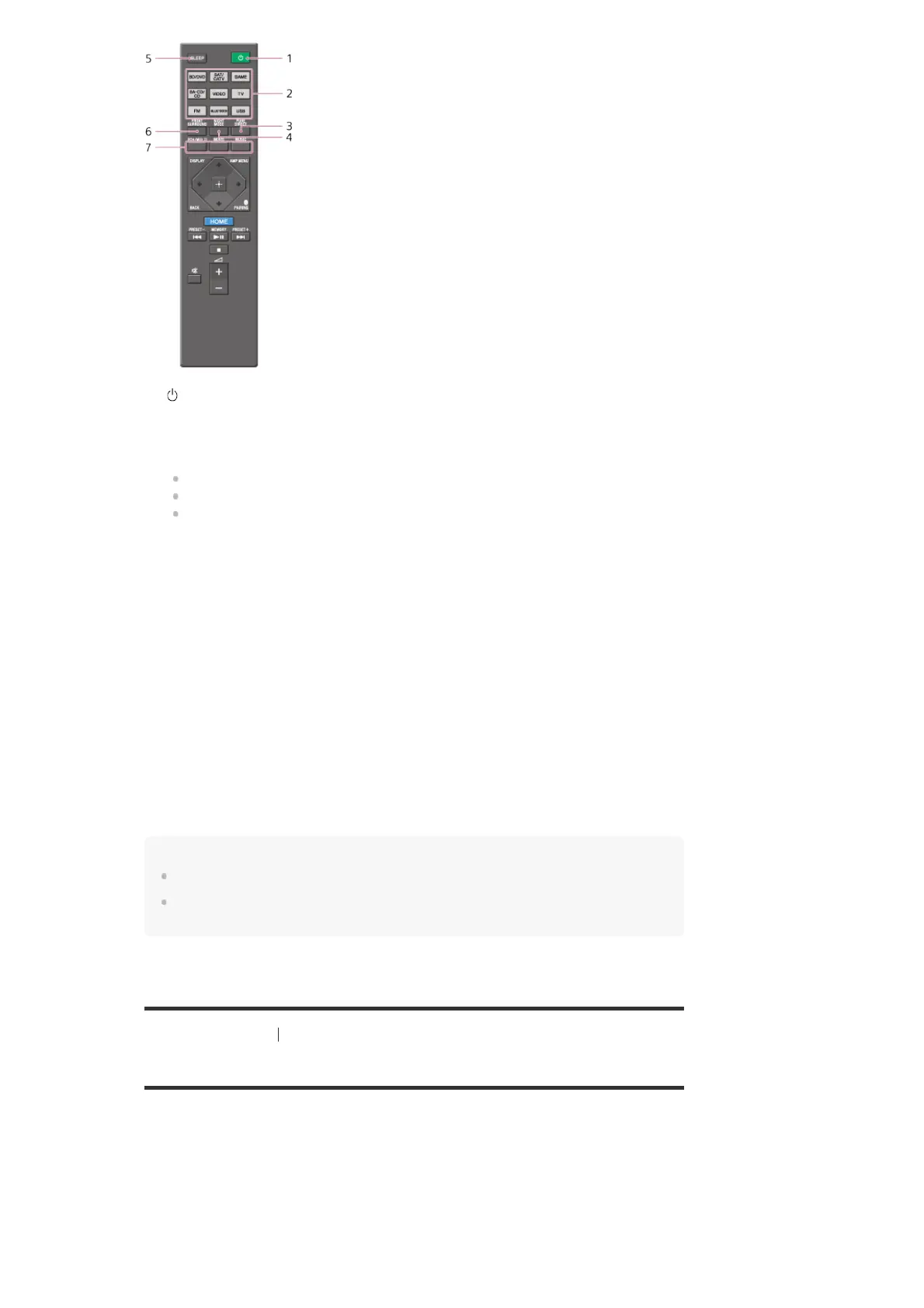
Remote control (lower section)
Use the supplied remote control to operate this receiver.
(power)
Turns the receiver on or sets it to the standby mode.
Saving power in standby mode
Save power by setting:
[CTRL HDMI] to [CTRL OFF] in the [<HDMI>] menu.
[STBY THRU] to [OFF] in the [<HDMI>] menu.
[BT STBY] to [STBY OFF] in the [<BT>] menu.
1.
Input buttons
Select the device you want to use.
When you press any of the input buttons, the receiver turns on. The input buttons are pre-
assigned to automatically control Sony devices when you select them.
2.
PURE DIRECT
Activates the Pure Direct function which allows you to enjoy higher-fidelity sound from all
inputs.
3.
NIGHT MODE
Activates the Night Mode function which allows you to retain a theater-like environment at
low volume levels.
4.
SLEEP
Sets the receiver to turn off automatically after a specified period of time.
5.
FRONT SURROUND
Activates the Front Surround function which allows you to enjoy theater-like surround sound
only with two front speakers.
6.
2CH/MULTI, MOVIE, MUSIC
Select a sound field.
7.



 To Next Page