21
STR-DN860/DN1060
HISTORY MODE
The state that the set is used is memorized.
Procedure:
1. While pressing [SPEAKERS] and [DISPLAY] buttons
simultaneously, press the [
?/1
] button to turn on the power
and “HISTORY” is displayed.
2. Each time the [
M
] [
m
] key of remote commander is pressed,
the item is switched in order as follows.
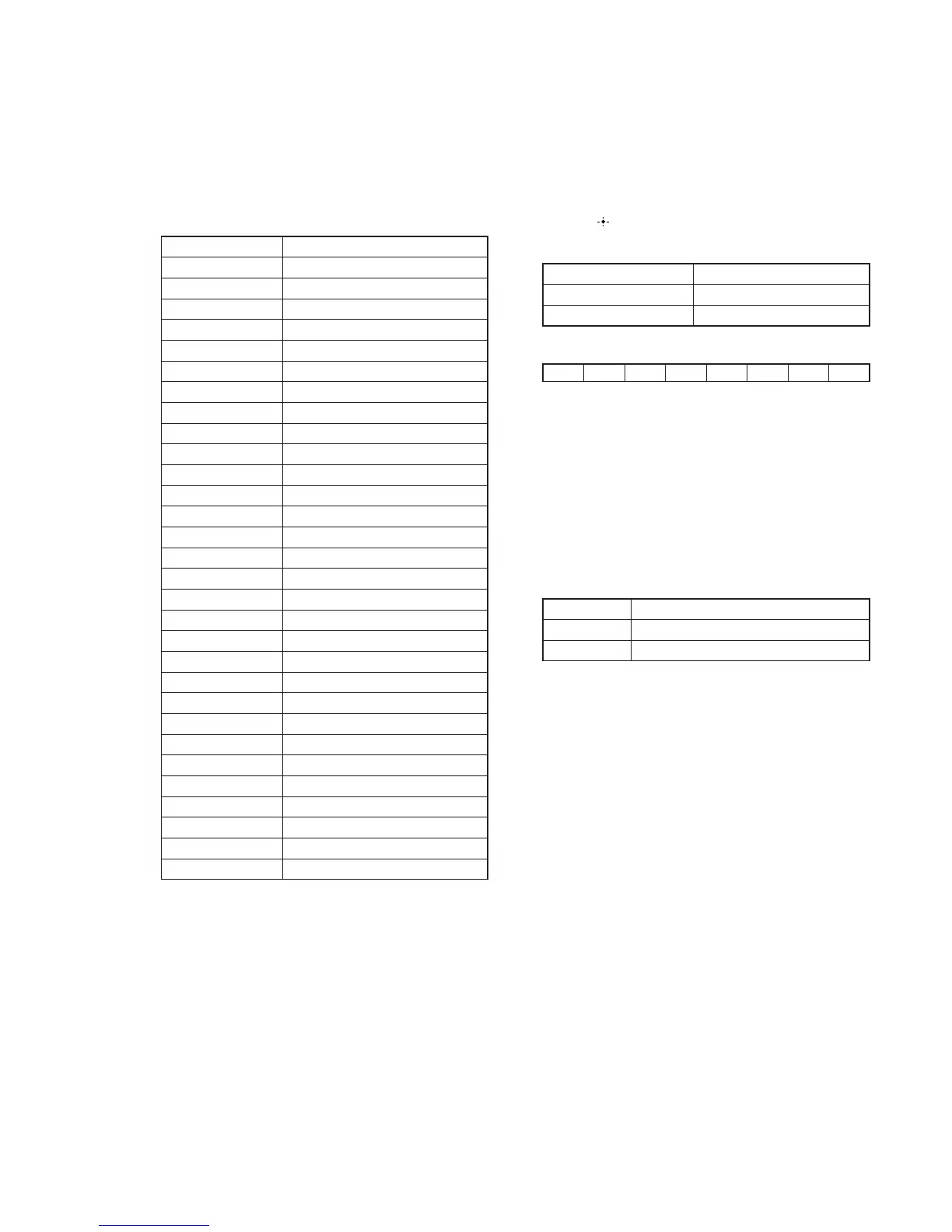
Items Display
Protector Count C O U N T x x x
Total Power ON time T x x x x x H x x M
Main Power On M x x x x x H x x M
Protector type P R O T x x x x
Sound Field S N D F I E L D
Function F U N C T I O N
Input Mode I N P M O D E
Digital Select D I G S E L E C T
Stream S T R E A M I N F O
Channel Confi g C O N F x x x x x
Headphone H E A D P H x x x
Volume V O L : x x
Muting M U T I N G : x x
Front Bass F B x x x
Front Treble F T x x x
Center Bass C B x x x
Center Treble C T x x x
Surround Bass S B x x x
Surround Treble S T x x x
Front Height Bass H B x x x
Front Height Treble H T x x x
Front Level F x x x / x x x
Center Level C x x x / x x x
Surround Level S x x x / x x x
Surround Back Level B x x x / x x x
Front Height Level H x x x / x x x
Temperature T E M P :
Total Power On T x x x x x H x x M
Main Power On M x x x x x H x x M
Power On Count R E B O X : x x
MHL VBUS MODE
This mode is to display the MHL VBUS status.
Procedure:
1. Press the [
?
/
1
] button to turn on the main power.
2. While pressing [DISPLAY] button, press and release the
[MUSIC], [MOVIE], [A.F.D./2CH] button in order, the
message “VBUS STAT” appears.
3. Press the [
] key of the remote commander.
4. Either one of the message as below appears.
Items Display
No Error N O E R R O R
Current Stopped V . E R R O R x x
HDMI IN
76543210
0 : No error 1 : VBUS output is stopped
Example:
In 7 & In 0 are error : xx = 81
In 1 & In 0 are error : xx = 03
SIRCS MODE CHANGE
To change remote control mode (AV1<=>AV2).
Procedure:
1. While pressing [MUSIC] and [PURE DIRECT] buttons
simultaneously, press the [
?
/
1
] button to turn on the main
power.
2. Either the message below appears. Select the desired mode.
Items Display
AV1 C. M O D E A V 1
AV2 C. M O D E A V 2


 To Next Page