43
Chapter 2 Menu
[C6] ALIGNMENT menu (2/3)
Adjust each item with the UP and DOWN buttons or
PHASE knob.
H STATIC CONV: Adjust horizontal static
convergence.
V STATIC CONV: Adjust vertical static
convergence.
V CONV TOP: Adjust vertical convergence at the top
of the screen.
V CONV BOTTOM: Adjust vertical convergence at
the bottom of the screen.
Note
Items from H CONV UPPER to HCV LB are only
available for BVM-20G1U/20G1E/20G1A.
H CONV UPPER: Adjust horizontal convergence at
the top of the screen.
H CONV LOWER: Adjust horizontal convergence at
the bottom of the screen.
[C6] ALIGNMENT menu (3/3)
Adjust each item with the UP and DOWN buttons or
PHASE knob.
H CV R C: Adjust horizontal convergence at the
center right of the screen.
H CV R T: Adjust horizontal convergence at the top
right of the screen.
H CV R B: Adjust horizontal convergence at the
bottom right of the screen.
H CV L C: Adjust horizontal convergence at the
center left of the screen.
H CV L T: Adjust horizontal convergence at the top
left of the screen.
H CV L B: Adjust horizontal convergence at the
bottom left of the screen.
44
Chapter 2 Menu
The following 4 functions can be executed with the
EXTEND menu.
•Loading factory default data for installed boards into
memory.
•Writing monitor setting and adjustment data to the
monitor memory card or read setting and adjustment
data from the monitor memory card.
•Restarting the monitor.
•Automatically adjusting the setup level and 100 IRE
level of the internal white signal which is used in the
COLOR TEMP ADJ menu ([B]).
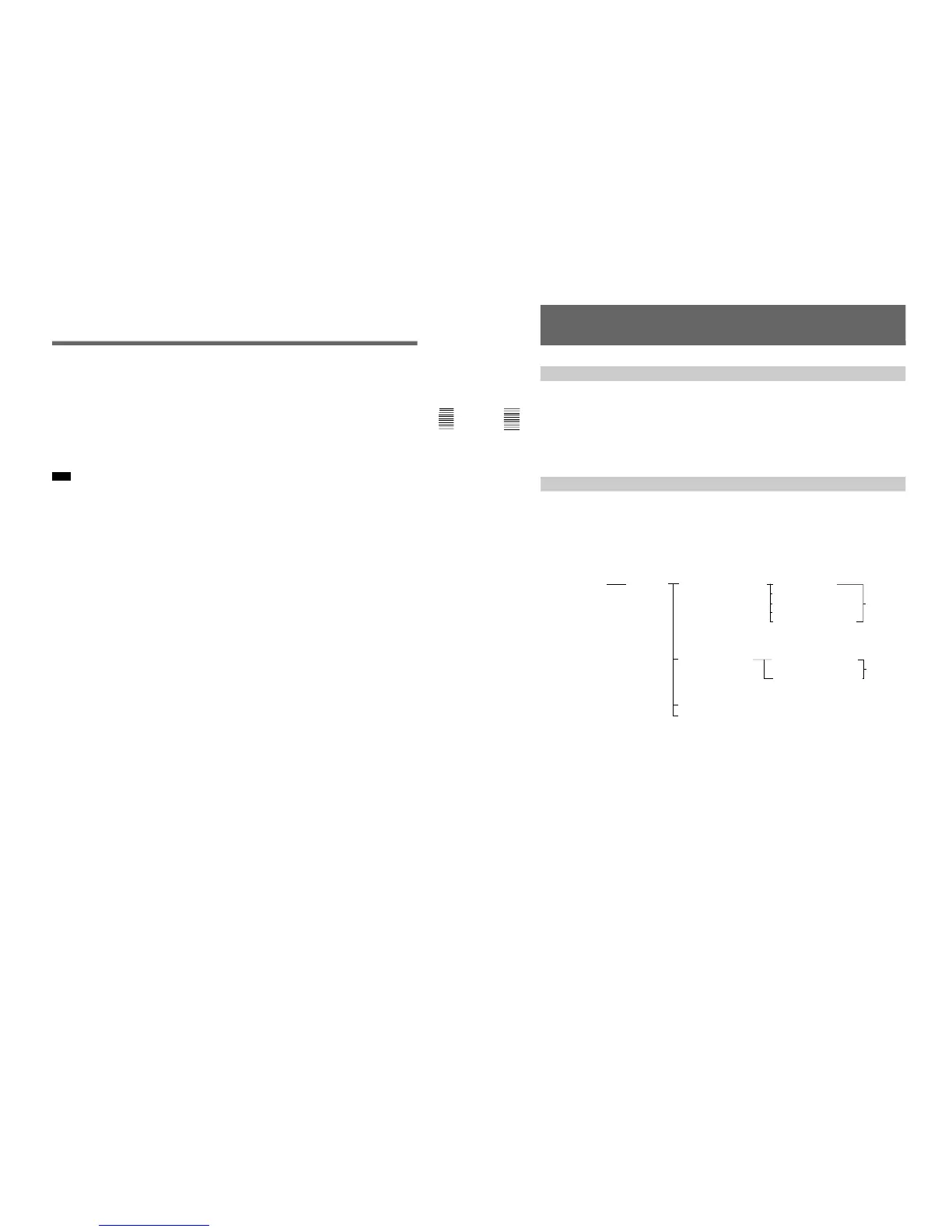
Structure of the EXTEND Menu [C7]
Using Extended Functions (SET UP 7) — EXTEND
Menu
Overview
Level 1 Level 2 Level 3 Level 4 Level 5
INPUT CONFIGURATION [C1]
REMOTE [C2]
PASSWORD [C3]
SYSTEM CONFIGURATION [C4]
ON SCREEN SET [C5]
ALIGNMENT [C6]
EXTEND MENU [C7] ENTER RE-LOAD FACTORY DATA SLOT 1 CONTROL
PASSWORD [C711] SLOT2 SDI4:2:2/4FSC
1)
[C71] SLOT6 VIDEO AMP Confirmation
SLOT 7 DEFLECTION message
2)
SLOT 9 POWER SUPPLY
[C7111]
MEMORY CARD [C712] BACK UP SYSTEM DATA
[C7121] Confirmation
RE-STORE SYSTEM DATA message
3)
[C7122]
RE-START MONITOR [C713]
ADJ INT SIGNAL [C714]
1) This is displayed when the BKM-21D is installed in the SLOT 2.
2) The confirmation message appears. Selecting OK results in resetting the data and automatically turning the
monitor off and on again. Selecting CANCEL results in returning to the RE-LOAD FACTORY DATA
[C711]
menu
.
3) The confirmation message appears. Selecting OK results reading the data from the monitor memory card.
Selecting CANCEL results in returning to the MEMORY CARD
[C712]
menu.







 To Next Page