EasyManua.ls Logo

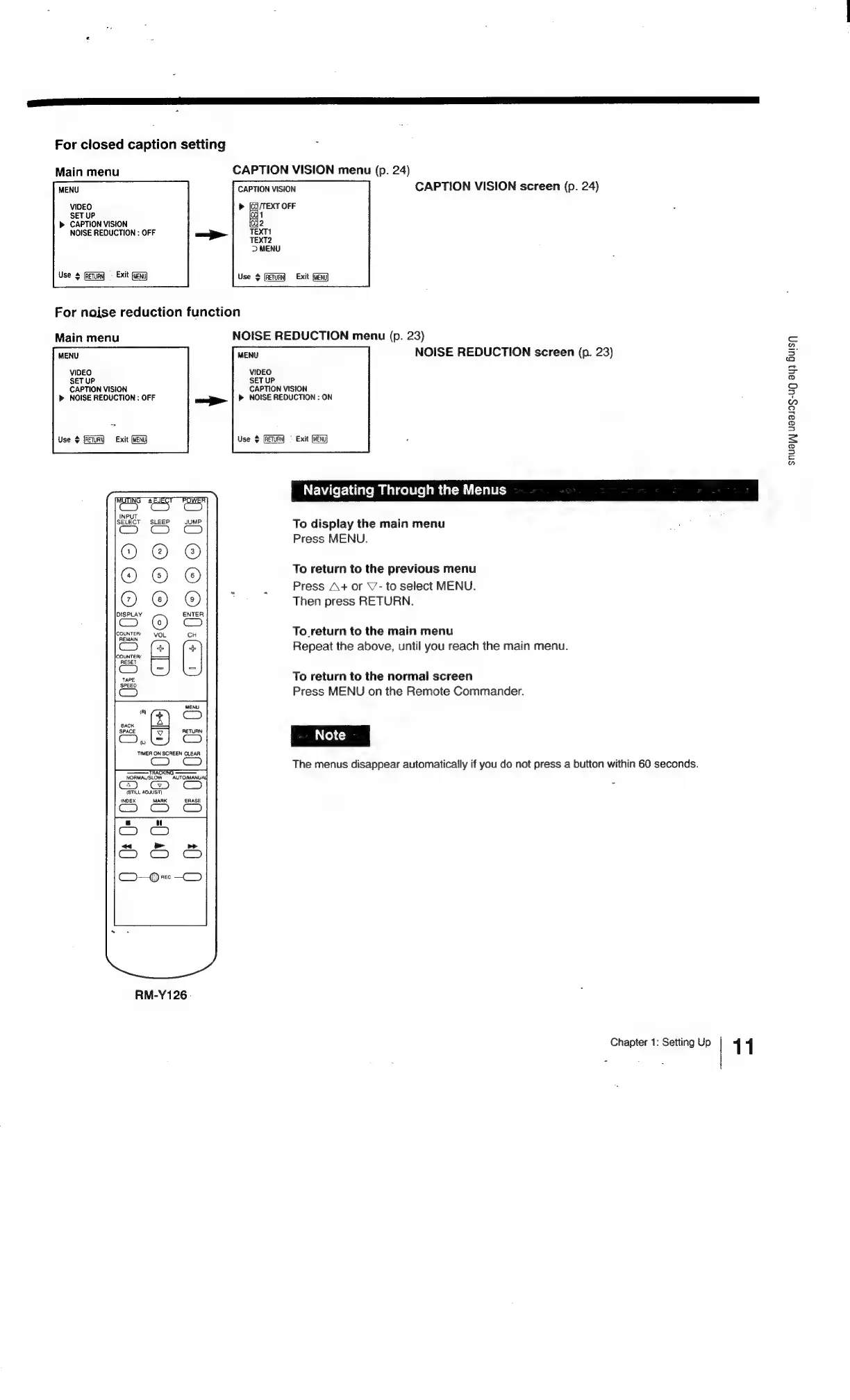
Sony Trinitron KV-13VM20 - Navigating through the MENUS; Eee Eee

Sony Trinitron KV-13VM20
97 pages
Print Icon
To Next Page IconTo Next Page
To Previous Page IconTo Previous Page
Loading...
SS
SSS
ara
ee
For
closed
caption
setting
Main
menu
CAPTION
VISION
menu
(p.
24)
MENU
CAPTION
VISION
CAPTION
VISION
screen
(p.
24)
VIDEO
>
rere
SET
uP
b>
CAPTION
VISION
2
NOISE
REDUCTION
:
OFF
TEXT1
TEXT2
D>
MENU
RETURN)
«=
Exit
(WeNU
Use
¢
(RETURN
Exit
(MENU
For
noise
reduction
function
Main
menu
NOISE
REDUCTION
menu
(p.
23)
MENU
NOISE
REDUCTION
screen
(p.
23)
VIDEO
SET
UP
SET
UP
CAPTION
VISION
CAPTION
VISION
»
NOISE
REDUCTION
:
OFF
aa
»
NOISE
REDUCTION
:
ON
MENU
VIDEO
Use
¢
(RETURN)
=
Exit
Use
+
(RETUR
(WENU]
Navigating
Through
the
Menus
fh
To
display
the
main
menu
Press
MENU.
To
return
to
the
previous
menu
Press
A+
or
V’-
to
select
MENU.
Then
press
RETURN.
OOO
fOLOICHOnI
<
fe}
2
To_return
to
the
main
menu
Repeat
the
above,
until
you
reach
the
main
menu.
Cae
To
return
to
the
normal
screen
Press
MENU
on
the
Remote
Commander.
MENU
RETURN
S
Note
=
The
menus
disappear
automatically
if
you
do
not
press
a
button
within
60
seconds.
(STILL
ADJUST
(NOEX
MARK
RM-Y126
.
Chapter
1:
Setting
Up
1 1
snua|j]
U8al0S-ug
ay}
Busy

Related product manuals