EasyManua.ls Logo

Sony Trinitron KV-13VM20 - Chapter 2: Using Basic VIDEO TV Features; Watching TV-Programs

Sony Trinitron KV-13VM20
97 pages
Print Icon
To Next Page IconTo Next Page
To Previous Page IconTo Previous Page
Loading...
Chapter
2:
Using
Basic
VIDEO
TV
Features
Watching
TV
Programs
Oe
O-))
<
°
=:
RETURN
{STILL
ADJUST)
INDEX
RM-Y126
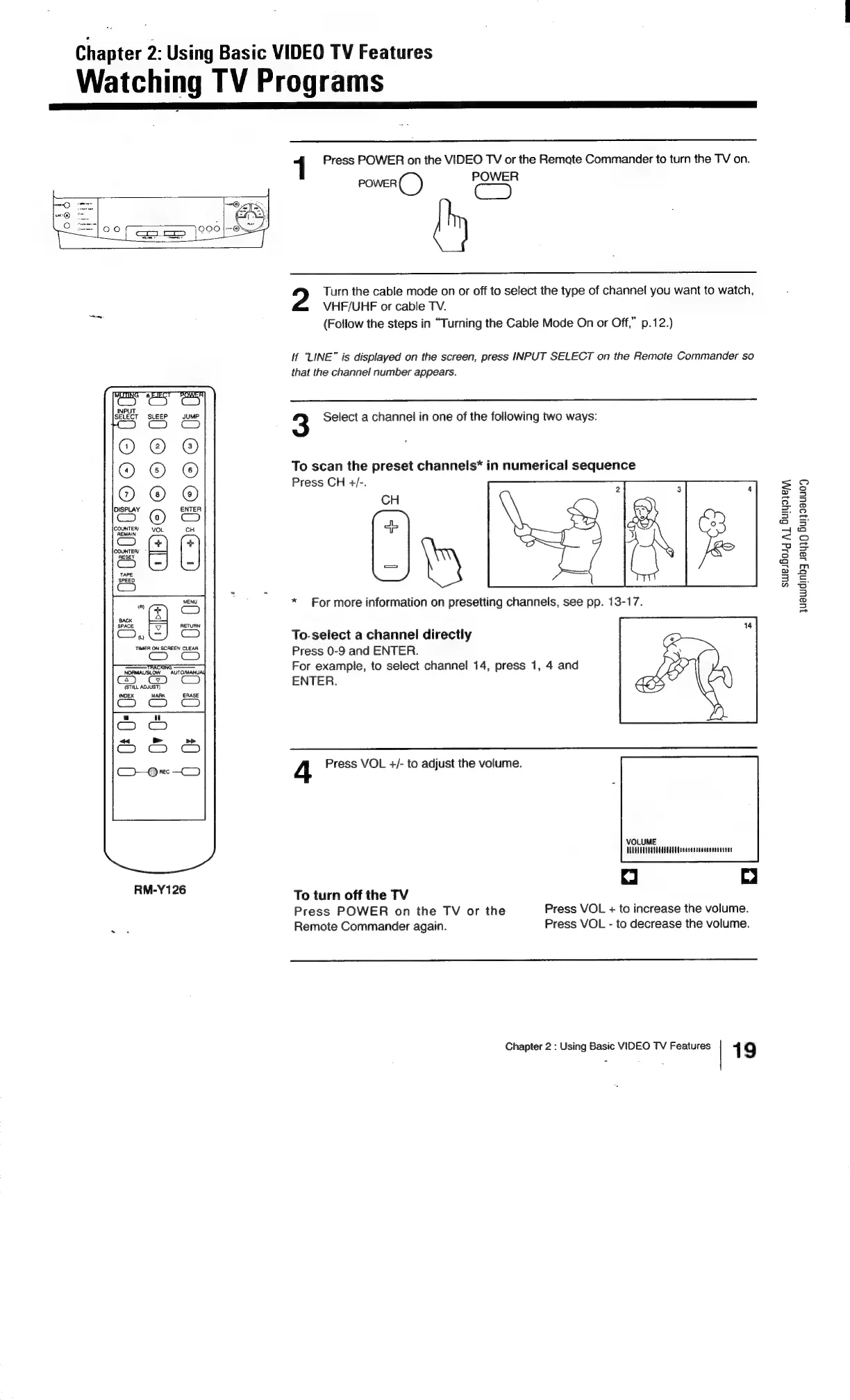
Press
POWER
on
the
VIDEO
TV
or
the
Remate
Commander
to
turn
the
TV
on.
POWER
@
POWER
Cc)
Turn
the
cable
mode
on
or
off
to
select
the
type
of
channel
you
want
to
watch,
VHF/UHF
or
cable
TV.
(Follow
the
steps
in
“Turning
the
Cable
Mode
On
or
Off,”
p.12.)
lf
“LINE”
is
displayed
on
the
screen,
press
INPUT
SELECT
on
the
Remote
Commander
so
that
the
channel
number
appears.
3
Select
a
channel
in
one
of
the
following
two
ways:
To
scan
the
preset
channels*
in
numerical
sequence
Press
CH
+/-.
CH
*)
*
For
more
information
on
presetting
channels,
see
pp.
13-17.
To-select
a
channel
directly
Press
0-9
and
ENTER.
For
example,
to
select
channel
14,
press
1,
4
and
ENTER.
4
Press
VOL
+/-
to
adjust
the
volume.
VOLUME
TUTTLE
EEE
EECOCOOECOOOOCCCUCCULG
To
turn
off
the
TV
Press
POWER
on
the
TV
or
the
Press
VOL
+
to
increase
the
volume.
Remote
Commander
again.
Press
VOL
-
to
decrease
the
volume.
Chapter
2
:
Using
Basic
VIDEO
TV
Features
1
9
swesBolg
A
Buiyoien,,
juawidinb3
48439
Buiy9auu04

Related product manuals