EasyManua.ls Logo

Sony Trinitron KV-13VM20 - Inserting a Video Cassette

Sony Trinitron KV-13VM20
97 pages
Print Icon
To Next Page IconTo Next Page
To Previous Page IconTo Previous Page
Loading...
Chapter
4:
Using
Basic
VCR
Features
Playback
aS:
(STILL
ADJUST)
INDEX
MARK
RM-Y126
30
Chapter
4:
Using
Basic
VCR
Features
Inserting
a
Video
Cassette
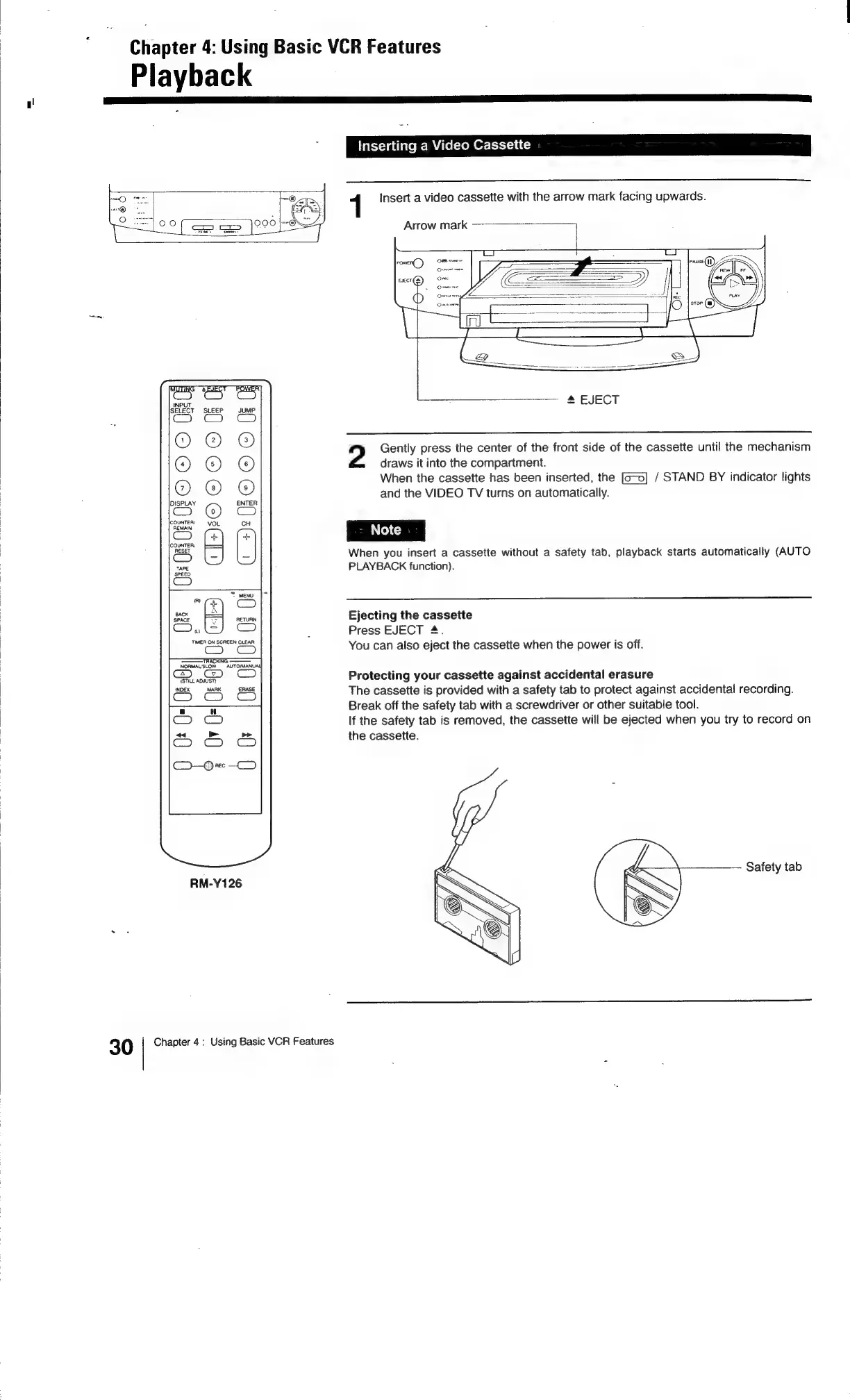
1
Insert
a
video
cassette
with
the
arrow
mark
facing
upwards.
Arrow
mark
—--—---————>
]
2
Gently
press
the
center
of
the
front
side
of
the
cassette
until
the
mechanism
draws
it
into
the
compartment.
When
the
cassette
has
been
inserted,
the
/
STAND
BY
indicator
lights
and
the
VIDEO
TV
turns
on
automatically.
When
you
insert
a
cassette
without
a
safety
tab,
playback
starts
automatically
(AUTO
PLAYBACK
function).
Ejecting
the
cassette
Press
EJECT
4.
You
can
also
eject
the
cassette
when
the
power
is
off.
Protecting
your
cassette
against
accidental
erasure
The
cassette
is
provided
with
a
safety
tab
to
protect
against
accidental
recording.
Break
off
the
safety
tab
with
a
screwdriver
or
other
suitable
tool.
If
the
safety
tab
is
removed,
the
cassette
will
be
ejected
when
you
try
to
record
on
the
cassette.
Safety
tab
Y/

Related product manuals