Preparation
Connections
16
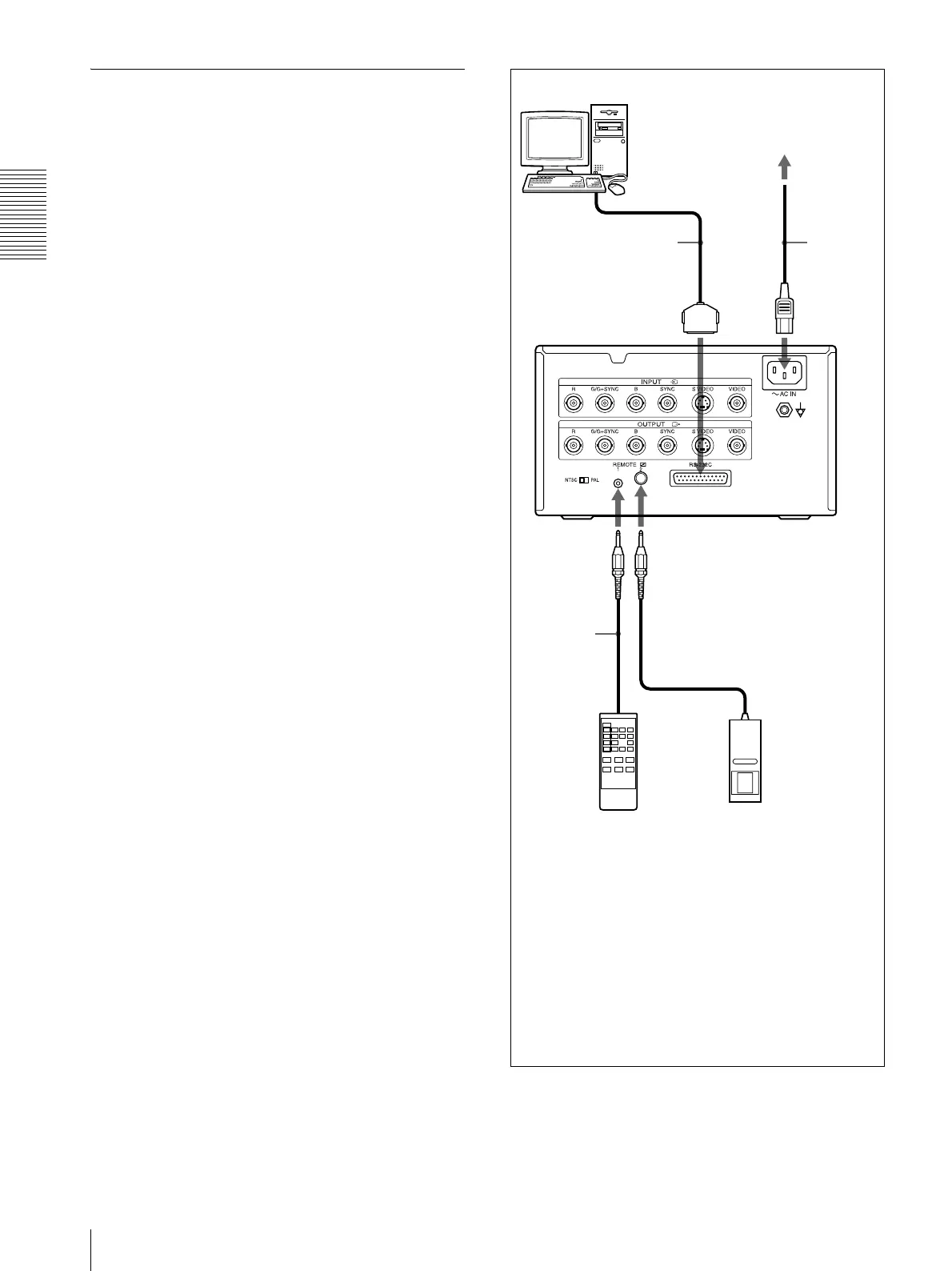
Making Connections to Enable
Remote Control
The printer can be controlled remotely by connecting an
RM-5500 Remote Control Unit (not supplied), an RM-
91 Remote Control Unit (not supplied), or a personal
computer.
Remote
control
connecting
cable
(supplied
with the RM-
5500)
to REMOTE 1 to REMOTE 2
to AC IN
AC power
cord
(supplied)
Computer
a)
a) When connecting a personal computer, select the
appropriate baud rate from the SYSTEM SETUP menu.
(See “Setting the Baud Rate” on page 58.)
b) You can also use the remote control unit as a wireless unit.
In such a case, aim the head of the remote control unit at the
remote sensor on the printer. With fresh batteries, the range
of the remote control unit is about 3 meters.
RS-232C cable
RM-91 (not supplied) RM-5500
b)
(not supplied)
UP-21MD
to wall outlet



 To Next Page