Preparation
Before Printing
20
Selecting the Input Signal
Before printing, select the appropriate input signal (the
input connector to which the signal to be printed is being
input) VIDEO, S VIDEO, or RGB.
1
Turn on the video monitor and the printer.
2
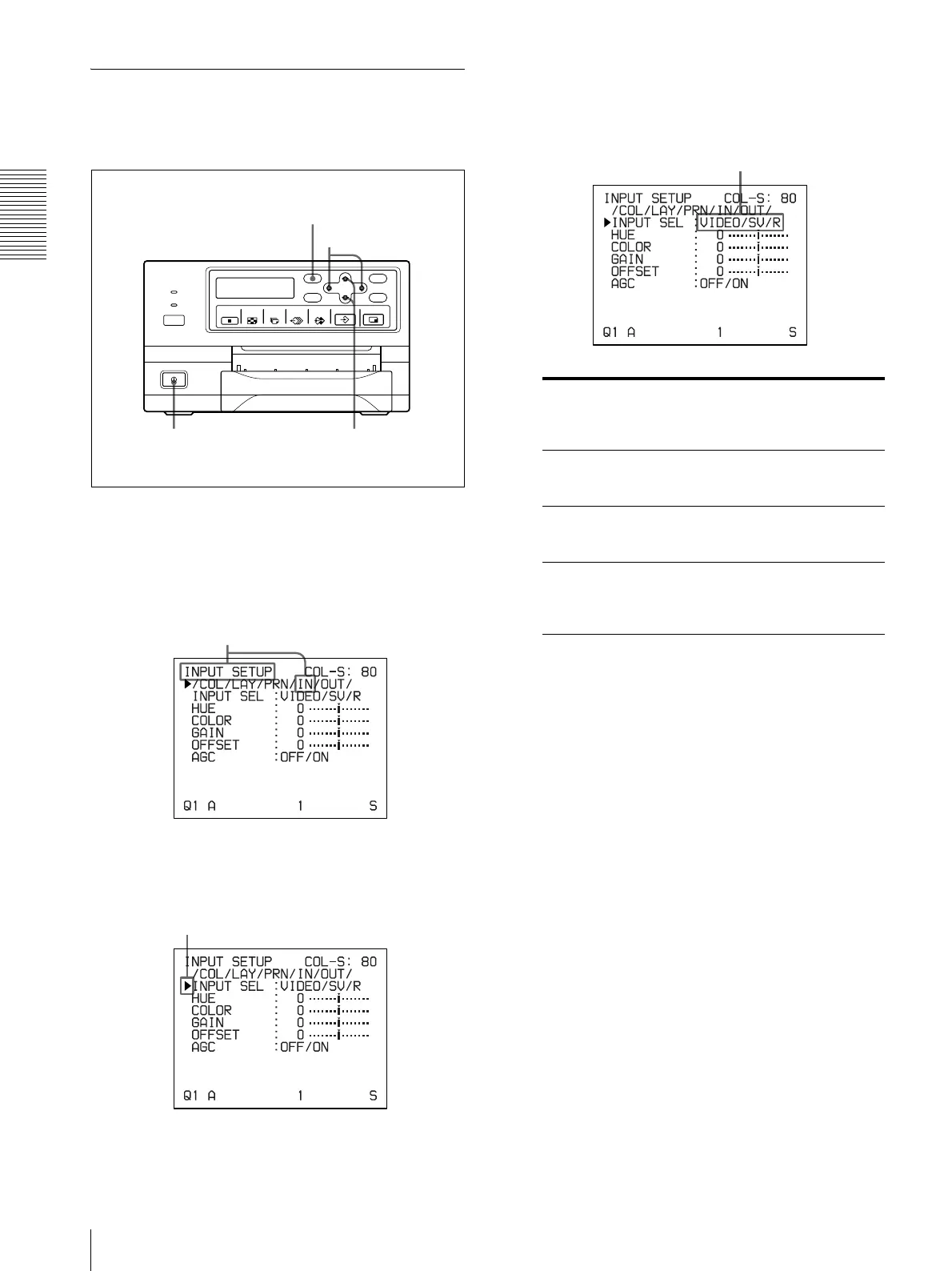
Press the MENU button and display the INPUT
SETUP menu by pressing the F, f, G or g button.
3
Select INPUT SEL by pressing the F or f button.
4
Select the desired input signal by pressing the G or
g button.
a) The RGB SYNC INPUT connectors are equipped only
with the UP-21MD.
When RGB is selected, ****** is displayed at the
selections of items HUE and COLOR on the INPUT
SETUP menu.
5
Press the MENU button.
The regular screen appears.
1
2, 5
2, 4, 5
2, 3
Switch IN to green by pressing the F, f, G or g button,
then the INPUT SETUP menu appears.
Position the cursor at INPUT SEL by
pressing the F or f button.
Source signal of the
image to be printed
Video monitor and
printer window display
(the selected input
signal is spelled out)
Signal from video
equipment connected to the
VIDEO INPUT connector
V tVIDEO
Signal from video
equipment connected to the
S VIDEO INPUT connector
SV t S VIDEO
Signal from video
equipment connected to the
RGB SYNC INPUT
connectors
R t RGB
a)
Switch the desired input signal to green by
pressing the G or g button. The selected
input signal turns green and is spelled out.



 To Next Page