Operation
Making Variations of Printouts
28
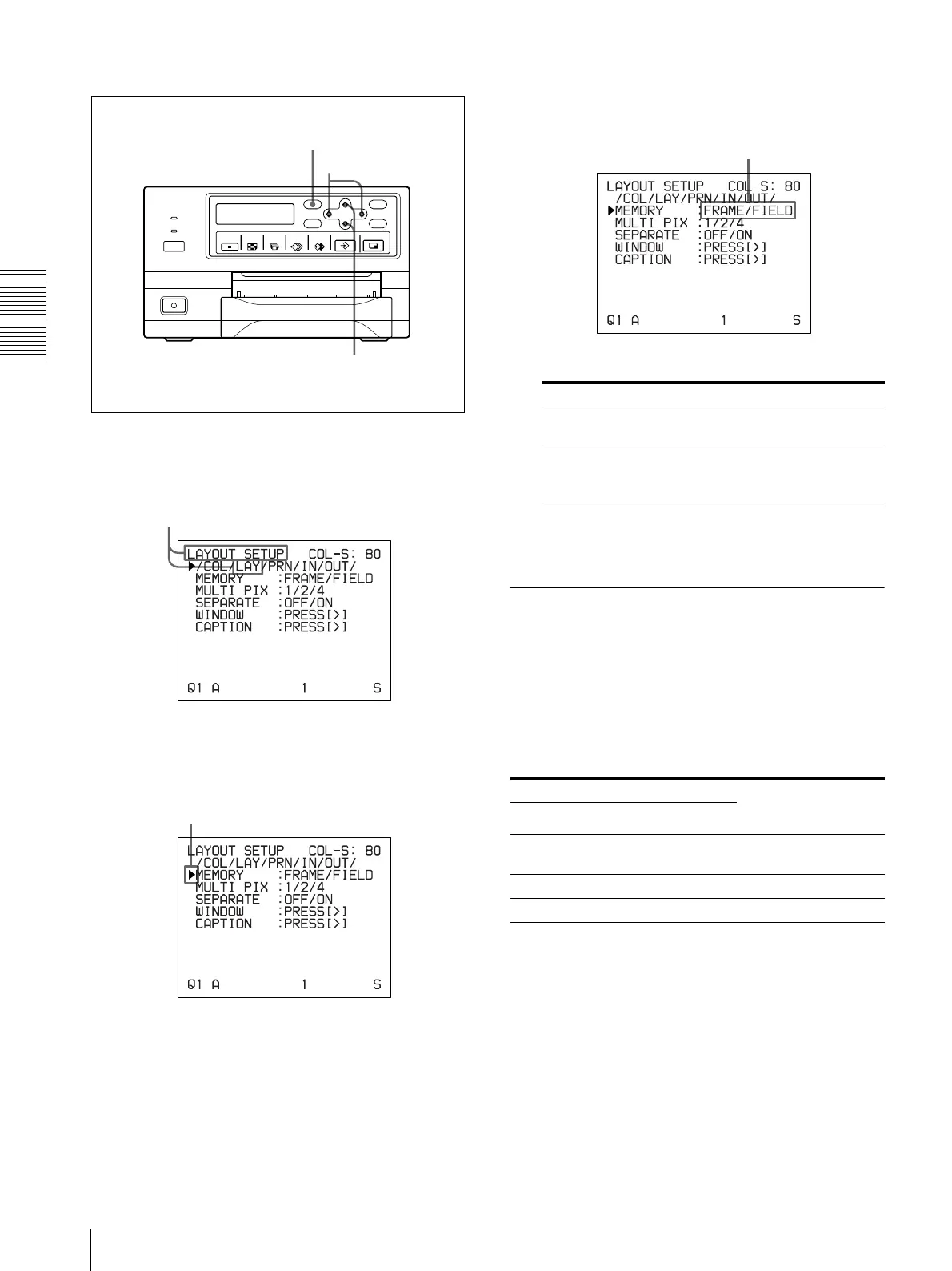
Selecting the memory mode
1
Press the MENU button and display the LAYOUT
SETUP menu by pressing the F, f, G or g button.
2
Select MEMORY by pressing the F or f button.
3
Select the desired memory mode by pressing the G
or g button.
4
Press the MENU button.
The regular screen appears.
Selecting a Memory Page
Memory page
A memory area in which an image is captured is called
a memory page in this manual.
The number of usable memory pages depends on the
type of the reduced images selected and on the memory
mode.
1, 2
1, 4
1, 3
Switch LAY to green by pressing the F, f, G or g
button, then the LAYOUT SETUP menu appears.
Position the cursor at MEMORY by pressing the F or
f button.
Mode Contents
FRAME We recommend that, whenever
possible, you print in this mode.
FIELD Select this mode to reduce blurring
when you print a quickly moving
image.
Usable memory page Type of reduced
images to be
captured in memory
FRAME FIELD
A, B, C, D A1, A2, B1, B2, C1,
C2, D1, D2
Full image
A, B A1, A2, B1, B2 Two reduced images
A A1, A2 Four reduced images
Switch the desired memory mode to green by
pressing the G or g button.



 To Next Page