Adjustment
Basic Menu Operations
45
3
Select the desired item by pressing the F or f
button.
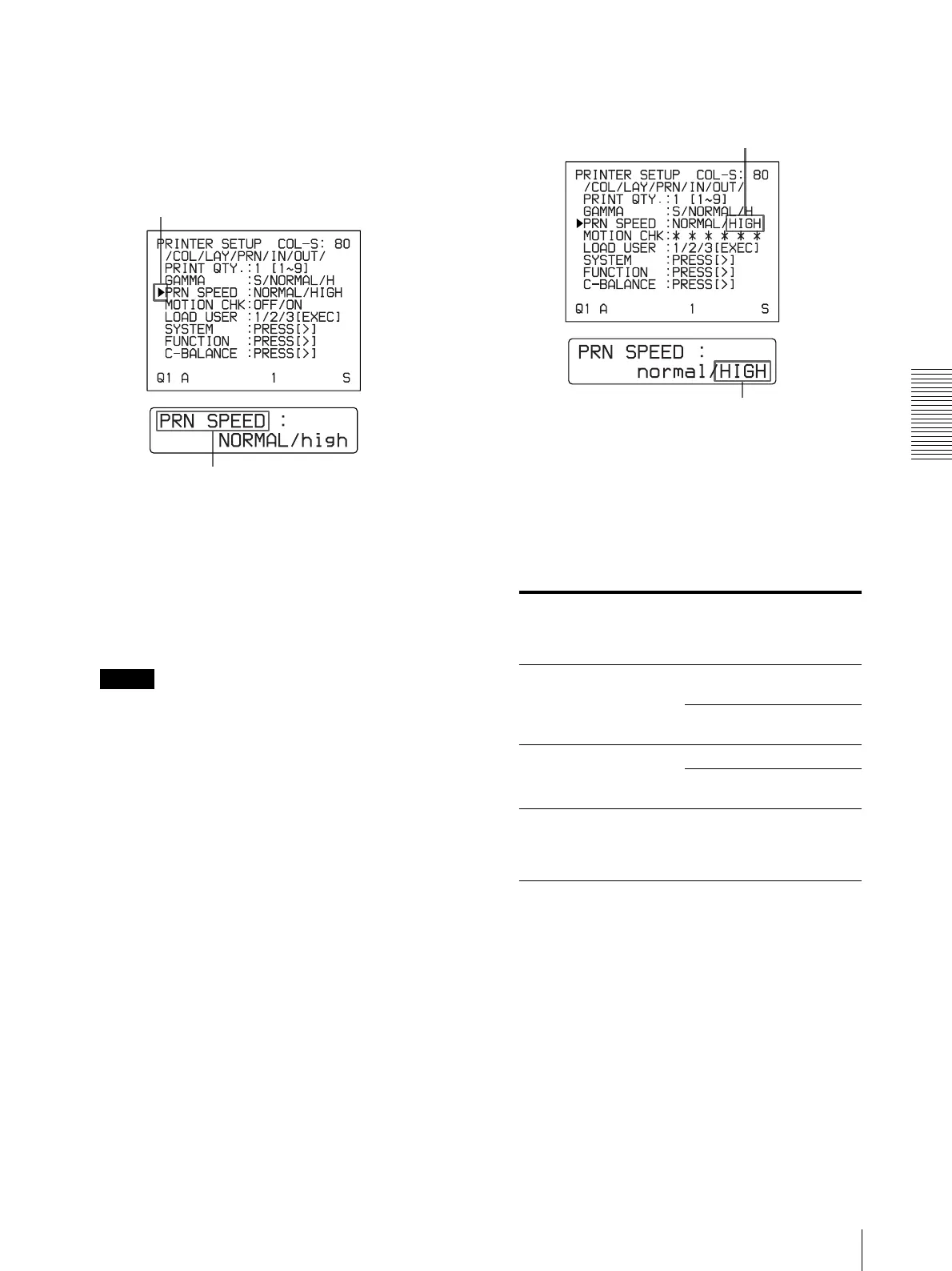
Example: To select PRN SPEED on the
PRINTER SETUP menu
4
Change the setting by pressing the G or g button.
To change the selection:
Switch the desired selection to green by pressing
the G or g button
.
Note
When / is displayed at both ends of a selection or at
either the right or left end, there are more selections
in this direction. Press the G or g button to display
more selections.
Example: To select HIGH of the PRN SPEED
item on the PRINTER SETUP menu
When ****** is displayed at the selection:
****** is displayed when changing the selection is
ineffective. The following table lists the case where
the selection is ineffective.
a) Only for the UP-21MD
Position the cursor at PRN SPEED by pressing the F
or f button.
Press the F or f button until PRN SPEED appears.
Selected item Item can not to be
changed (when ****** is
displayed at the
selection)
1 is selected for MULTI
PIX on the LAYOUT
SETUP menu.
SEPARATE
(LAYOUT SETUP menu)
MOTION CHK
(PRINTER SETUP menu)
RGB is selected for
INPUT SEL on the INPUT
SETUP menu
a)
.
HUE (INPUT SETUP menu)
COLOR
(INPUT SETUP menu)
ON is selected for
IMMED.CAP on the
FUNCTION SETUP
menu.
RM2 FUNC
(FUNCTION SETUP menu)
Switch HIGH to green by pressing the e G or g button.
Display HIGH in capital letters by pressing the G or g
button.



 To Next Page