56
Adjusting the Color and Picture Quality
Adjustment
To reset the values to the factory setting
Select each item with the cursor, then press the <
and , buttons at the same time.
As data is stored separately for each COLOR SEL
color, be sure to perform the above procedure for each
COLOR SEL color if you want to reset all the
settings.
10
If you want to adjust another parameter, repeat steps 5
to 9.
11
If you want to adjust another color, repeat steps 4 to 9.
To readjust parameter values
If the desired parameter values were not obtained in step 8
of “Specifying Colors for Adjustment (HSV Adjustment),”
readjust the parameters.
You can also perform precise adjustment following the
same operation procedures.
1
Display the parameter values of the image that is the
most appropriate among the nine images by using the
< or , button.
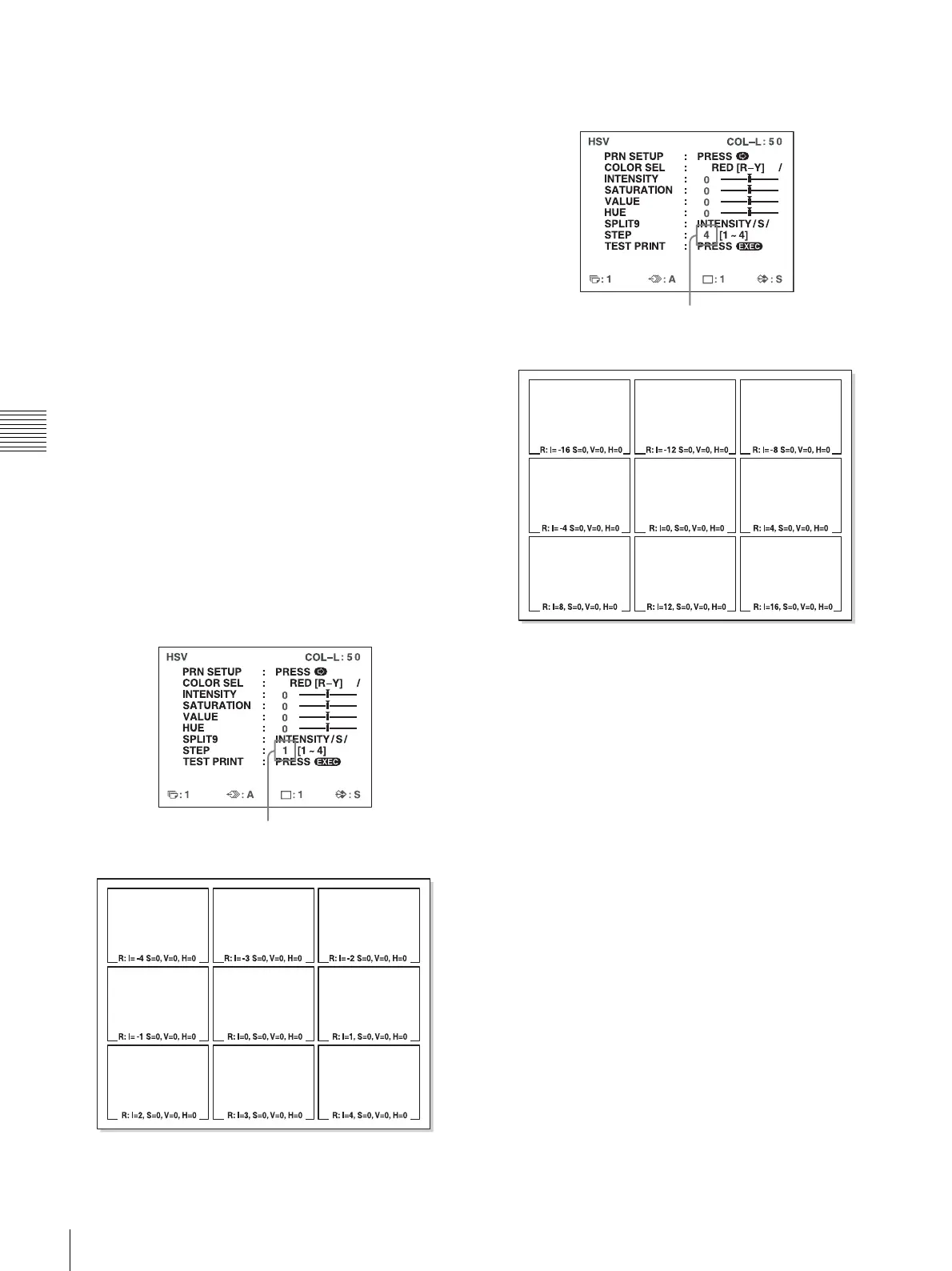
You can select whether to perform precise
adjustments or broad adjustments by changing the
STEP value.
To perform precise adjustment
To perform parameter adjustment within the current
parameter range, reduce the current STEP value.
To perform broad adjustment
To perform parameter adjustment beyond the current
parameter range, increase the current STEP value.
2
Make a test print by repeating steps 2 to 7 in
“Specifying Colors for Adjustment (HSV
Adjustment).”
3
Select the most appropriate image among the nine
images.
If you cannot find an appropriate image, repeat steps
1 and 2 until you can find an appropriate image.
4
Go back to step 8 in “Specifying Colors for
Adjustment (HSV Adjustment).”
The HSV test print will appear as follows
when STEP is set to 1.
The HSV test print will appear as follows
when STEP is set to 4.



 To Next Page