59
Configuring HDTV-Signal Inputs and Outputs
Adjustment
Selecting the Downconvert Method
When downconverting HDTV signals for output as SDTV
signals, select the downconverting method.
Image resolution is reduced and the aspect ratio changes to
4:3 when you downconvert the signals.
This setting is not available when OUTPUT SEL is set to
HD.
1
Display the HDTV SETUP menu.
2
Select SD CONV. by pressing the M or m button, and
select the output method by pressing the < or ,
button.
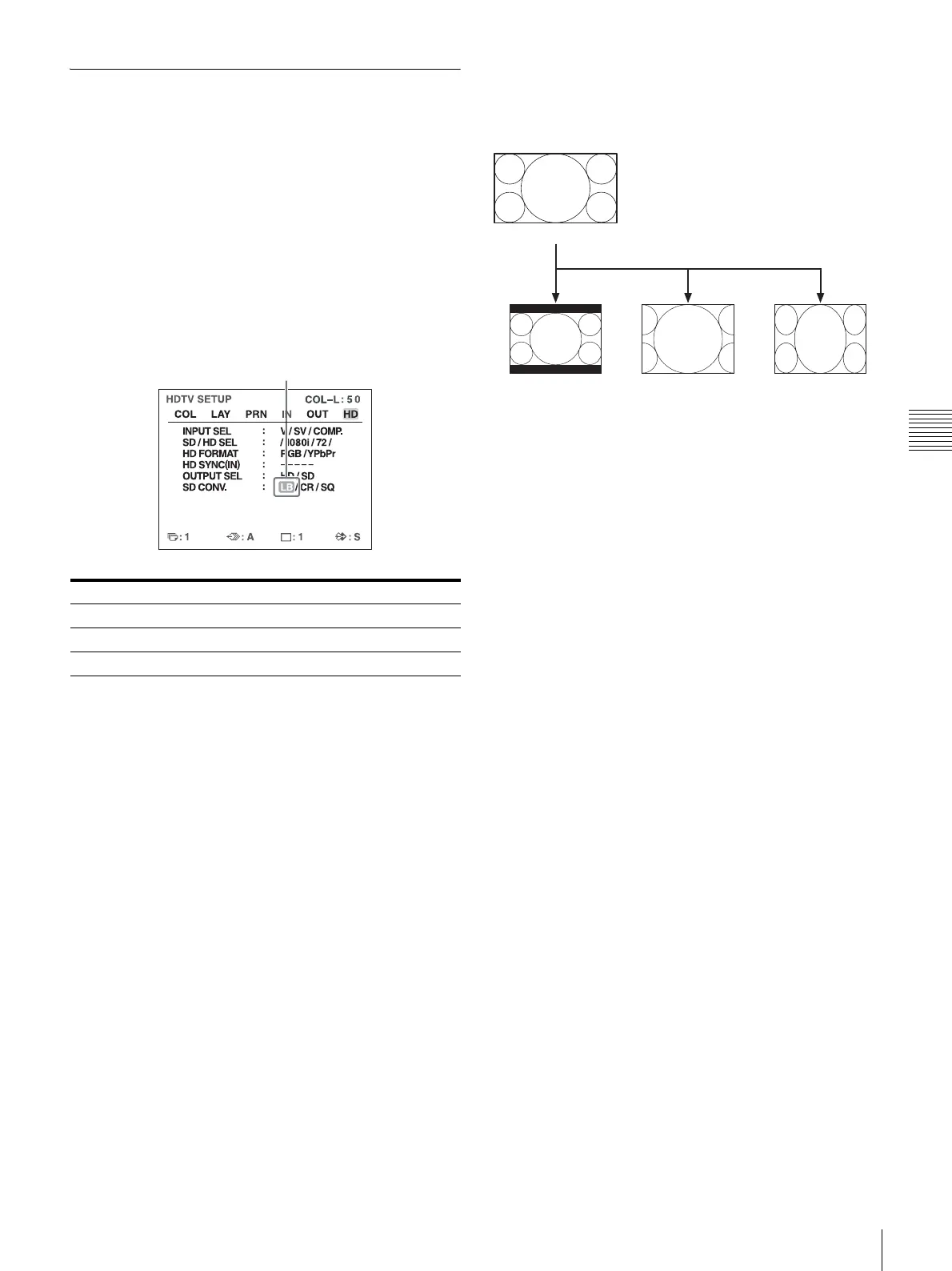
Letterbox: Compresses the HDTV image to fit the SDTV
screen size while preserving the original aspect ratio.
Mattes (black bars) appear above and below the image.
The entire HDTV image is output without changes to its
shape, but objects appear smaller in size.
Crop: Crops the left and right edges of the HDTV image.
Objects located in the left and right edges of the HDTV
image are not output.
Squeeze: Compresses the HDTV image horizontally into
4:3 aspect ratio. The entire HDTV image is output, but
objects appear vertically stretched.
Downconvert method Setting
Letterbox LB
Crop CR
Squeeze SQ
Highlight the desired downconvert method
in green by pressing the < or , button.
Original
HDTV (16:9)
Letterbox
Downconvert (4:3)
Crop Squeeze


 To Next Page