75
Error/Warning Messages
Miscellaneous
4
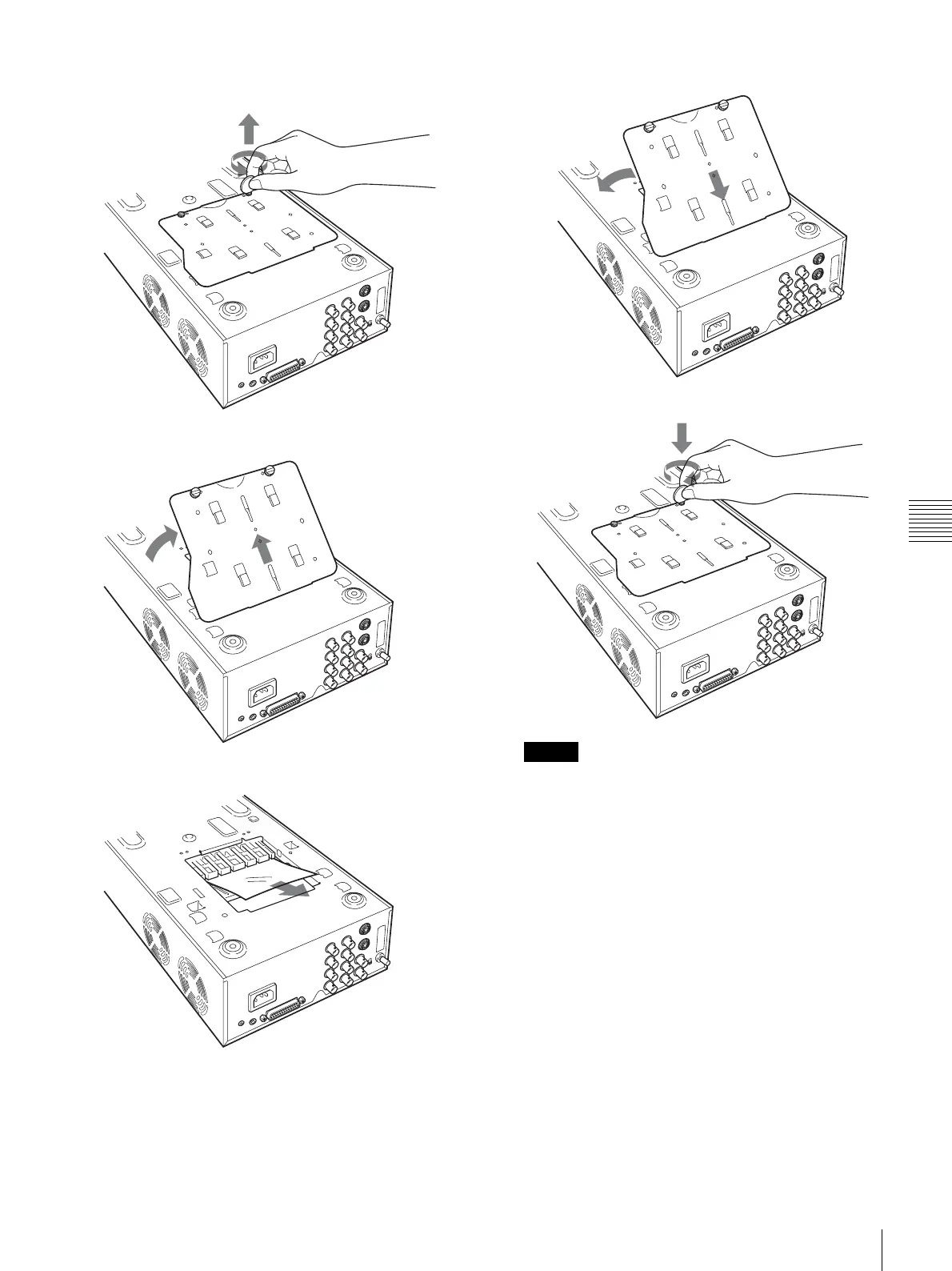
Using a flat tool, such as a coin, to remove the two
screws securing the base plate.
5
Lift up the base plate and remove it from the printer.
6
Carefully clear the jammed paper.
7
Reattach the base plate.
V
Note
The printer cannot print with the base plate removed.
If a paper jam still cannot be cleared
Consult your Sony dealer. Do not attempt to remove the
paper by force.



 To Next Page