22
Preparation
Preparation
Connection
Notes
• Turn off the power to each device before making any
connections.
• Connect the AC power cord last.
Setting Up the Printer
You can set the printer to the desired specifications using
two kinds of switches.
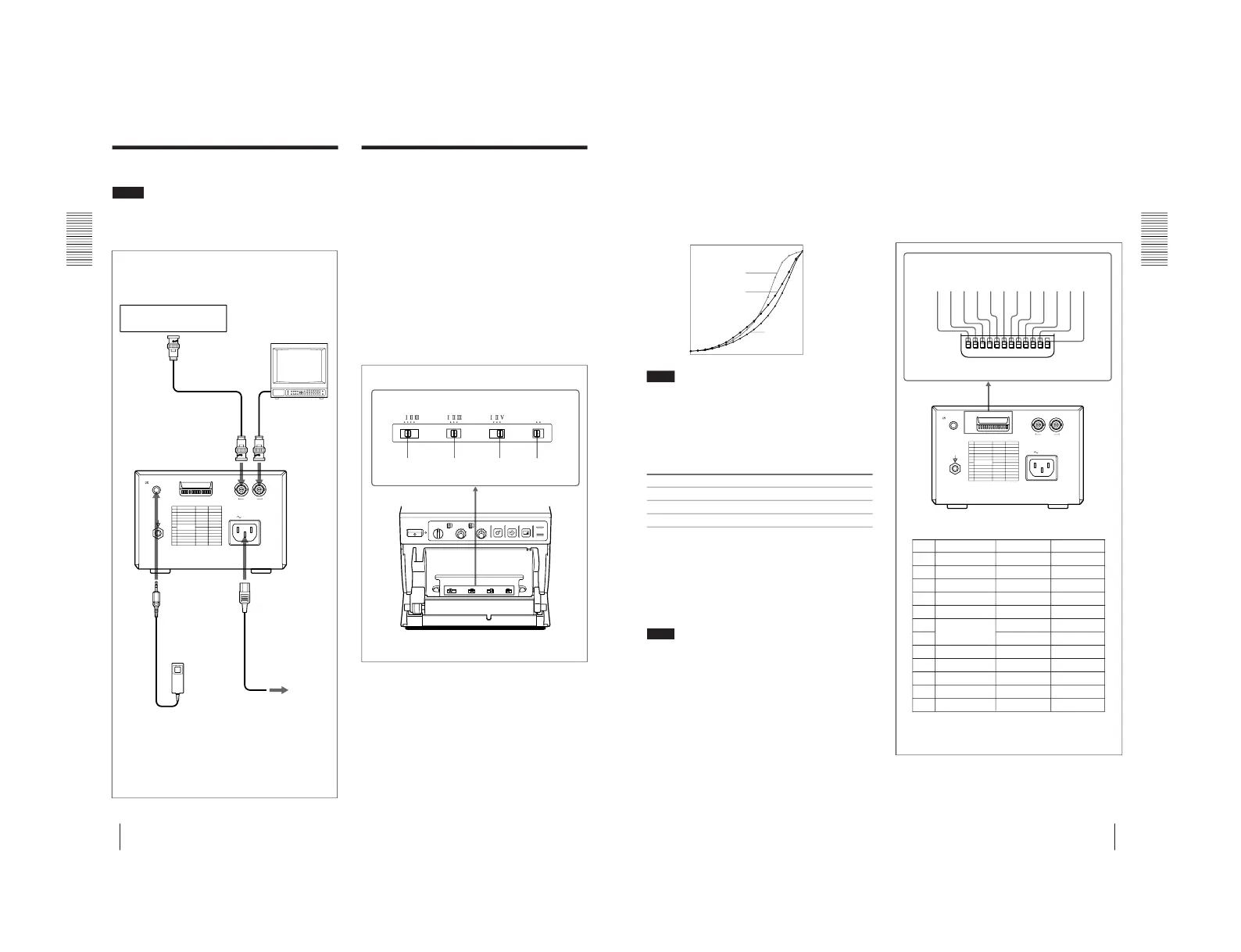
• Slide switches on the paper tray inside the front door
You can easily set the printer specifications most
frequently used in daily operation, such as selection of
the paper type and printout quality.
• DIP switches on the rear panel
You can set the print mode and other settings you do
not need to change frequently
Setting the Slide Switches on the
Paper Tray
The factory settings are as follows.
Connection/Setting Up the Printer
RM-91 Remote control unit
(not supplied)
A SHARPNESS switch
Adjusts the sharpness of the printout.
OFF: Not to emphasize an outline of the printout, set
the switch to this position.
I, II, III: To make a sharper outline, set the switch to
the proper position. In I, II and III order, the printout
becomes sharper.
23
Preparation
Preparation
B GAMMA switch
Sets the tone of printouts (density gradation).
I: Soft gradation
II: Standard
III: Hard gradation
The diagram below shows the curve of density
graduation for each tone.
Note
This switch is effective only when you use paper types
UPP-110HD or UPP-110HG, that is, when the PAPER
TYPE switch C is set to either II or V.
C PAPER TYPE switch
Selects the paper type.
Set the switch to the type of paper to be used.
Type of paper Switch position
UPP-110S I (Normal)
UPP-110HD II (High density)
UPP-110HG V (High glossy)
D SMOOTHING switch
Selects the line density.
OFF: Normally keep this switch to this position.
ON: To set the print line density to high density and
obtain the better print quality, set the switch to this
position. However, the printing speed is slower than at
the OFF position.
Note
This switch becomes effective under the following
conditions.
• When the image size selector on the front panel is set
to either SML or NOR and STD/SIDE selector is set to
STD, and ASPECT of DIP switch C on the rear panel
is set to 4 : 3.
• When the image size selector is set to a position other
than SML and NOR and ASPECT of DIP switch C is
set to 1 : 1.
Under any other conditions except those above, the print
line density is not set to high and the print quality is
standard even if you set the switch to ON.
Setting the DIP Switches on the
Rear Panel
To change the DIP switch settings
Use a small pointed tool such as a small screwdriver.
The factory settings are as follows.
SW-DOWN or SW-UP indicated in parentheses
shows the switch position.
DIP SW FUNCTION TABLE
NO. FUNCTION SW-DOWN SW-UP
1 INTERRUPT ON OFF
2 POSTFEED ON OFF
3 ASPECT 4:3 1:1
4 MEMORY FRAME FIELD
5 DIRECTION NORM REV
6 SCAN – WIDE 2
7 WIDE 1 NORM
8 OUTPUT THRU EE
9 AGC OFF ON
10 RESERVED – –
11 INPUT B & W COLOR
12 75 Ω ON OFF
Setting Up the Printer
High
Low
Print density
Gradation
0
255
I
II
III



 To Next Page