70
Operation
Making Printout Variations
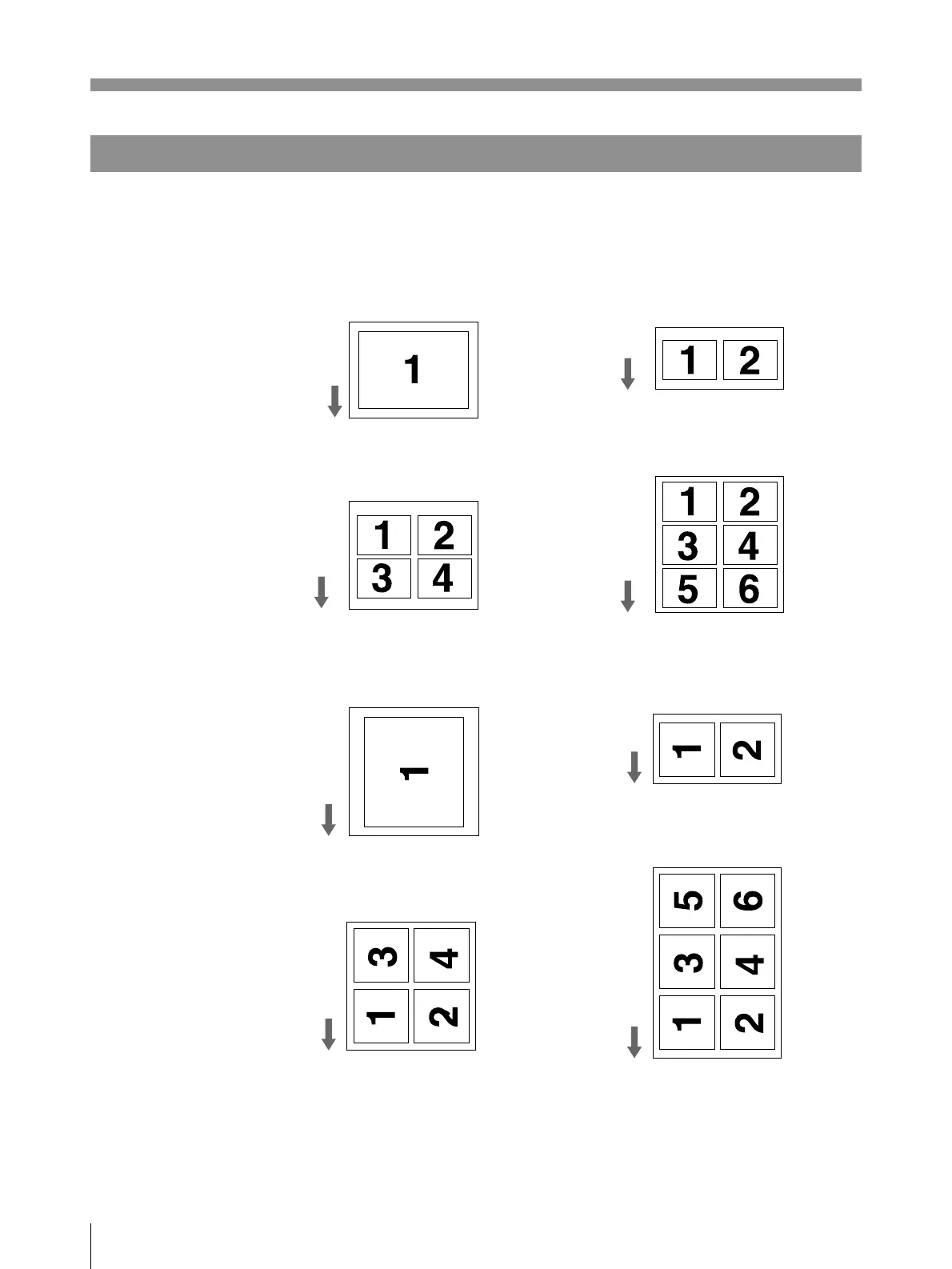
In both single picture and multi picture modes, you can make variety of printouts
by changing IMAGE SIZE on the IMAGE SEIZE sub menu and setting the
number of images to be printed on one page. (pages 79 and 81)
STANDARD mode
Full-size
Full-size
SIDE mode
Making Printouts (Continued)
2 reduced images
on one page
4 reduced images
on one page
6 reduced images
on one page
2 reduced images on
one page
4 reduced images on
one page
6 reduced images
on one page
In addition to the above variations, you can make printouts upside down (see page
80) and mirror image printouts (see page 81).
Printing
direction



 To Next Page